
GPT Image 2Prompt IA
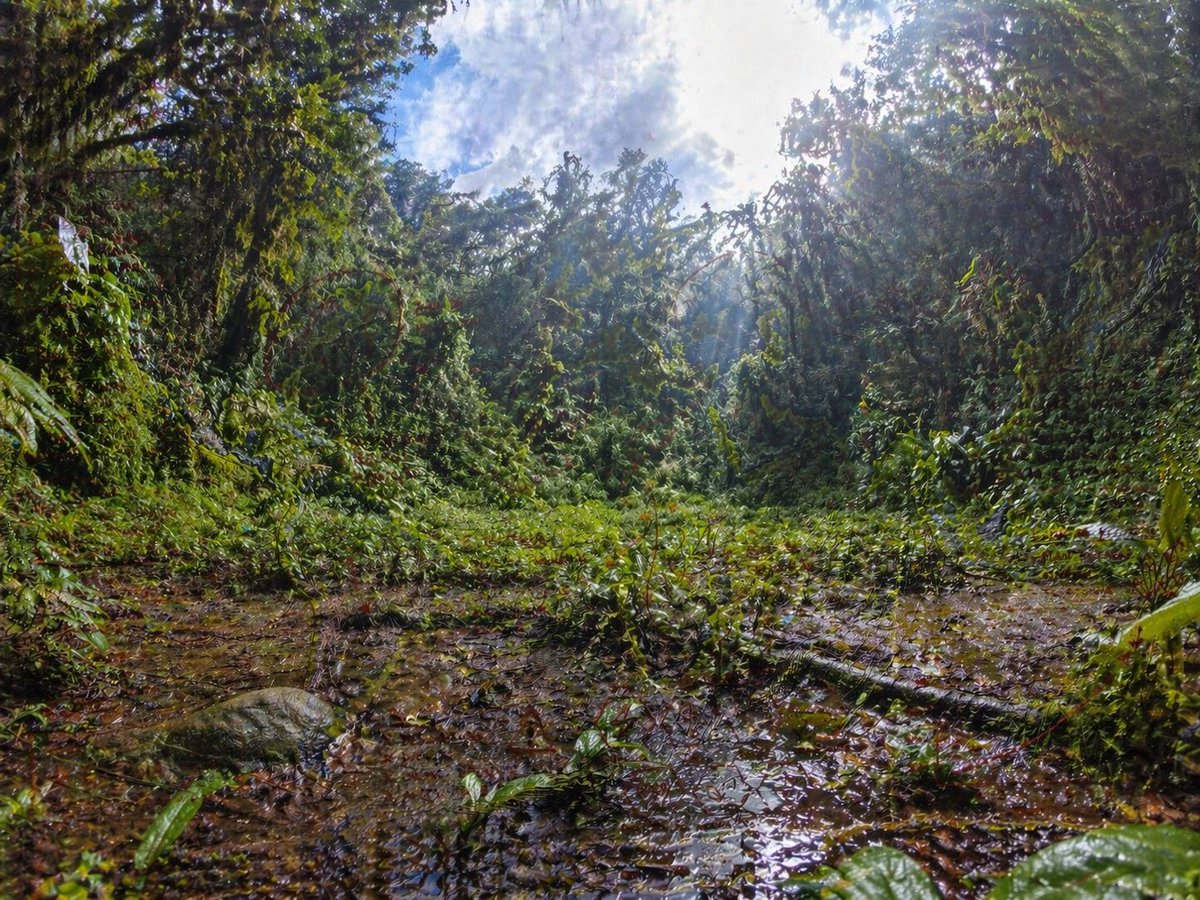
Rainforest Clearing with Splotchy Noise Artifact — Sora 2 Prompt
Generate a hyper-realistic rainforest clearing with dramatic sunlight and a deliberate grid-like noise artifact, perfect for demonstrating AI image quality issues.
PROMPT · EN
一张超细节的广角雨林空地照片,采用极低的地面视角拍摄,相机几乎贴近浅泥坑的边缘。茂密的热带丛林植被在空地周围形成了一圈环形墙,交织的藤蔓、宽大的湿叶、灌木和树干上覆盖着厚厚的绿植。前景是湿滑的棕色泥水、落叶和反光水坑,包括一根斜穿右下区域的倒木和左下角一块圆润的苔藓岩石。中心处是一片低矮的绿色植物,背景则是高耸的茂密丛林树冠。明亮的正午阳光从右上方的树梢间穿透而下,形成强烈的射线、薄雾、发光高光,并与透过树冠可见的局部多云蓝白天空形成高对比度。使用具有微妙桶形畸变的戏剧性鱼眼或超广角镜头效果,营造沉浸式的环境尺度、浓郁饱和的绿色、湿润的质感、逼真的自然光影、清晰的叶片细节以及写实的纪录片式自然摄影风格。在图像中加入微弱且不自然的网格状斑点噪点伪影图案,在阴暗的叶片和泥泞地面上尤为明显,模拟图像生成过程中的质量缺陷。
À propos de ce prompt
Generate a hyper-realistic rainforest clearing with dramatic sunlight and a deliberate grid-like noise artifact, perfect for demonstrating AI image quality issues. Use it as a Art Conceptuel starting point for GPT Image 2: keep the visual structure and style constraints intact, then swap in your own subject, brand, or scene.
Start with small changes to subject, scene, camera, and color, then generate a few variations to compare composition and detail without turning the page copy into keyword stuffing.
Comment utiliser ce prompt
- Copy the prompt text from the description.
- Paste it into your AI model (e.g., DALL-E 3, Midjourney, Stable Diffusion, or Sora for video).
- Adjust settings like aspect ratio (16:9 recommended) or style strength.
- Generate the image/video. The artifact will appear as specified.
- To remove the artifact, delete the last sentence about the noise pattern.


