
GPT Image 2Prompt IA
Cinematic Double Exposure Traveler — Sora 2 Prompt
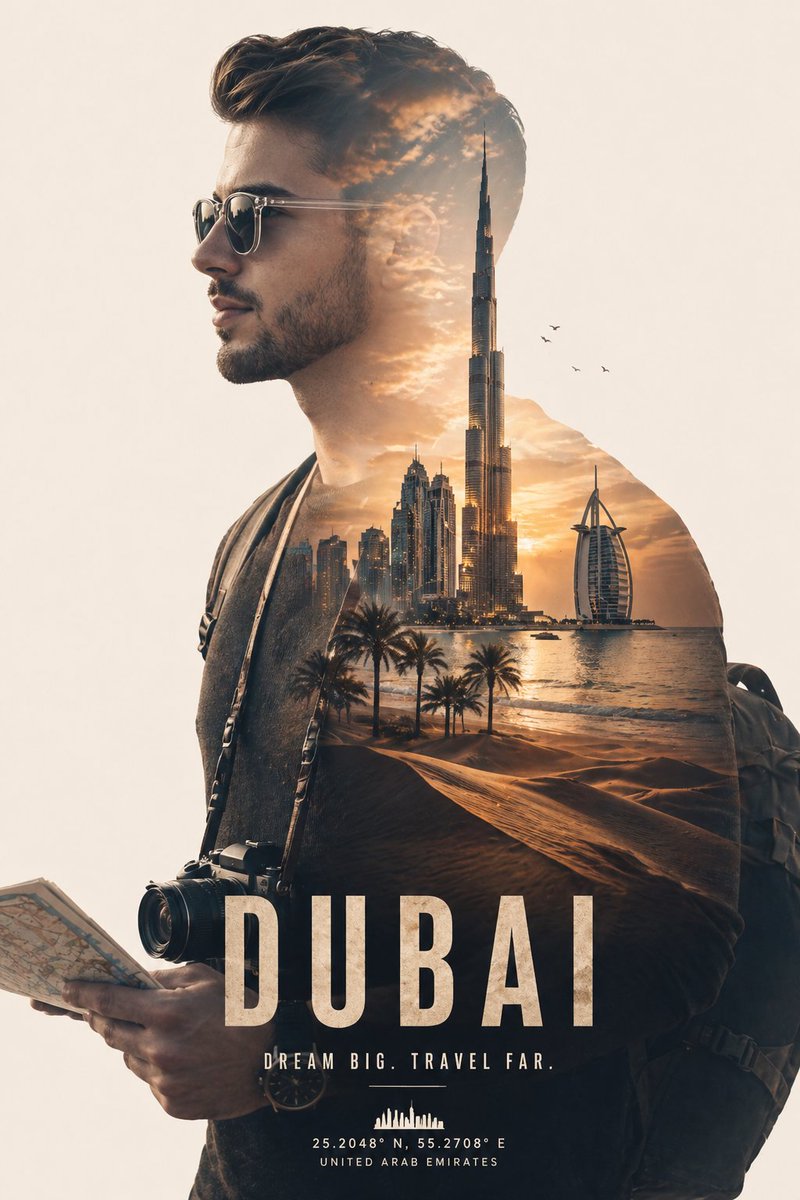
Create a stunning, poster-quality travel ad portrait that seamlessly blends a traveler's silhouette with a famous city skyline using a clean double exposure effect.
PROMPT · EN
一张电影感的双重曝光肖像,主体为侧面轮廓的 argsubject: 年轻男性旅行者,戴着太阳镜,穿着休闲夹克并背着背包,手中拿着地图,脖子上挂着相机。在他的剪影内,无缝融合了 arglocation: 令人惊叹的迪拜城市景观,其中包括 arglandmark: 哈利法塔、现代摩天大楼、沙漠沙丘、棕榈树以及金色日落时的海岸线。温暖的金色光芒充盈整个画面,天空中点缀着柔和的云朵和飞鸟。双重曝光效果干净且平衡,肖像与风景之间的融合平滑自然。极简的浅米色背景营造出高级海报质感。高度细节化,超写实纹理,电影级布光,柔和阴影,85mm 镜头感,焦点清晰,专业旅行广告风格,8K 分辨率。
À propos de ce prompt
Create a stunning, poster-quality travel ad portrait that seamlessly blends a traveler's silhouette with a famous city skyline using a clean double exposure effect. Use it as a Art Conceptuel starting point for GPT Image 2: keep the visual structure and style constraints intact, then swap in your own subject, brand, or scene.
Start by replacing subject, location, and landmark, then keep the camera, composition, and material cues in the same order. This makes the output easier to compare across variations.
Comment utiliser ce prompt
- Copy the full prompt text from the page.
- Select your preferred AI image generation model (e.g., Sora 2, Midjourney).
- Paste the prompt. To customize, change the variables in curly braces like
{subject}or{location}. - Generate the image. For variations, adjust the landmark or time of day for a different mood.


