
GPT Image 2Prompt IA
Gothic Anime Art: Dark Cathedral Portrait — Sora 2 Prompt
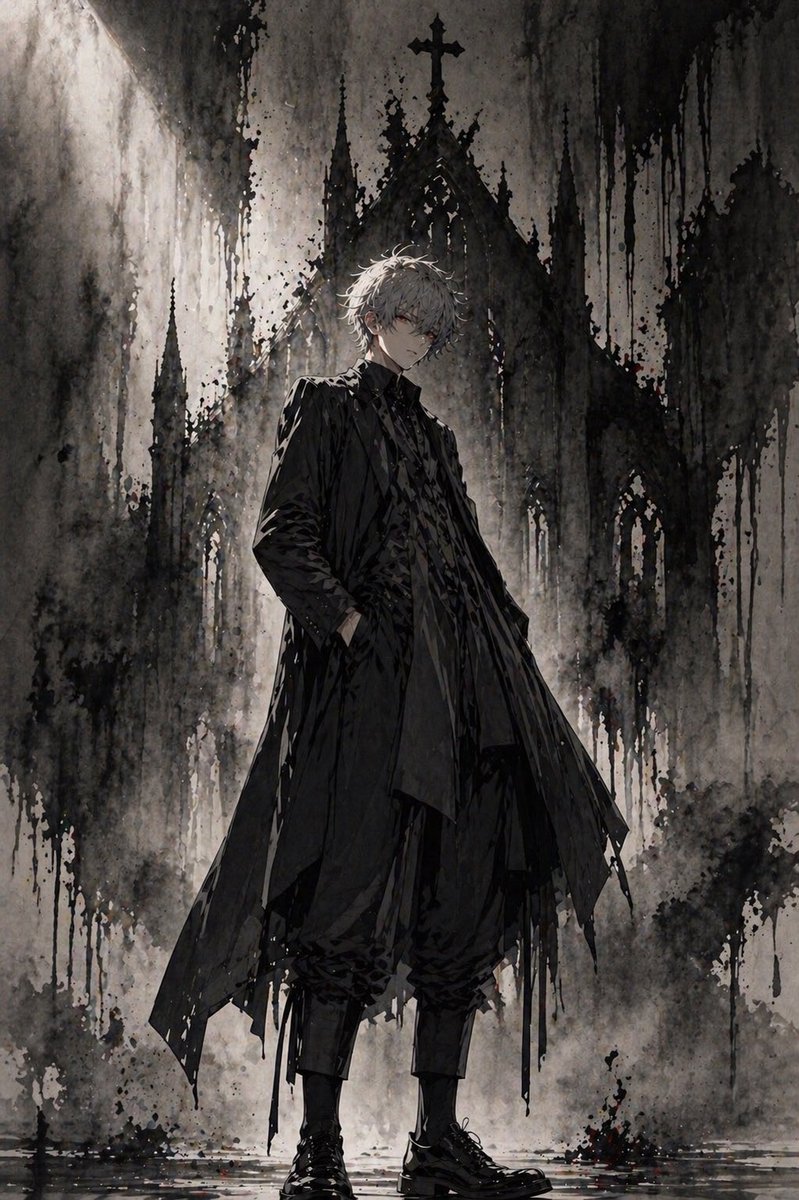
Generate a moody dark fantasy anime illustration featuring a gothic character by a cathedral with dramatic lighting and ink wash textures, perfect for cover art.
PROMPT · EN
一张全身暗黑哥特风动漫插画,描绘了一位身材修长的年轻男子自信地站在高耸的废墟大教堂前,采用垂直构图,人物居中。他留着凌乱且微卷的短发,发色为 arghair color: 银白色,皮肤苍白,散发着中性而优雅的气质。他的表情隐没在阴影中,显得低调内敛,面部被戏剧性的光影部分遮挡。他身穿全黑的叠穿服饰:一件带有锋利不对称裁片的破旧长款大衣、高领内搭夹克、质感深色衬衫、在小腿处收紧的宽松七分裤,以及抛光的黑色系带靴。他一只手插在大衣口袋里,另一只手臂自然下垂,呈现出冷静、疏离且贵族般的姿态。在他身后矗立着巨大的哥特式教堂外墙,可见 5 座尖塔,包括中央带有十字架的塔尖,呈现出水墨画般的质感。环境色调为单色木炭灰、灰烬色和黑色,带有微妙的柔和棕色底色,伴有厚重的颜料滴落、墨点纹理、朦胧雾气以及脚下湿润的地面反射。利用左上方的强烈背光在人物周围营造出光环效果,并勾勒出大教堂的剪影。整体氛围凄凉、庄重、神秘且具有电影感,融合了哥特时尚杂志、暗黑奇幻和水墨概念艺术风格。高度细腻的衣褶、写意的笔触、强烈的对比、充满质感的颓废背景、优雅的构图,无文字,无额外角色。
À propos de ce prompt
Generate a moody dark fantasy anime illustration featuring a gothic character by a cathedral with dramatic lighting and ink wash textures, perfect for cover art. Use it as a Art Conceptuel starting point for GPT Image 2: keep the visual structure and style constraints intact, then swap in your own subject, brand, or scene.
Start by replacing hair color, then keep the camera, composition, and material cues in the same order. This makes the output easier to compare across variations.
Comment utiliser ce prompt
- Copy the prompt text and paste it into your AI image generator (Midjourney, DALL·E, Stable Diffusion).
- Choose a model optimized for anime or illustration styles for best results.
- If desired, replace the
{hair color}variable (default: "银白色") with your preferred color (e.g., "raven black"). - Set the aspect ratio to portrait (e.g., 2:3 or 9:16) to match the vertical composition.
- Generate and refine: run multiple iterations, tweak lighting or clothing details if needed.


