
GPT Image 2Prompt IA
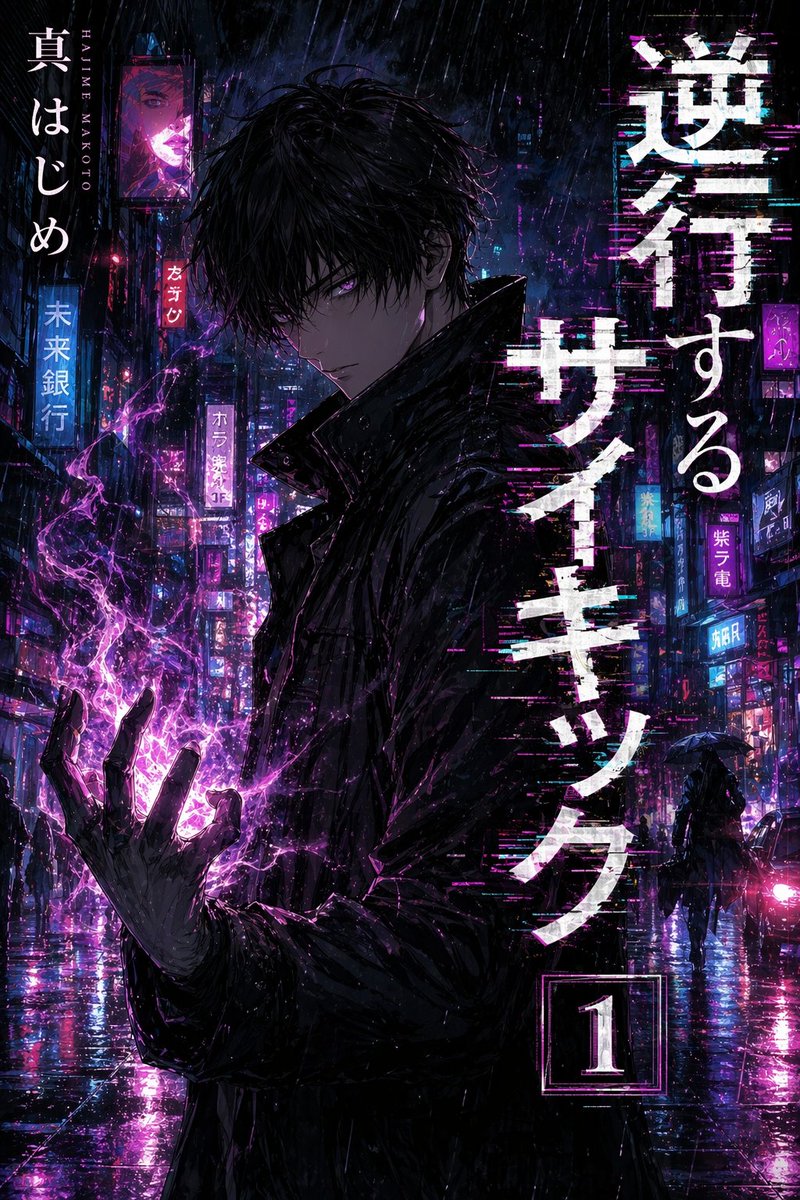
Manga Cover Art Prompt: Customize Characters & Titles — Sora 2
Generate professional manga volume covers with dynamic protagonists, cinematic backgrounds, and customizable title/author text.
PROMPT · EN
专业漫画单行本封面艺术。
一位富有魅力的主角以动态、引人注目的姿势作为视觉中心,带着坚定的表情注视着读者。 **背景:** 反映故事主题的复杂且富有氛围感的环境,具有戏剧性的光影、漂浮的粒子和电影级的景深效果。 **排版与布局:**
- 主标题:"argtitle: [title]" 以风格化、高冲击力的字体醒目显示。
- 署名:"argauthor: [author name]" 以较小、优雅的字体显示在底部或侧面。
- 设计:简洁的布局,为卷号预留了专用空间,确保呈现出专业的出版美学。 **视觉风格:**
- 锐利、干净的线条,配合专业的赛璐璐阴影和数字绘画高光。
- 高对比度配色方案,带有充满活力的点缀光效。
- 构图:垂直 2:3 的长宽比,平衡了书脊与封面的布局。 **质量:** 超精细、杰作、Pixiv 热门、高端商业插画风格。
À propos de ce prompt
Generate professional manga volume covers with dynamic protagonists, cinematic backgrounds, and customizable title/author text. Use it as a Art Conceptuel starting point for GPT Image 2: keep the visual structure and style constraints intact, then swap in your own subject, brand, or scene.
Start by replacing title and author, then keep the camera, composition, and material cues in the same order. This makes the output easier to compare across variations.
Comment utiliser ce prompt
- Copy the prompt.
- Paste it into your preferred AI art model (Sora 2, Midjourney, etc.).
- Replace
{title}and{author}with your manga's title and author name. - Optionally adjust character details (e.g., pose, expression) or background elements.
- Generate the image and refine as needed.


