
GPT Image 2Prompt IA
Hyper-Realistic Voxel Game Screenshot — Sora 2 Prompt
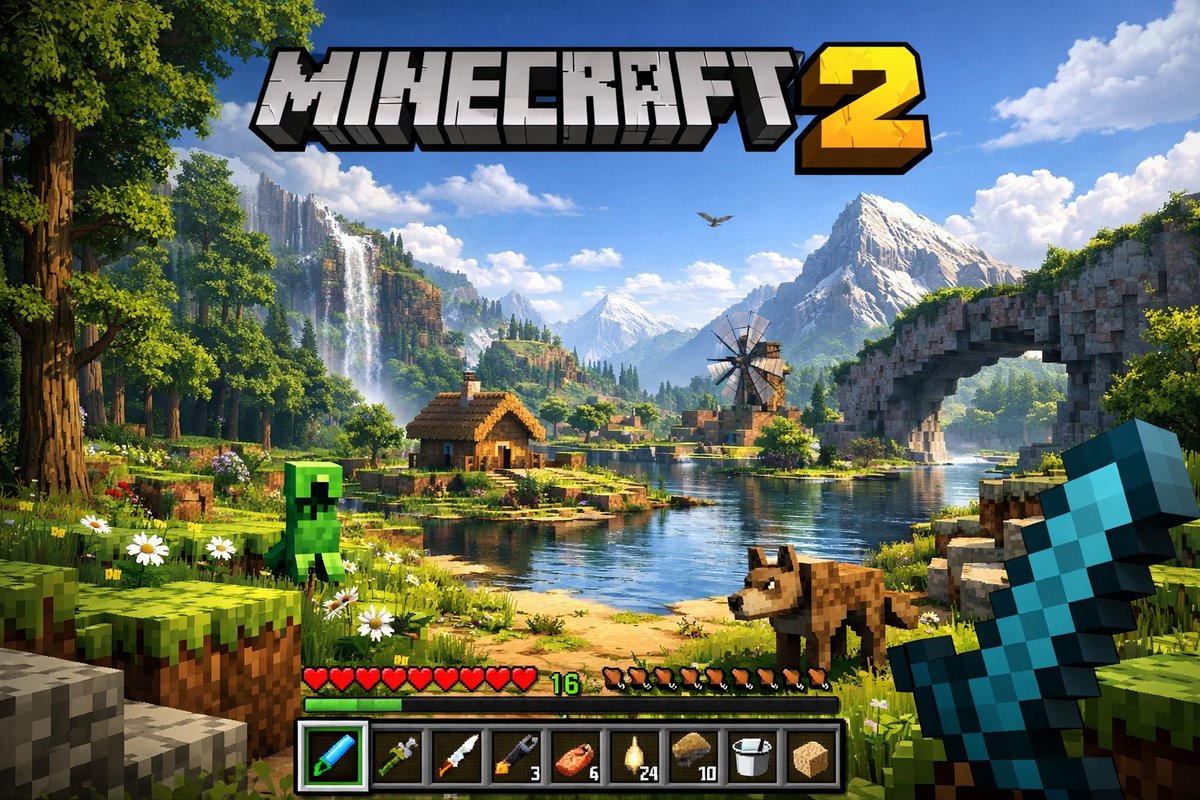
Generate a stunning, first-person voxel game screenshot with a custom 3D logo, immersive environment, and detailed UI overlay.
PROMPT · EN
一张高度细节化、逼真的下一代体素世界第一人称视频游戏截图。在顶部中心,一个巨大的粗体 3D Logo 显示为 "arggame title: MINECRAFT 2"。场景呈现了 argenvironment: 郁郁葱葱的方块景观,包含河流、小木屋、风车、瀑布以及背景中雄伟的山脉。该世界融合了逼真的光影、体积云和高分辨率纹理,以及立方体体素几何结构。左侧前景中,一个 argmob 1: 方块状的绿色苦力怕 站在草地上,而一个 argmob 2: 方块状的棕色狼 站在右侧的泥土路上。最右侧,玩家的手以第一人称视角握着一把 argheld item: 像素化的蓝色钻石剑。屏幕底部是游戏用户界面,包含一个由 10 颗红心组成的生命值条、一个显示数字“16”的绿色经验条、一个由 10 个棕色肉块图标组成的饥饿值条,以及一个 9 格的物品快捷栏。快捷栏从左到右依次为:一个带有绿色高亮框的选中蓝色工具、一个绿色工具、一把刀、一个带有数字“3”的扳手、一个带有“6”的肉块、一个带有“24”的灯笼、一个带有“10”的泥土块、一个水桶以及一个海绵块。
À propos de ce prompt
Generate a stunning, first-person voxel game screenshot with a custom 3D logo, immersive environment, and detailed UI overlay. Use it as a Art Conceptuel starting point for GPT Image 2: keep the visual structure and style constraints intact, then swap in your own subject, brand, or scene.
Start by replacing game title, environment, mob 1, and mob 2, then keep the camera, composition, and material cues in the same order. This makes the output easier to compare across variations.
Comment utiliser ce prompt
- Copy the full prompt text.
- Select a compatible AI video/image generator like Sora 2.
- Customize the variables (e.g., game title, mobs, held item) to your vision.
- Paste the prompt and generate your unique game screenshot.


