
GPT Image 2Prompt IA
Seamless Time Travel Split-Screen — Sora 2 Prompt
Generate a photorealistic 8K cinematic scene merging 1920s and modern eras with interactive time-travel storytelling.
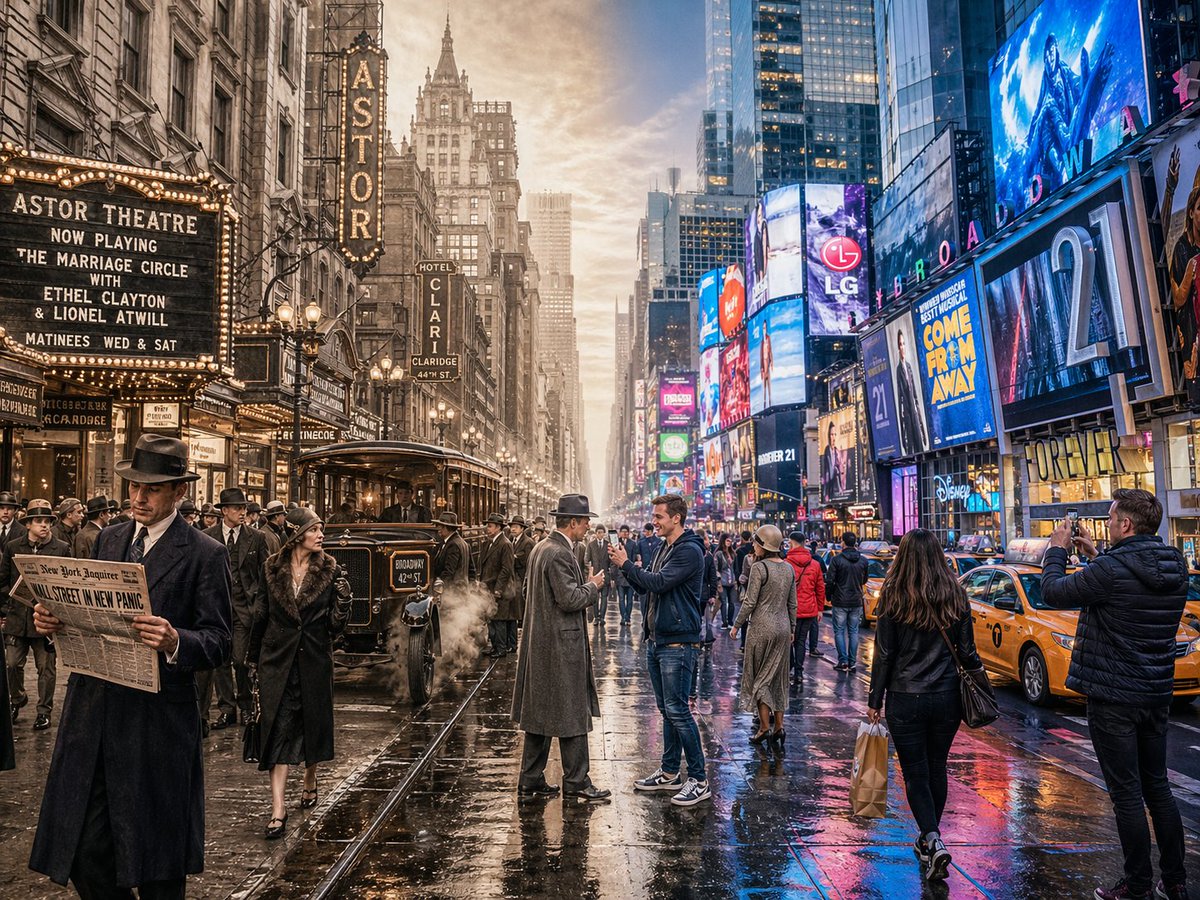
PROMPT · EN
一张水平分屏的电影感镜头,展示 argscene: 纽约时代广场,将两个不同的时代无缝融合:左侧为 argfirst era: 1920 年代,右侧为 argsecond era: 现代(默认:约 100 年前对比现代)。左侧:展示符合该时代特征的建筑、室内或环境设计、材料、车辆以及明确属于该历史时期的道具。人物穿着该时代的真实服饰,包括发型、配饰以及手中典型的物品。整体氛围充满怀旧感且符合历史真实性。右侧:展示同一场景的现代面貌,包含更新后的建筑或翻新结构、现代材料(玻璃、钢材、LED 屏幕、现代家具)、现代车辆或设备以及当前科技。人物穿着符合当代风格的时尚服饰。中心区域:两个时代有机地融合与重叠,没有生硬的分割线。两个时代的元素在视觉上产生互动:不同时代的人们互相注视、穿过对方的空间,或对彼此时代的科技和物品感到惊讶。建筑和环境从旧到新平滑过渡。确保场景不仅仅是简单的左右对比,而是一种动态的时空穿越互动。照片级真实感,8k 分辨率,电影级灯光,广角,高度精细的纹理,丰富的时空穿越叙事感。宽高比:4:3
À propos de ce prompt
Generate a photorealistic 8K cinematic scene merging 1920s and modern eras with interactive time-travel storytelling. Use it as a Art Conceptuel starting point for GPT Image 2: keep the visual structure and style constraints intact, then swap in your own subject, brand, or scene.
Start by replacing scene, first era, and second era, then keep the camera, composition, and material cues in the same order. This makes the output easier to compare across variations.
Comment utiliser ce prompt
- Copy the prompt above.
- Paste into Sora 2 or a compatible text-to-video model.
- Replace
{scene},{first era}, and{second era}with your desired location and years. - Generate the video at 4:3 aspect ratio, 8K if supported.
- Optionally adjust lighting details for different visual moods.


