
GPT Image 2Prompt IA
Medieval Isometric Travel Poster — Sora 2 Prompt
Create stunning vertical medieval travel posters with a minimalist isometric view and a strict 3-color palette for a classic, screen-printed aesthetic.
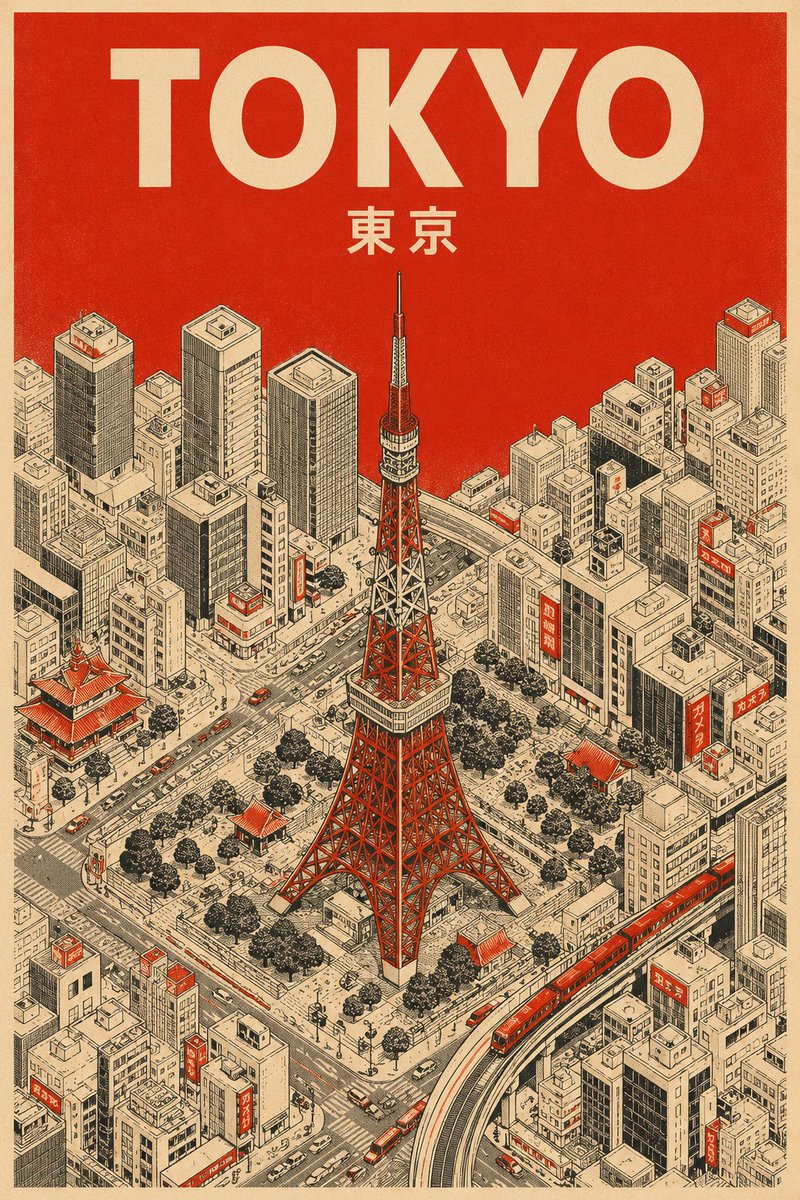
1 / 2
PROMPT · EN
为 argcity name: [城市名称] 创作一张竖版中世纪旅行海报,展示 arglandmark: [地标]。使用严格的 3 色调色板:奶油色纸张、黑色技术线条以及 argaccent color: [颜色]。
风格:极简主义等距鸟瞰视角,带有超细阴影线和丝网印刷纹理。
色彩运用:整个天空以及屋顶或街道上的小面积点缀均使用纯色 argaccent color: [颜色]。不使用渐变。
文字:顶部使用奶油色粗体无衬线字体标注“argcity name: [城市名称]”,下方用较小的奶油色文字标注当地语言名称。
À propos de ce prompt
Create stunning vertical medieval travel posters with a minimalist isometric view and a strict 3-color palette for a classic, screen-printed aesthetic. Use it as a Art Conceptuel starting point for GPT Image 2: keep the visual structure and style constraints intact, then swap in your own subject, brand, or scene.
Start by replacing city name, landmark, and accent color, then keep the camera, composition, and material cues in the same order. This makes the output easier to compare across variations.
Comment utiliser ce prompt
- Copy the entire prompt template from the page.
- Paste it into your chosen AI image generator (e.g., Sora, Midjourney).
- Replace the placeholder variables (
[城市名称],[地标],[颜色]) with your specific city, landmark, and accent color. - Adjust any creative parameters if your model allows, such as style emphasis or detail level.
- Generate the image and iterate by tweaking the variables for different destinations.


