
GPT Image 2Prompt IA
Sunset Beach Warrior Pose — Sora 2 AI Prompt
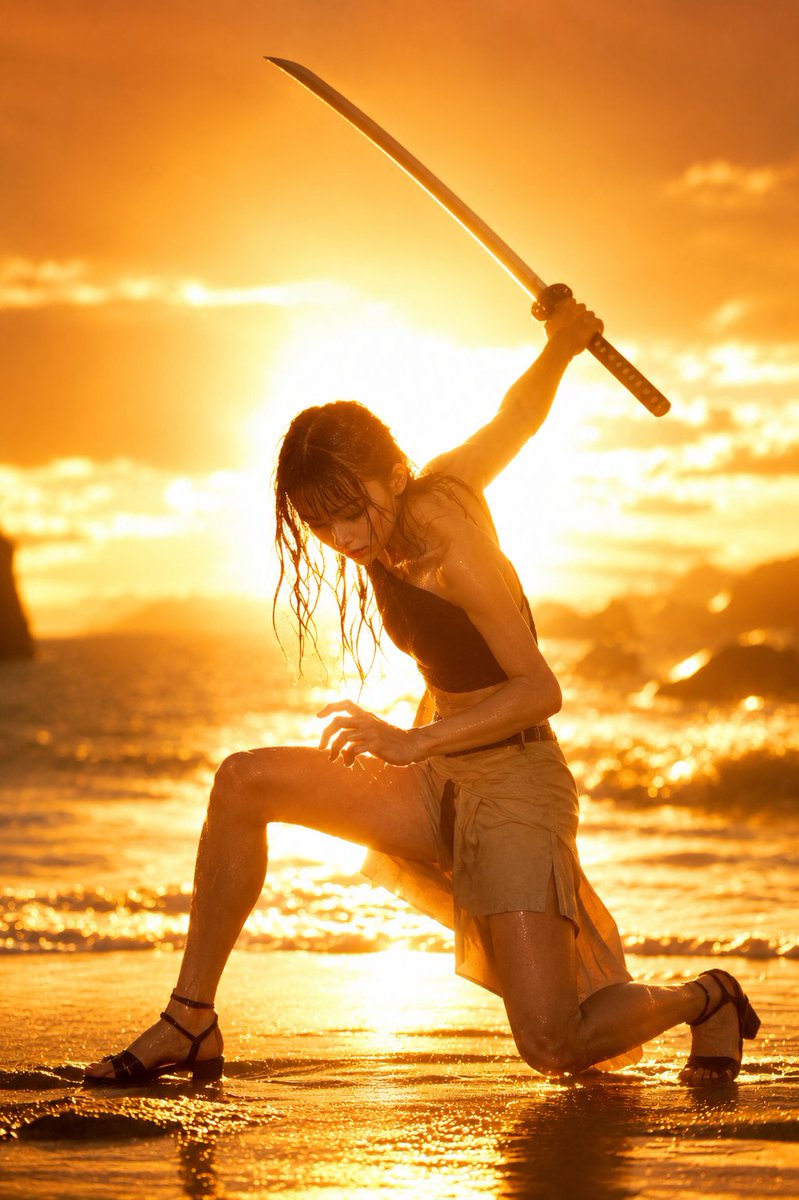
Generate a photo-realistic image of a warrior on a dramatic sunset beach, combining a specific combat stance, cinematic lighting, and customizable attire.
PROMPT · EN
以 REFERENCE_0 作为姿势和动作指南,将模特替换为一名逼真的成年女性战士,保持相同的跪姿弓步:一只膝盖着地,另一条腿向前,左手呈爪状靠近前膝,右手将一把武士刀举过头顶。以 REFERENCE_1 作为光影、色彩和环境指南:呈现戏剧性的金橙色日落海滩场景,太阳位于主体后方,海面波光粼粼,沙滩湿润,远处可见岩石,强烈的逆光效果,镜头光晕,以及高对比度的电影感暖色调。以 REFERENCE_2 作为发型指南:长款凌乱的湿润黑发,松散的发丝垂落在脸部和颈部周围,呈现潮湿质感。添加一套实用的海滩战斗装束:argtop: 黑色不对称露脐上衣,argbottom: 棕褐色裹身短裙裤,以及 argfootwear: 黑色绑带凉鞋。像参考图一样,用方形隐私遮挡块遮住面部。使图像达到照片级逼真效果,采用全身、竖构图,并通过水面和皮肤的高光来强调日落的余晖。武器数量严格限制为 1 把武士刀。
À propos de ce prompt
Generate a photo-realistic image of a warrior on a dramatic sunset beach, combining a specific combat stance, cinematic lighting, and customizable attire. Use it as a Art Conceptuel starting point for GPT Image 2: keep the visual structure and style constraints intact, then swap in your own subject, brand, or scene.
Start by replacing top, bottom, and footwear, then keep the camera, composition, and material cues in the same order. This makes the output easier to compare across variations.
Comment utiliser ce prompt
- Copy the entire prompt text and paste it into your chosen AI model (e.g., Sora).
- Review the customizable variables in curly braces (like
{argument name="top" ...}) and change the default values to your preferred outfit details. - Ensure your model has the three referenced images (REFERENCE_0, 1, 2) uploaded or linked correctly for pose, lighting, and hair style.
- Generate the image. The output will be a full-body, square aspect ratio, photo-realistic shot with a privacy block over the face.


