
GPT Image 2Prompt IA
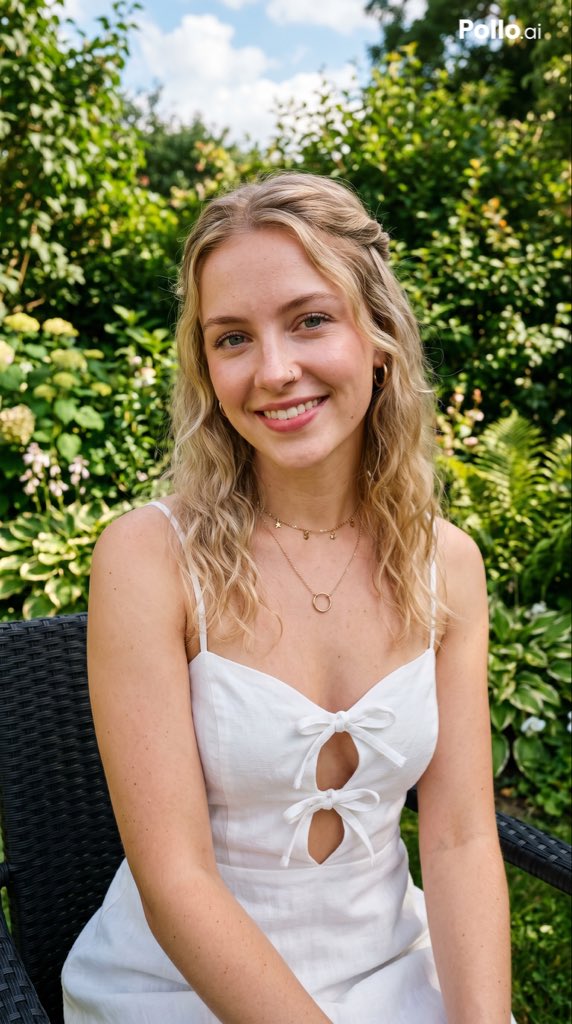
Portrait with Obscured Face in Lush Garden — Sora 2 Prompt
Generate a sunlit garden portrait with an obscured face and customizable colors, perfect for editorial anonymity and lifestyle aesthetics.
PROMPT · EN
一张照片级逼真的生活方式肖像,拍摄了一位坐在郁郁葱葱、阳光明媚的花园中的年轻女性,采用垂直构图,取景范围约为大腿中部以上。她留着 arghair color: 深金色 及肩至胸前的自然波浪卷发,发质略显蓬松,中分发型。她的脸部被一个平坦、纯色、中等棕色的长方形遮挡块完全遮住,遮挡块位于脸部中心,从额头延伸至下巴。她穿着一件 argdress color: 白色 无袖夏日连衣裙,带有细肩带、修身胸衣,胸部和上躯干中心有 2 个蝴蝶结,形成了 2 个水滴状的镂空设计。她佩戴着 2 条精致的金色项链:1 条带有小吊坠的短链和 1 条带有小圆形坠饰的稍长链。她的姿势放松自然,坐在深色的编织户外椅上,双臂自然垂放在大腿前,双肩放松,身体朝向前方。背景是细节丰富的花园,有茂密的绿色植物、灌木和柔和的浅色花朵,采用浅景深和奶油般虚化的效果呈现。明亮的自然日光,柔和的夏日氛围,逼真的皮肤纹理,高端抓拍风格的编辑摄影,头发上有微妙的高光,鲜艳的绿色,干净的曝光,清晰的主体对焦,休闲奢华的生活方式美学。在右上角包含一个小型的白色 "Pollo.ai" 水印。
À propos de ce prompt
Generate a sunlit garden portrait with an obscured face and customizable colors, perfect for editorial anonymity and lifestyle aesthetics. Use it as a Art Conceptuel starting point for GPT Image 2: keep the visual structure and style constraints intact, then swap in your own subject, brand, or scene.
Start by replacing hair color and dress color, then keep the camera, composition, and material cues in the same order. This makes the output easier to compare across variations.
Comment utiliser ce prompt
- Copy the full prompt text to your clipboard.
- Open Sora 2 or any compatible AI image generator and paste.
- Replace
{hair color}and{dress color}with your choices (e.g., "deep golden", "white"). - Set aspect ratio to vertical (portrait) for the intended composition.
- Generate the image; remove the "Pollo.ai" watermark if desired.


