
GPT Image 2Prompt IA
Executive Penthouse Night Scene — Sora 2 Realistic Prompt
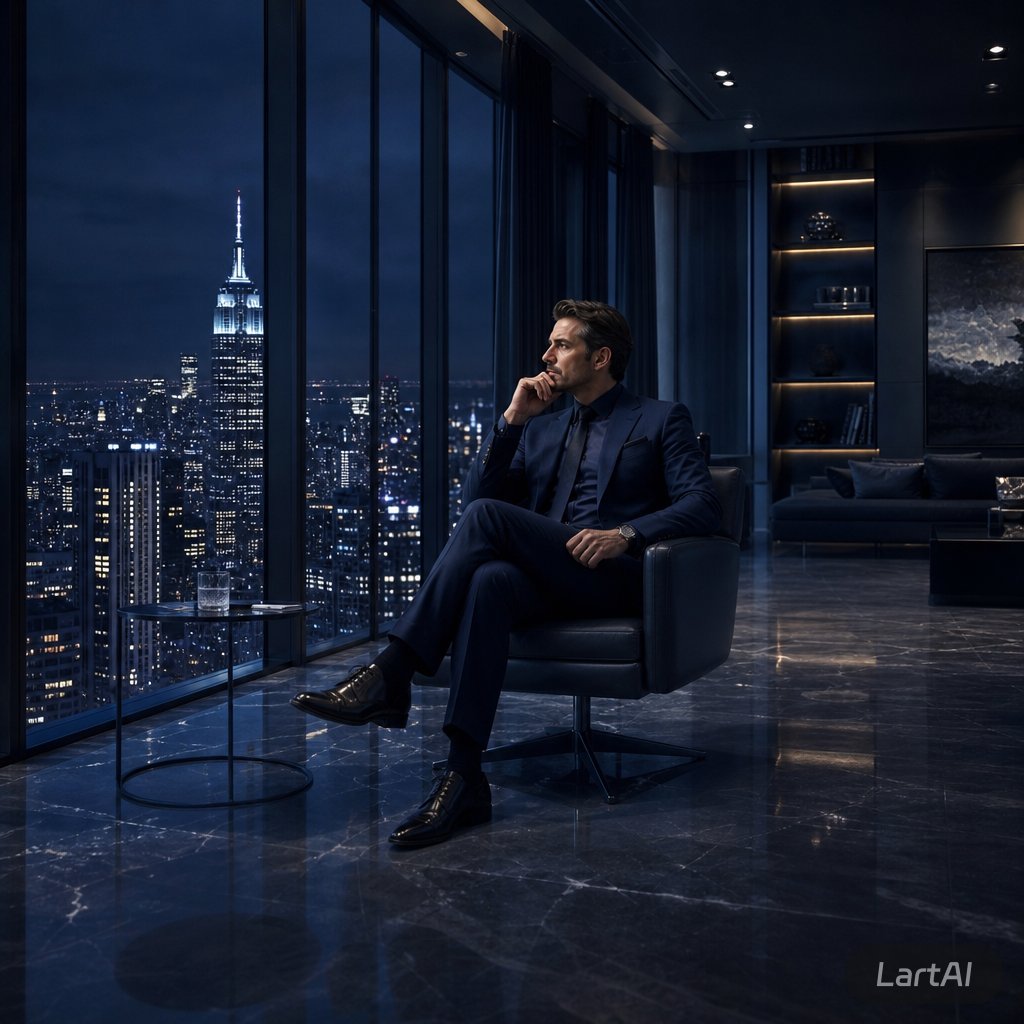
Create a cinematic, hyper-realistic image of an anonymous executive in a luxury penthouse at night, overlooking a dramatic city skyline.
PROMPT · EN
创作一个电影级写实场景,画面中 argsubject: 一位成功的商人 在夜晚坐在豪华高层顶层公寓内的一张时尚黑色真皮躺椅上。他身着 argsuit color: 深海军蓝定制西装、深色正装衬衫、擦得锃亮的黑色皮鞋并佩戴腕表,双腿交叠,姿态沉稳专注,正拿着手机通话。他的面部被柔和地遮掩,保持匿名。左侧是巨大的落地窗,展现出深蓝色暴风雨天空下壮观的夜间 argcity skyline: 纽约市天际线,帝国大厦灯火通明。他身旁放着一张圆形小玻璃边桌,上面有一杯水。室内环境昏暗、现代且昂贵,光亮的黑色大理石地面反射着城市灯光,天花板嵌有射灯,背景中摆放着沙发、发光的置物架以及一幅大型深沉的抽象墙面艺术品。采用低调照明、深蓝与炭灰色调、清晰的反射效果、高对比度、写实建筑摄影风格,营造出行政奢华氛围、静谧的成功感、孤独感与野心,16:9 构图,超高细节,GPT Image 2 写实效果。
À propos de ce prompt
Create a cinematic, hyper-realistic image of an anonymous executive in a luxury penthouse at night, overlooking a dramatic city skyline. Use it as a Art Conceptuel starting point for GPT Image 2: keep the visual structure and style constraints intact, then swap in your own subject, brand, or scene.
Start by replacing subject, suit color, and city skyline, then keep the camera, composition, and material cues in the same order. This makes the output easier to compare across variations.
Comment utiliser ce prompt
- Copy the prompt text above and paste it into your preferred AI image generation model (like GPT-4o or Sora).
- Replace the placeholder variables
{subject},{suit color}, and{city skyline}with your desired details. - Adjust any other descriptive words in the prompt to match your creative vision.
- Generate the image. The prompt is optimized for high-fidelity, cinematic results in a 16:9 aspect ratio.
- For best results, use a model that supports photorealistic and architectural photography styles.


