
GPT Image 2Prompt IA
Cinematic Tennis Poster — Dramatic Storm Action Sora 2 Prompt
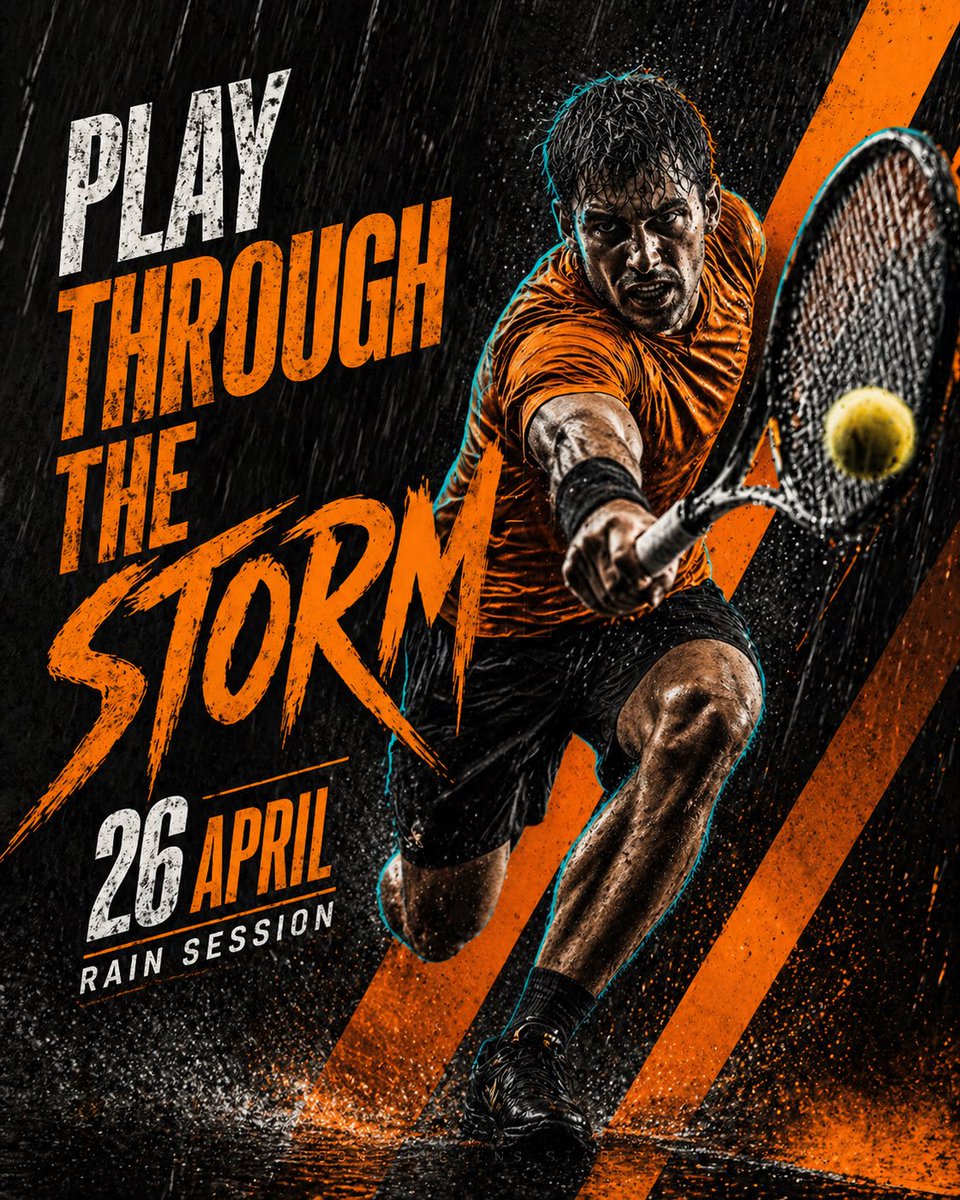
Generate a high-contrast, cinematic tennis sports poster featuring an athletic player in a dramatic rain storm with bold typography and customizable colors.
PROMPT · EN
创作一张高级电影感网球运动海报,采用醒目的 argcolor theme: 黑橙雨天主题。画面展示一位运动型男网球选手,处于强有力的动作姿态,在暴雨中向前扑救,手持网球拍靠近镜头击打一颗黄色网球。选手身穿 argoutfit: 亮橙色运动衫、黑色短裤、黑色短袜和黑色网球鞋。他的身体被雨水打湿,周围环绕着极具戏剧性的水滴、水花和动态模糊效果。在选手周围添加微妙的青色轮廓光,以呈现锐利且充满活力的边缘。 使用深色且富有质感的背景,包含密集的雨丝、湿润球场的倒影、水花以及选手身后橙色的对角线图形。海报需营造出强烈、现代、竞争感十足且适合社交媒体分享的氛围。 在左侧使用大号粗体做旧字体,展示主标题: argmain text: PLAY THROUGH THE STORM 将“STORM”作为最大的单词,采用粗犷的笔触风格。在下方添加 argdate: 4 月 26 日: 添加一行辅助文字: RAIN SESSION 配色方案:深黑、炭灰、亮橙、白色文字以及微妙的青色光晕。 风格:高级运动宣传海报、高对比度、粗犷的编辑设计、戏剧性的雨天氛围、锐利细节、动态构图、现代排版、4:5 竖版海报格式。
À propos de ce prompt
Generate a high-contrast, cinematic tennis sports poster featuring an athletic player in a dramatic rain storm with bold typography and customizable colors. Use it as a Art Conceptuel starting point for GPT Image 2: keep the visual structure and style constraints intact, then swap in your own subject, brand, or scene.
Start by replacing color theme, outfit, main text, and date, then keep the camera, composition, and material cues in the same order. This makes the output easier to compare across variations.
Comment utiliser ce prompt
- Copy the entire prompt text into your AI model's prompt field.
- Select a compatible image generation model (e.g., Sora 2, DALL-E, Midjourney).
- Customize the variables in curly braces—like
{color theme}or{main text}—to match your vision. - Generate the image and upscale or refine as needed for a polished 4:5 poster format.
- Add any final touches to typography or background in an image editor if required.


