
GPT Image 2Prompt IA
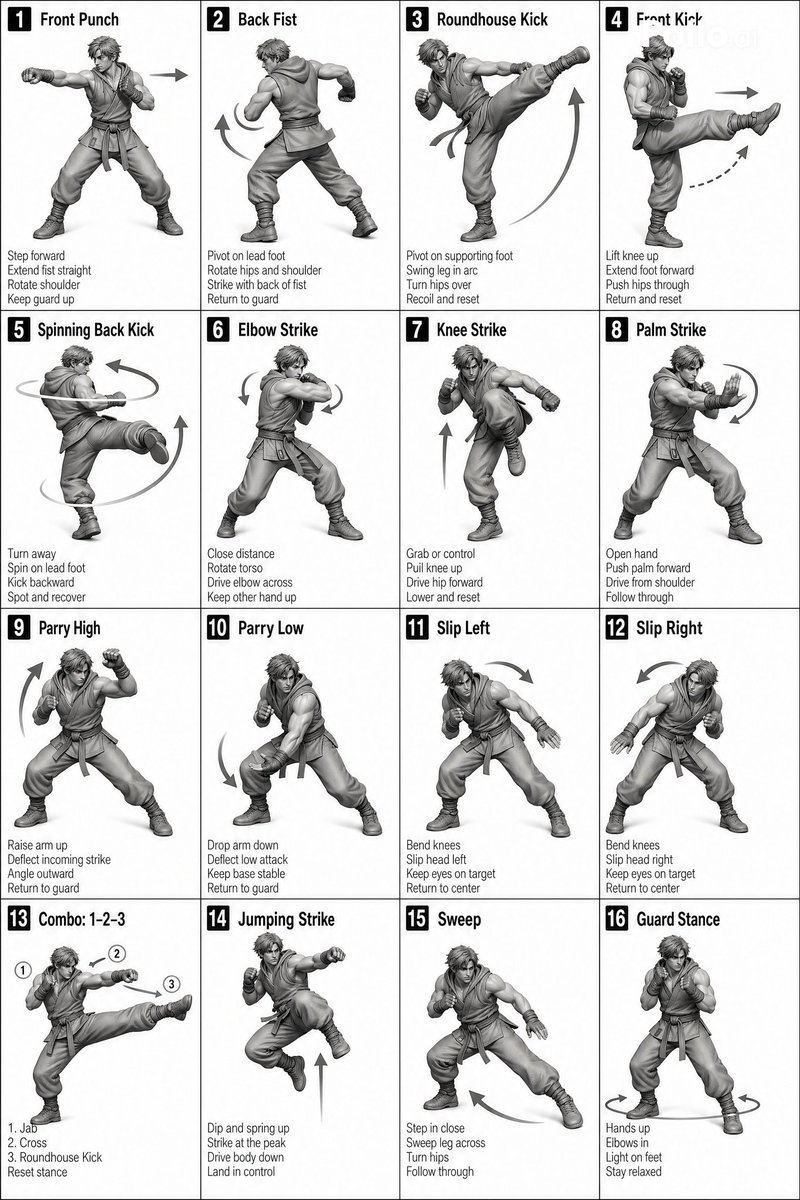
Martial Arts Action Grid — 3D Character Reference Prompt
Generate a 4x4 monochrome grid of martial arts poses with 3D characters, numbered panels, and directional arrows for technical reference.
PROMPT · EN
[风格]
单色灰度插图,3D 渲染角色,简洁的教学参考图,白色背景,漫画风格网格布局,技术图表美学。 [布局]
4×4 网格布局,共 16 个面板。每个面板由细黑边框分隔。单元格从 1 到 16 编号,面板尺寸保持一致。 [角色] image1(同一个角色在所有面板中保持一致) [面板结构 – 每个单元格] 左上角:粗体数字徽标 + 英文标题文本 中心:全身角色姿势插图 左下角:英文描述文本(3–4 行) 叠加层:指示动作的方向箭头 [箭头 / 动作指示器]
围绕角色放置的弯曲箭头、直线箭头和圆形旋转指示器,用于展示动作流向和方向。 [渲染风格]
高度精细的 3D 雕塑风格,柔和的摄影棚灯光,微妙的阴影,无色彩,灰度阴影,清晰的线条,游戏概念艺术质量。 [负面提示词]
无背景场景,无色调,无额外角色,无复杂背景。
À propos de ce prompt
Generate a 4x4 monochrome grid of martial arts poses with 3D characters, numbered panels, and directional arrows for technical reference. Use it as a Art Conceptuel starting point for GPT Image 2: keep the visual structure and style constraints intact, then swap in your own subject, brand, or scene.
Start with small changes to subject, scene, camera, and color, then generate a few variations to compare composition and detail without turning the page copy into keyword stuffing.
Comment utiliser ce prompt
- Copy the prompt from the box above.
- Paste it into your preferred text-to-image AI model (e.g., Midjourney, Stable Diffusion, or Sora).
- Adjust any variables like the character’s style or grid dimensions if desired.
- Generate the image and refine with additional prompt tweaks as needed.
- Use the final grid as a clean reference sheet for animation or martial arts study.


