
GPT Image 2Prompt IA
Personal Style Analysis Prompt — Hairstyle & Fashion Comparison
Generate side-by-side visual comparisons of hairstyles, sunglasses, colors, and patterns to find the most flattering style for any portrait.
1 / 4
PROMPT · EN
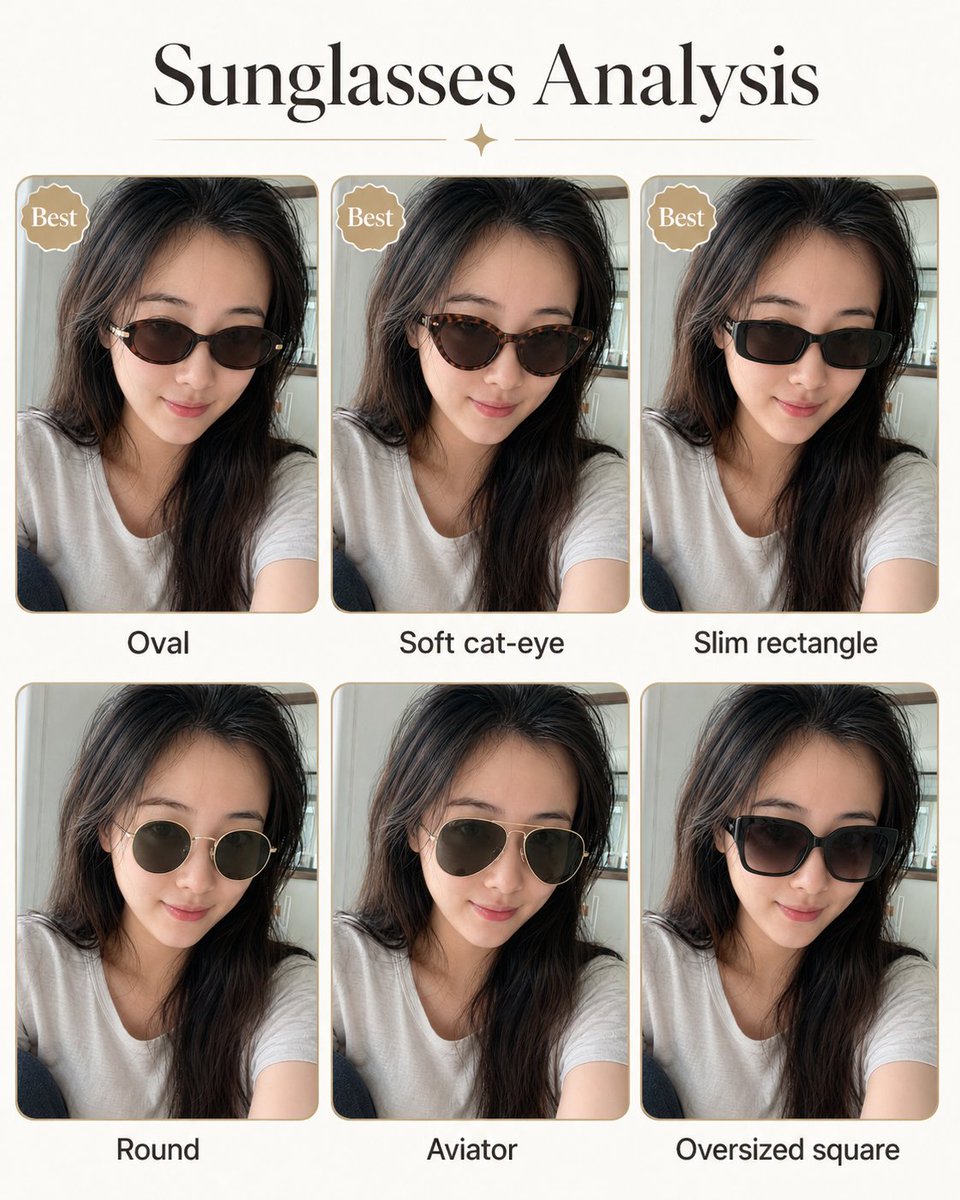
请使用这张肖像图创建发型分析图。展示并排的发型对比,以突出最适合该主体的发型。以视觉呈现为主,仅使用简短标签,不要包含段落文字。 请同样使用这张肖像图创建太阳镜分析图。展示并排的太阳镜款式对比,以突出最适合该主体的款式。以视觉呈现为主,仅使用简短标签,不要包含段落文字。 请同样使用这张肖像图创建色彩分析图。展示并排的色彩对比,以突出最适合该主体的颜色。以视觉呈现为主,仅使用简短标签,不要包含段落文字。 请同样使用这张肖像图创建图案分析图。展示并排的图案/印花对比,以突出最适合该主体的图案/印花风格。以视觉呈现为主,仅使用简短标签,不要包含段落文字。
À propos de ce prompt
Generate side-by-side visual comparisons of hairstyles, sunglasses, colors, and patterns to find the most flattering style for any portrait. Use it as a Art Conceptuel starting point for GPT Image 2: keep the visual structure and style constraints intact, then swap in your own subject, brand, or scene.
Start with small changes to subject, scene, camera, and color, then generate a few variations to compare composition and detail without turning the page copy into keyword stuffing.
Comment utiliser ce prompt
- Copy the prompt and replace the placeholder with your portrait image description.
- Choose an AI image generator that supports visual comparison layouts (e.g., Sora 2, Midjourney).
- Adjust the analysis categories if needed—focus on hairstyle, sunglasses, color palette, or pattern.
- Generate the image and review the side-by-side comparisons with short labels.
- Refine the prompt by specifying portrait details like face shape, skin tone, or personal style for more accurate results.


