
GPT Image 2Prompt IA
日式 YouTube 缩略图 — 哈萨克斯坦与中国边境穿越
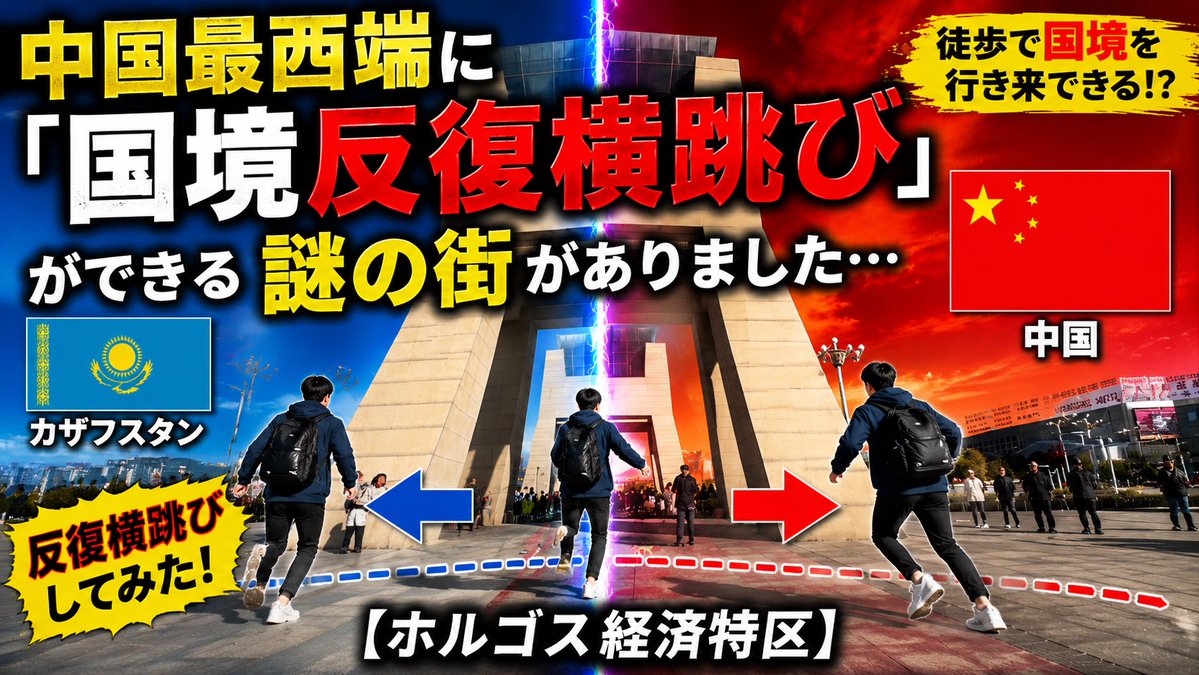
Create a high-impact, viral-style YouTube thumbnail depicting a traveler repeatedly crossing the Kazakhstan-China border at Khorgos, with dramatic lightning effects and bold Japanese typography.
PROMPT · EN
以 REFERENCE_0 为基础场景,将这张简单的旅行/新闻缩略图转换为一张高冲击力的日本 YouTube 风格缩略图。保留相同的边境大门地标和广场背景,但通过在中心位置添加一道垂直发光的闪电裂痕来增强构图的戏剧性:左侧为代表哈萨克斯坦的蓝色,右侧为代表中国的红/橙色。在前景中添加一名背着背包的男性旅行者,以 3 个重复的动作姿态展现来回穿梭边境的过程,并配以蓝色和红色的虚线路径以及巨大的左右箭头。将原始文本布局替换为粗体、超大号的日语缩略图字体,颜色采用黄、白、红三色,并带有厚重的黑色描边和投影。包含 3 个旗帜面板:左侧为哈萨克斯坦国旗,标注“カザフスタン”;右侧为中国国旗,标注“中国”;不包含其他旗帜。添加 2 个黄色的笔触/爆炸式标注:右上角标注“徒歩で国境を行き来できる!?”,左下角标注“反復横跳びしてみた!”。主标题文本应为“中国最西端に「国境反復横跳び」ができる 謎の街がありました…”,底部说明文字应为“【ホルゴス経済特区】”。移除原始的大型下三分之一标题,使最终图像呈现出充满活力的病毒式旅行视频缩略图风格,具备电影级对比度、饱和的色彩和清晰的细节,比例为 16:9。
À propos de ce prompt
Create a high-impact, viral-style YouTube thumbnail depicting a traveler repeatedly crossing the Kazakhstan-China border at Khorgos, with dramatic lightning effects and bold Japanese typography. Use it as a Art Conceptuel starting point for GPT Image 2: keep the visual structure and style constraints intact, then swap in your own subject, brand, or scene.
Start with small changes to subject, scene, camera, and color, then generate a few variations to compare composition and detail without turning the page copy into keyword stuffing.
Comment utiliser ce prompt
- Copy the entire prompt body above.
- Choose a capable image generation model (e.g., Sora 2 or similar).
- Optionally adjust the main traveler description, text lines, or color emphasis to fit your specific video.
- Paste the prompt into the model and generate.
- Select your favorite 16:9 output and use it as your YouTube thumbnail.


