
YouTube Thumbnail Generator — High-Impact Custom Prompt
Create eye-catching YouTube thumbnails from video frames with bold text, vibrant colors, and custom branding for maximum click-through rates.
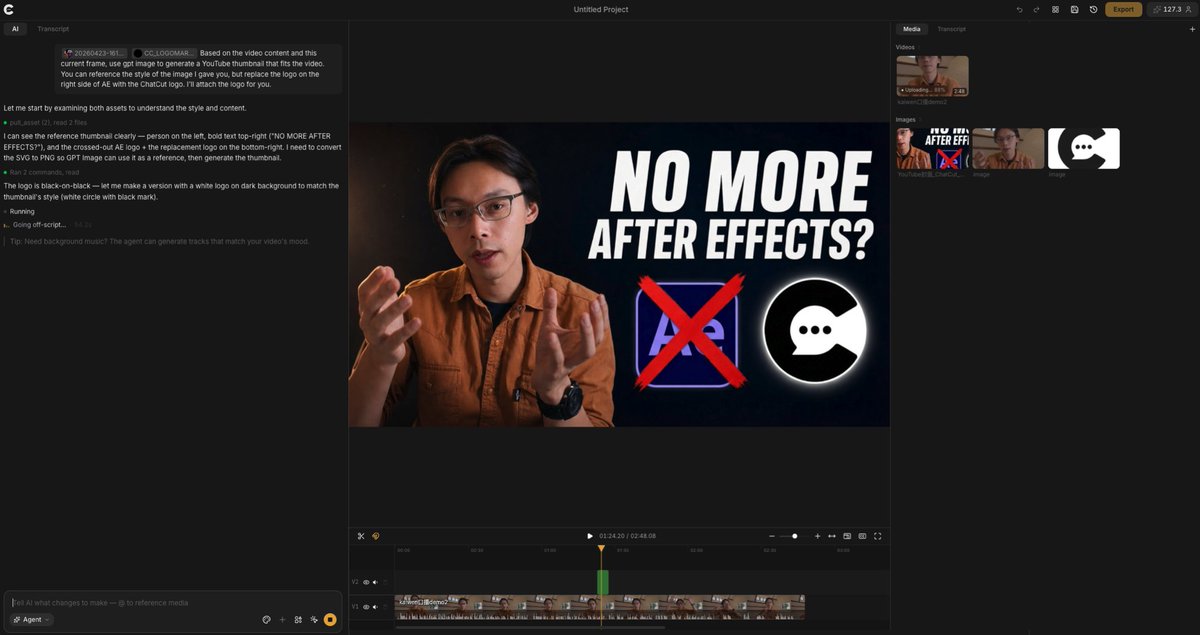
Based on the video content and this current frame, generate a YouTube thumbnail that fits the video. Reference the style of the provided image but customize the branding elements. Create a high-impact thumbnail with bold text, expressive facial expression or key visual, bright contrasting colors, and clear visual hierarchy optimized for small display sizes. The thumbnail should immediately communicate the video topic and compel clicks.
À propos de ce prompt
Create eye-catching YouTube thumbnails from video frames with bold text, vibrant colors, and custom branding for maximum click-through rates. Use it as a Art Conceptuel starting point for GPT Image 2: keep the visual structure and style constraints intact, then swap in your own subject, brand, or scene.
Common directions include community showcase, intermediate, thumbnail, and youtube. Treat these tags as creative cues; the prompt structure and preview image are the more useful guide.
Start with small changes to subject, scene, camera, and color, then generate a few variations to compare composition and detail without turning the page copy into keyword stuffing.
Comment utiliser ce prompt
- Copy the prompt and paste it into an AI image generator like DALL·E, Midjourney, or Stable Diffusion.
- Replace the placeholder with your video frame and a reference style image.
- Customize the text, branding elements, and colors to match your channel.
- Adjust the composition for clear visual hierarchy and small-screen readability.
- Generate multiple variations and select the most compelling thumbnail.


