
GPT Image 2Prompt AI
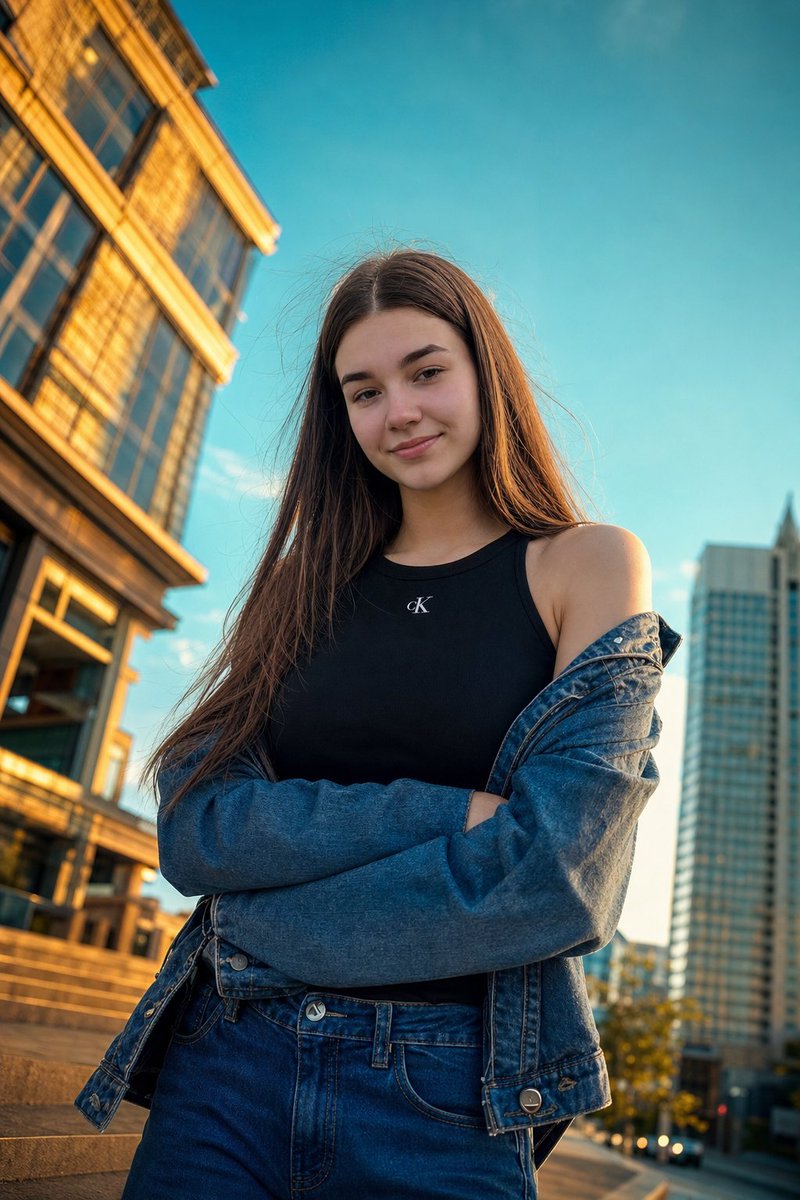
Golden Hour Street Portrait — Sora 2 Photorealistic Prompt
Create a stunning, cinematic low-angle portrait with bold editorial style, warm lighting, and a blurred urban backdrop for a high-fashion look.
PROMPT · EN
Use my uploaded photo as the exact facial reference, preserving my real face, skin tone, and features with high accuracy. Create a photorealistic low-angle street-style portrait during argtime of day: golden hour in a argsetting: modern urban setting, shot slightly tilted upward for a bold editorial look. I wear a argoutfit: black minimalist top with a subtle logo and a loose denim jacket slipping off one shoulder, arms crossed casually, with slightly messy wind-blown hair for a natural candid feel. The lighting is warm and cinematic with strong contrast—golden highlights on buildings against a deep teal-blue sky. Composition is fashion-forward with sharp focus on my face and a softly blurred architectural background, vibrant yet balanced colors, moody high contrast, captured on a 24mm wide-angle lens for a dynamic perspective
Informazioni su questo prompt
Create a stunning, cinematic low-angle portrait with bold editorial style, warm lighting, and a blurred urban backdrop for a high-fashion look. Use it as a Concept Art starting point for GPT Image 2: keep the visual structure and style constraints intact, then swap in your own subject, brand, or scene.
Start by replacing time of day, setting, and outfit, then keep the camera, composition, and material cues in the same order. This makes the output easier to compare across variations.
Come usare questo prompt
- Copy the entire prompt text from the prompt page.
- Open your preferred AI video generation tool (such as Sora) and select the appropriate model or style setting.
- Paste the prompt into the input field.
- Edit the customizable variables like
{time of day}and{outfit}to match your vision. - Generate the portrait and review the results. Adjust and regenerate if needed.


