
Calming Green Tea Film Kit Product Shot — Sora 2 Prompt
Generate a hyper-realistic, 8K product shot of the Calming Green Tea Film Kit with soothing sage-green tones and botanical details.
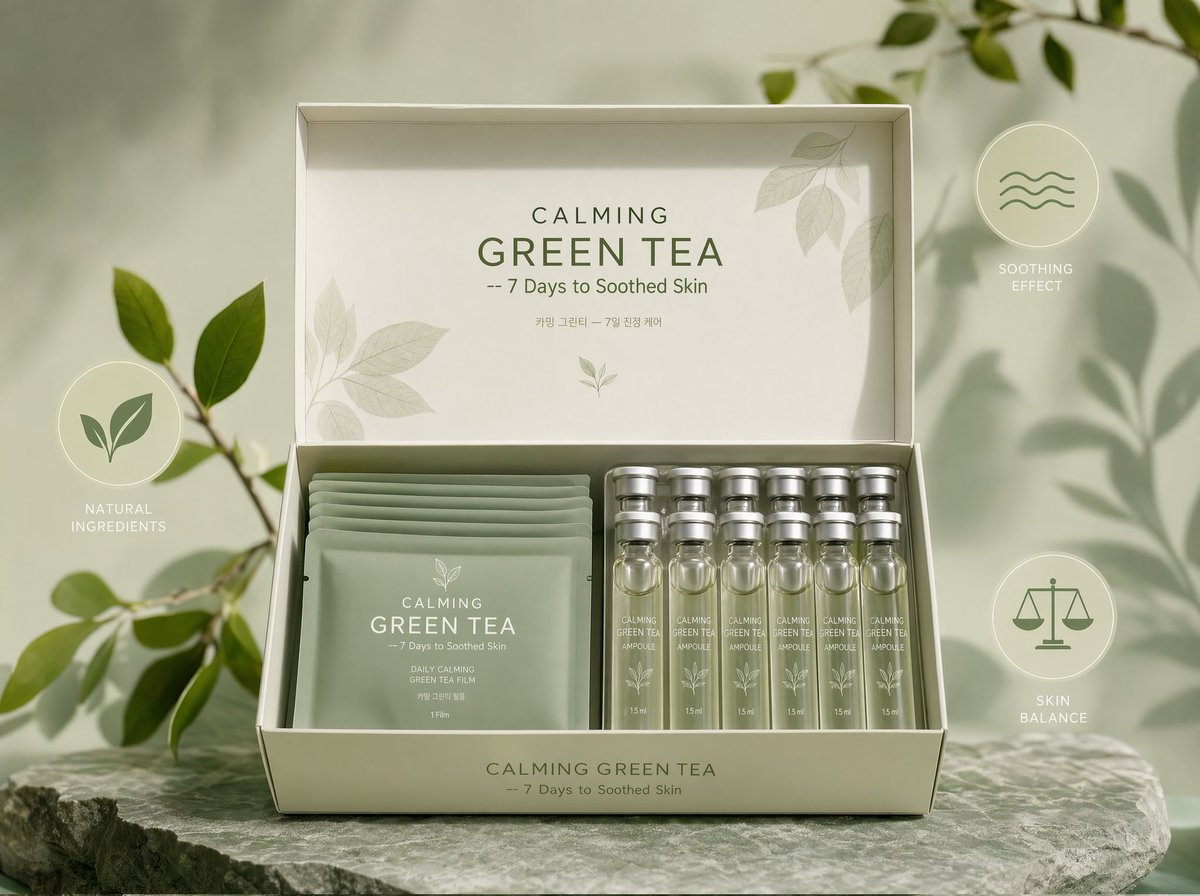
CALMING GREEN TEA Film Kit displayed frontally, the open box shows soft sage-green film pouches and translucent ampoules with matte silver caps, product placed centrally with clear branding CALMING GREEN TEA 鈥?7 Days to Soothed Skin, pastel green background with botanical graphic accents, three minimal icons (leaf, wave, balance) floating around the product to emphasize benefits, photographic, hyper detailed, ultra realistic, lifelike, 8k, high detail, soft professional lighting.
Informazioni su questo prompt
Generate a hyper-realistic, 8K product shot of the Calming Green Tea Film Kit with soothing sage-green tones and botanical details. Use it as a Concept Art starting point for GPT Image 2: keep the visual structure and style constraints intact, then swap in your own subject, brand, or scene.
Common directions include portraits, intermediate, product photography, and skincare. Treat these tags as creative cues; the prompt structure and preview image are the more useful guide.
Start with small changes to subject, scene, camera, and color, then generate a few variations to compare composition and detail without turning the page copy into keyword stuffing.
Come usare questo prompt
- Copy the complete prompt text from this page.
- Open Sora 2 or a compatible AI image generator.
- Paste the prompt into the text field.
- Set preferences like 1:1 aspect ratio and high resolution for product shots.
- Click generate to receive your ultra-realistic, detailed image.


