
GPT Image 2Prompt AI
GTA 6 Open World Screenshot — Sora 2 Prompt
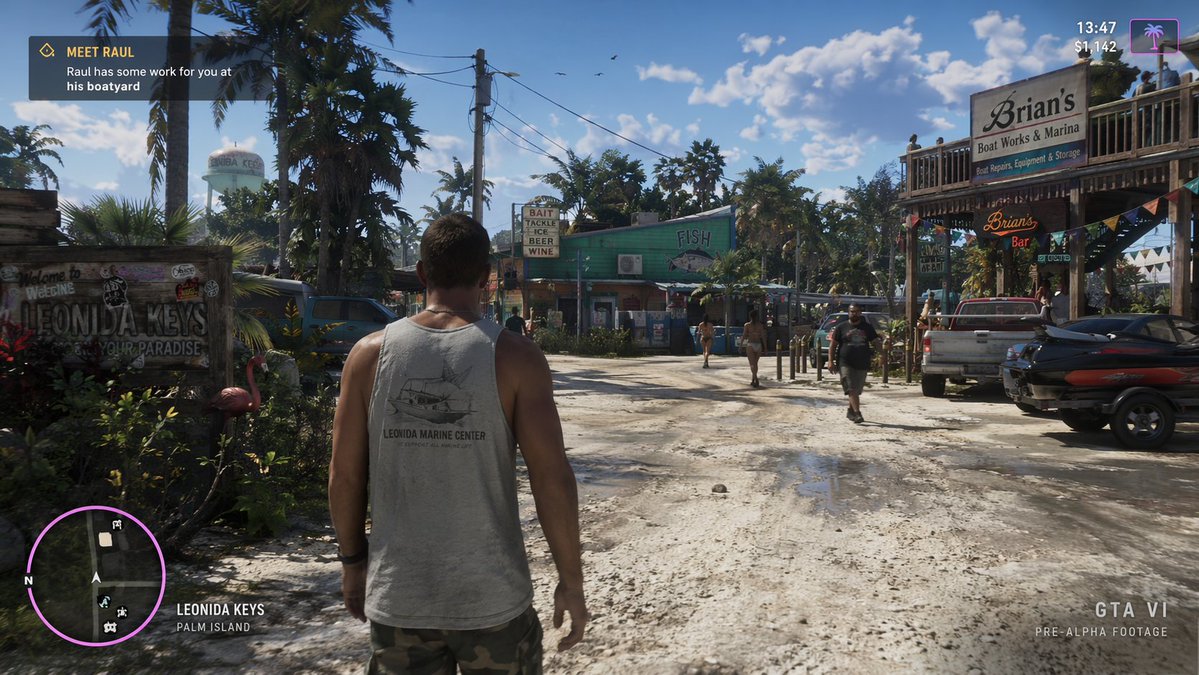
Create a realistic GTA 6 gameplay screenshot showing your character exploring the Leonida Keys with one simple prompt.
PROMPT · EN
a screenshot from gta 6 with argcharacter: Jason walking in arglocation: leonida keys
Informazioni su questo prompt
Create a realistic GTA 6 gameplay screenshot showing your character exploring the Leonida Keys with one simple prompt. Use it as a Concept Art starting point for GPT Image 2: keep the visual structure and style constraints intact, then swap in your own subject, brand, or scene.
Common directions include gptimage2api prompts, gptimage2api, and en. Treat these tags as creative cues; the prompt structure and preview image are the more useful guide.
Start by replacing character and location, then keep the camera, composition, and material cues in the same order. This makes the output easier to compare across variations.
Come usare questo prompt
- Copy the prompt from the page.
- Open your preferred AI video or image generator (e.g., Sora 2).
- Paste the prompt and adjust the
characterandlocationvariables to your liking. - Generate the image or video and review the output.
- Refine the variables and regenerate until you achieve the desired result.


