
GPT Image 2Prompt AI
Real-to-Pixar Avatar Prompt — Studio Portrait with Style Transfer
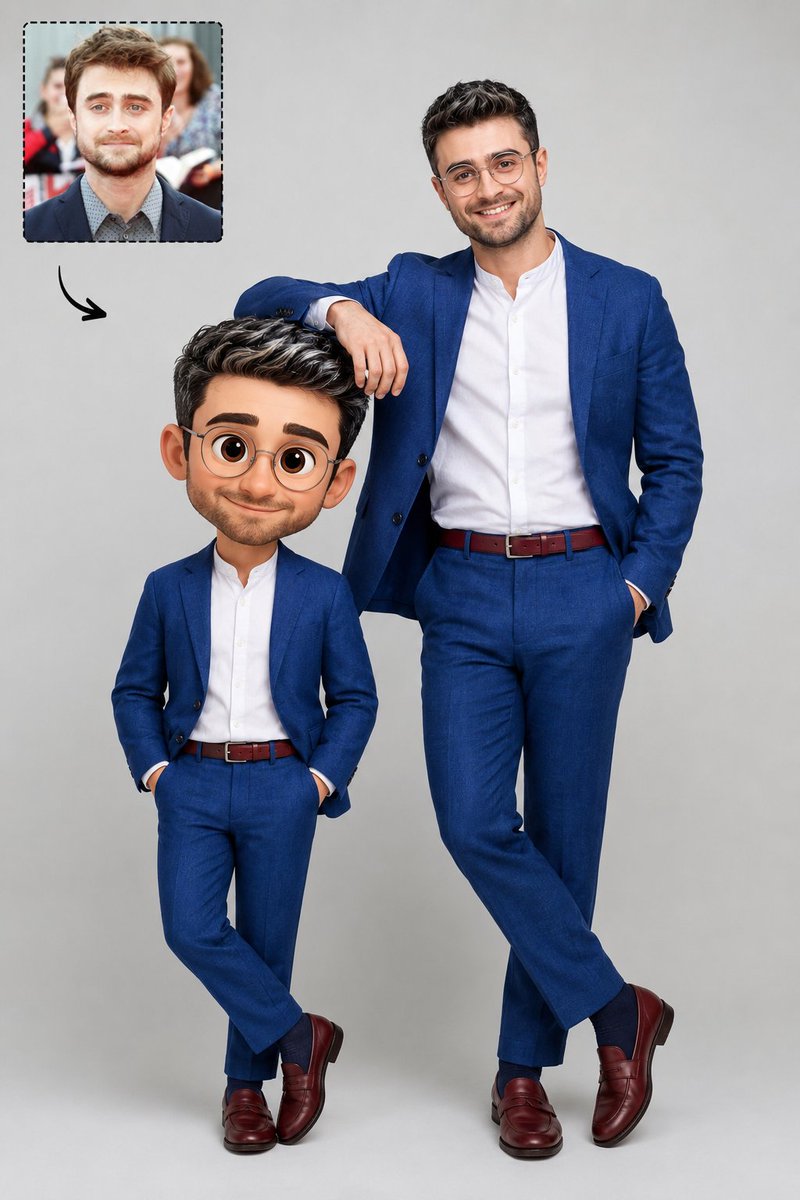
Generate a professional studio photo comparing a realistic man with his own 3D Pixar-style cartoon avatar, perfectly matching outfits.
PROMPT · EN
一张摄影棚照片,背景为 argbackground: 中性浅灰色背景。右侧是一位现实中的男士,戴着透明圆框眼镜,深棕色眼睛,黑色短发带有白色挑染,面部剃须干净。他身着 argoutfit: 宝蓝色亚麻西装、白色无领衬衫、酒红色腰带、宝蓝色袜子和酒红色乐福鞋。他面带微笑,右手随意地搭在左侧人物的头部。该人物是他自己的 argstyle: 3D Pixar 风格动画头像,穿着与该男士完全相同的服饰,但具有卡通比例、大头和富有表现力的大眼睛。在图像的左上角,有一个带有虚线边框的内嵌框,展示了同一位男士的肖像 (@ img1)。从这个内嵌框中,有一个小的黑色弯曲箭头指向中心的人物。专业、清晰的摄影棚灯光。
Informazioni su questo prompt
Generate a professional studio photo comparing a realistic man with his own 3D Pixar-style cartoon avatar, perfectly matching outfits. Use it as a Concept Art starting point for GPT Image 2: keep the visual structure and style constraints intact, then swap in your own subject, brand, or scene.
Start by replacing background, outfit, and style, then keep the camera, composition, and material cues in the same order. This makes the output easier to compare across variations.
Come usare questo prompt
- Copy the entire prompt template.
- Choose an AI image generator like Sora 2 or similar.
- Edit the customizable variables (
background,outfit,style) to fit your concept. - Upload a reference portrait image for the
@img1section if desired. - Generate and refine until the real-to-cartoon pairing is perfect.


