
GPT Image 2Prompt AI
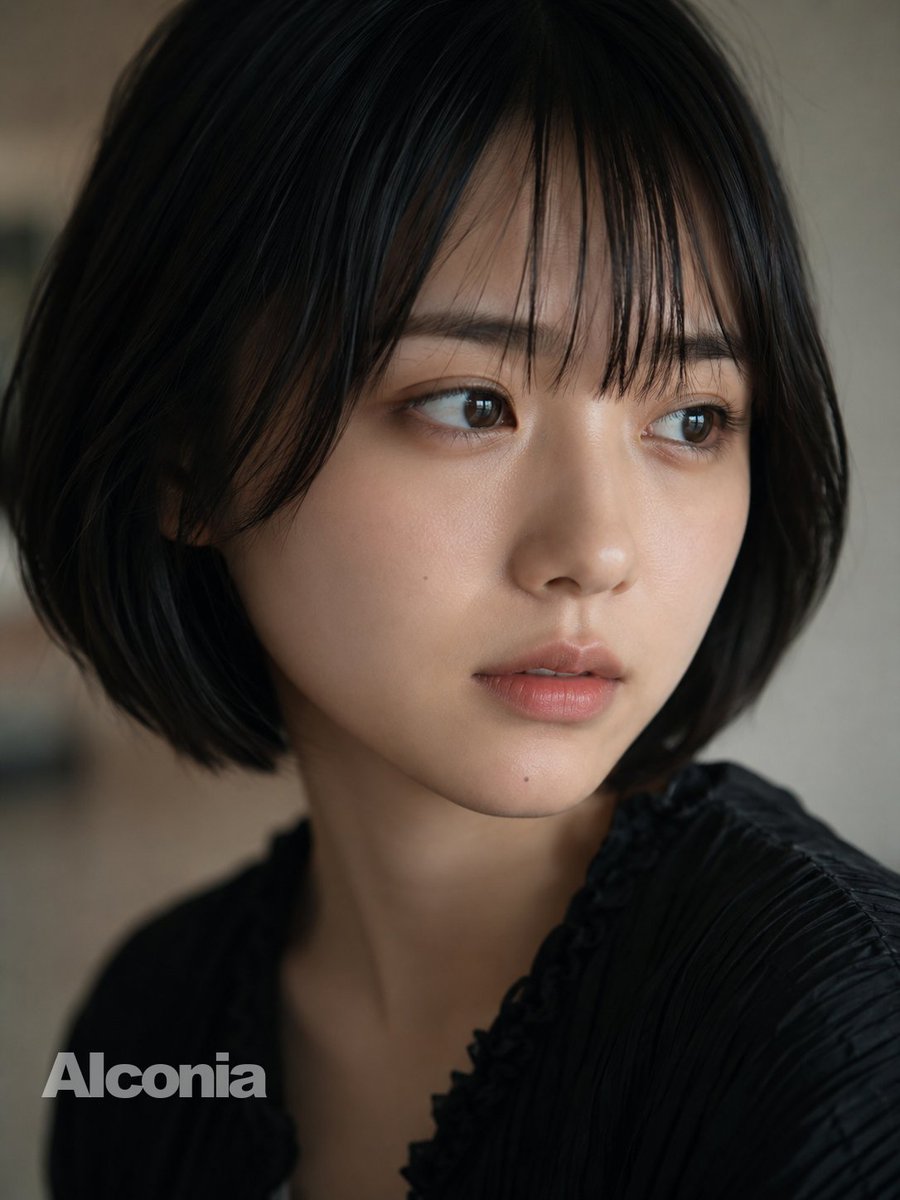
Cinematic Bob Hair Portrait with Face Obstruction — Sora 2 Prompt
Create a stunning, editorial-style portrait with a blurred face, soft lighting, and a subtle watermark for a mysterious, artistic result.
PROMPT · EN
创作一张 argsubject: 一位年轻东亚女性 的写实特写肖像,她留着齐下巴的黑色波波头,肤色自然柔和,采用 4:5 竖构图,取景范围从上半身胸部以上。她的面部被一个位于中心、带有柔和棕色渐变的巨大不透明方形遮挡块刻意遮盖,遮挡范围几乎覆盖了从额头到下巴的整个面部,同时保留了头发、颈部、肩膀和衣物可见。她身穿一件黑色褶皱纹理衬衫,领口带有细微的荷叶边设计,在昏暗柔和的室内光线下拍摄,具有浅景深效果,背景为模糊的中性米灰色。运用电影级写实手法,呈现自然阴影、柔和色彩、细腻对比度、精细发丝细节以及充满情绪感的亲密编辑风格。在左下角添加 argwatermark text: Alconia 字样作为水印,使用粗体浅灰色无衬线字体。
Informazioni su questo prompt
Create a stunning, editorial-style portrait with a blurred face, soft lighting, and a subtle watermark for a mysterious, artistic result. Use it as a Concept Art starting point for GPT Image 2: keep the visual structure and style constraints intact, then swap in your own subject, brand, or scene.
Start by replacing subject and watermark text, then keep the camera, composition, and material cues in the same order. This makes the output easier to compare across variations.
Come usare questo prompt
- Copy this prompt into your preferred AI image generator that supports complex, descriptive text.
- Select a high-quality photorealistic model like Sora 2 or a similar advanced diffusion model for best results.
- Customize the
subjectandwatermark textvariables in the prompt to personalize the image. - Adjust any style keywords (e.g., lighting, depth of field) to match your creative vision.
- Generate the image and review the output for the desired cinematic and obscured portrait effect.


