
GPT Image 2Prompt AI
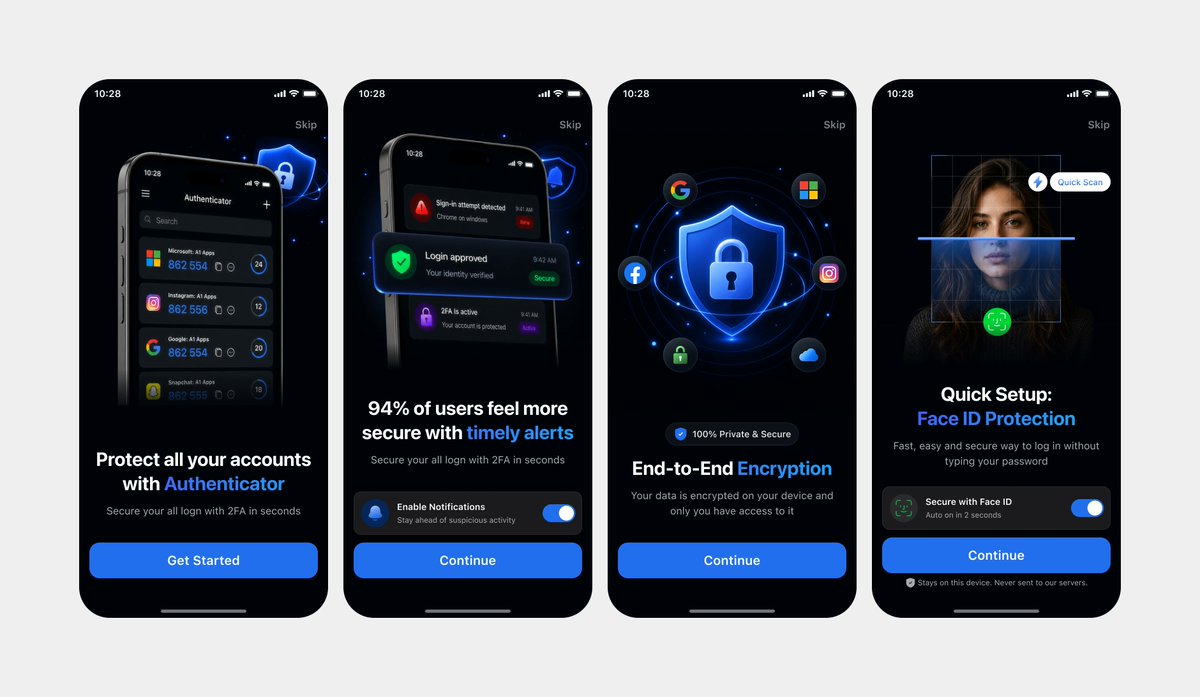
Authenticator Onboarding UI Mockup — Dark Mode 4-Screen
Generate a polished, App Store-ready dark mode mobile onboarding sequence with four clean iPhone screens showcasing account protection, alerts, encryption, and Face ID setup.
PROMPT · EN
以 REFERENCE_0 和 REFERENCE_1 作为设计参考,重新创建相同的 4 个移动端入门引导屏幕,制作成简洁的高保真 UI 模型,而非拍摄的笔记本电脑屏幕。去除所有透视畸变、笔记本电脑/浏览器背景、反光及相机伪影。将四个 iPhone 风格的屏幕正面朝上,均匀分布在浅灰色画布上,并排成一行。请保留 REFERENCE_0 中的深色模式版本,以及相同的屏幕顺序、排版层级、蓝色安全视觉风格、圆角手机边框、状态栏、跳过链接、底部主页指示器和 CTA 结构。严格保留 4 个屏幕:1) 带有“开始使用”的身份验证器账户保护页,2) 带有通知开关和“继续”的及时提醒页,3) 带有盾牌/锁图标、社交图标及“继续”的端到端加密页,4) 带有扫描覆盖层、开关和“继续”的 Face ID 快速设置页。确保 UI 清晰、精致,达到应用商店展示标准,文字锐利易读,间距统一。
Informazioni su questo prompt
Generate a polished, App Store-ready dark mode mobile onboarding sequence with four clean iPhone screens showcasing account protection, alerts, encryption, and Face ID setup. Use it as a Concept Art starting point for GPT Image 2: keep the visual structure and style constraints intact, then swap in your own subject, brand, or scene.
Start with small changes to subject, scene, camera, and color, then generate a few variations to compare composition and detail without turning the page copy into keyword stuffing.
Come usare questo prompt
- Copy the entire prompt and paste it into an AI image generator like Sora 2 or Midjourney.
- Upload your own reference images in place of REFERENCE_0 and REFERENCE_1 if you want a custom visual direction.
- Adjust the screen order, color accent (e.g., blue to green), or CTA text to match your app branding.
- Generate the image and review the output for sharp text, uniform spacing, and correct screen order.
- Iterate by refining the prompt wording or switching models if details like icons or typography need improvement.


