
GPT Image 2Prompt de IA
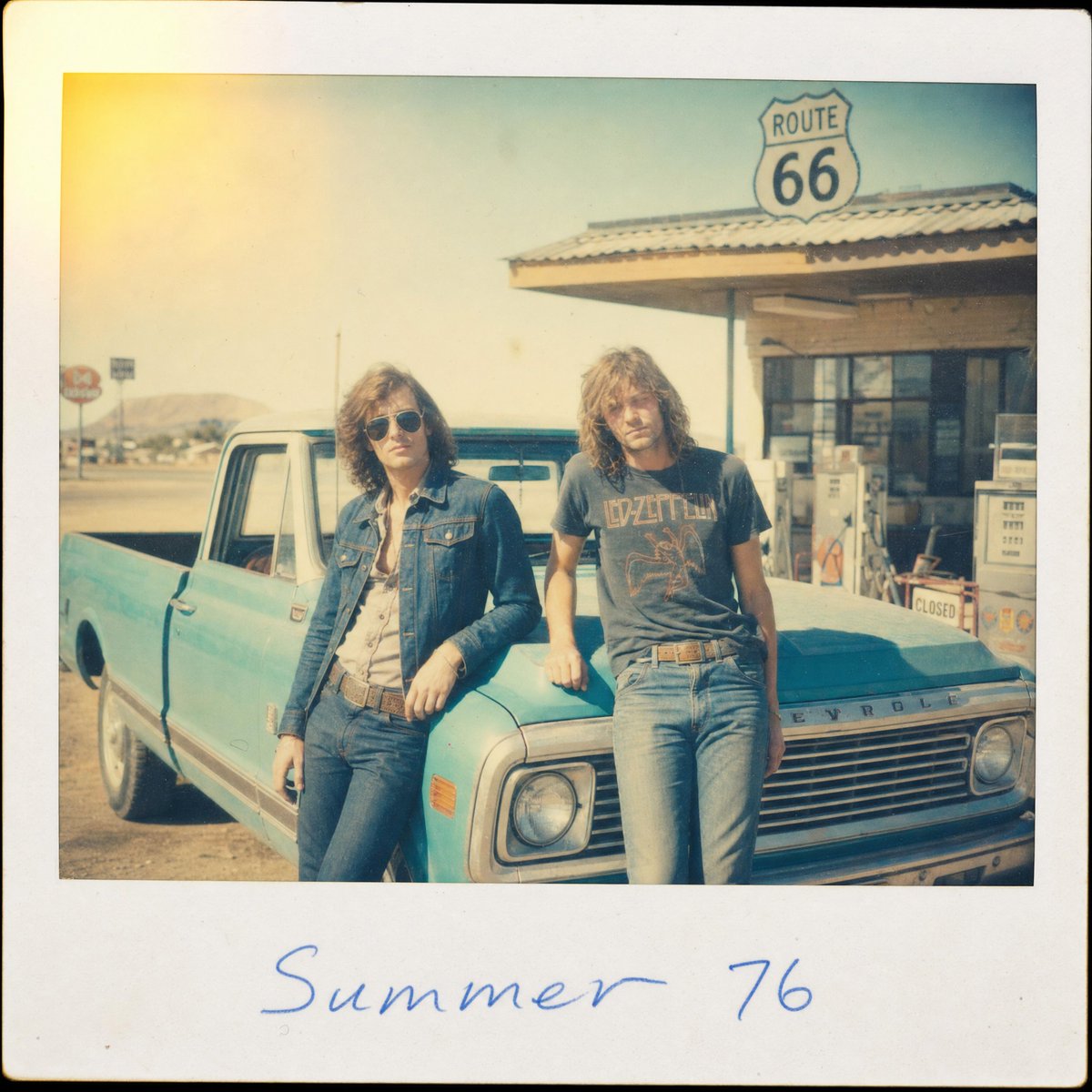
1970s Route 66 Polaroid Photo — Retro Road Trip Prompt
Create a sun-faded vintage Polaroid snapshot of two friends at a Route 66 gas station with film grain, light leaks, and handwritten notes.
PROMPT · EN
创作一张 1970 年代的方形拍立得照片,带有厚实的灰白色边框和略微圆润的黑化边缘。画面中准确呈现 2 位年轻好友站在美国西南部 66 号公路路边加油站,背景是一辆被阳光晒褪色的绿松石色复古雪佛兰皮卡车。左侧的朋友身穿蓝色牛仔夹克、浅色衬衫、褪色牛仔裤并系着腰带,随意地靠在驾驶座一侧;右侧的朋友身穿深色复古摇滚乐队 T 恤、褪色牛仔裤并系着腰带,靠在引擎盖上。两人都留着齐肩卷发,发色为 arghair color: 棕色,呈现出放松的公路旅行姿态,面部如同老照片般略显模糊。背景是带有波纹屋顶的低矮加油站建筑、老式加油泵、遮阳棚上方清晰可见的 66 号公路标志牌,远处是尘土飞扬的荒漠山丘和泛白的天空。采用被阳光漂白的暖青色和黄色调,增加浓重的复古胶片颗粒感、轻微的镜头柔焦、褪色的对比度、灰尘斑点、细微划痕、不均匀的曝光,以及从左上角溢出的强烈黄橙色漏光效果。在底部拍立得边框中央添加手写蓝色墨水文字,内容为 arghandwritten caption: 1976 年夏天。使其看起来像是一张 1976 年真实发现的度假照片,充满怀旧、不完美、抓拍感和岁月痕迹。
Sobre este prompt
Create a sun-faded vintage Polaroid snapshot of two friends at a Route 66 gas station with film grain, light leaks, and handwritten notes. Use it as a Arte Conceitual starting point for GPT Image 2: keep the visual structure and style constraints intact, then swap in your own subject, brand, or scene.
Start by replacing hair color and handwritten caption, then keep the camera, composition, and material cues in the same order. This makes the output easier to compare across variations.
Como usar este prompt
- Copy the full prompt text and paste it into your AI image generator (e.g., Sora 2, Midjourney).
- Replace
{hair color}with your preferred hair shade (e.g., blonde, black, auburn). - Change
{handwritten caption}to any custom text you want on the Polaroid border. - Adjust the number of people or clothing details to match your vision.
- Generate and review — iterate by tweaking lighting or film effect details for the perfect vintage feel.


