
GPT Image 2AI-промпт
Hand-Drawn Photo Annotations — AI Prompt for Sora 2 & GPT-4o
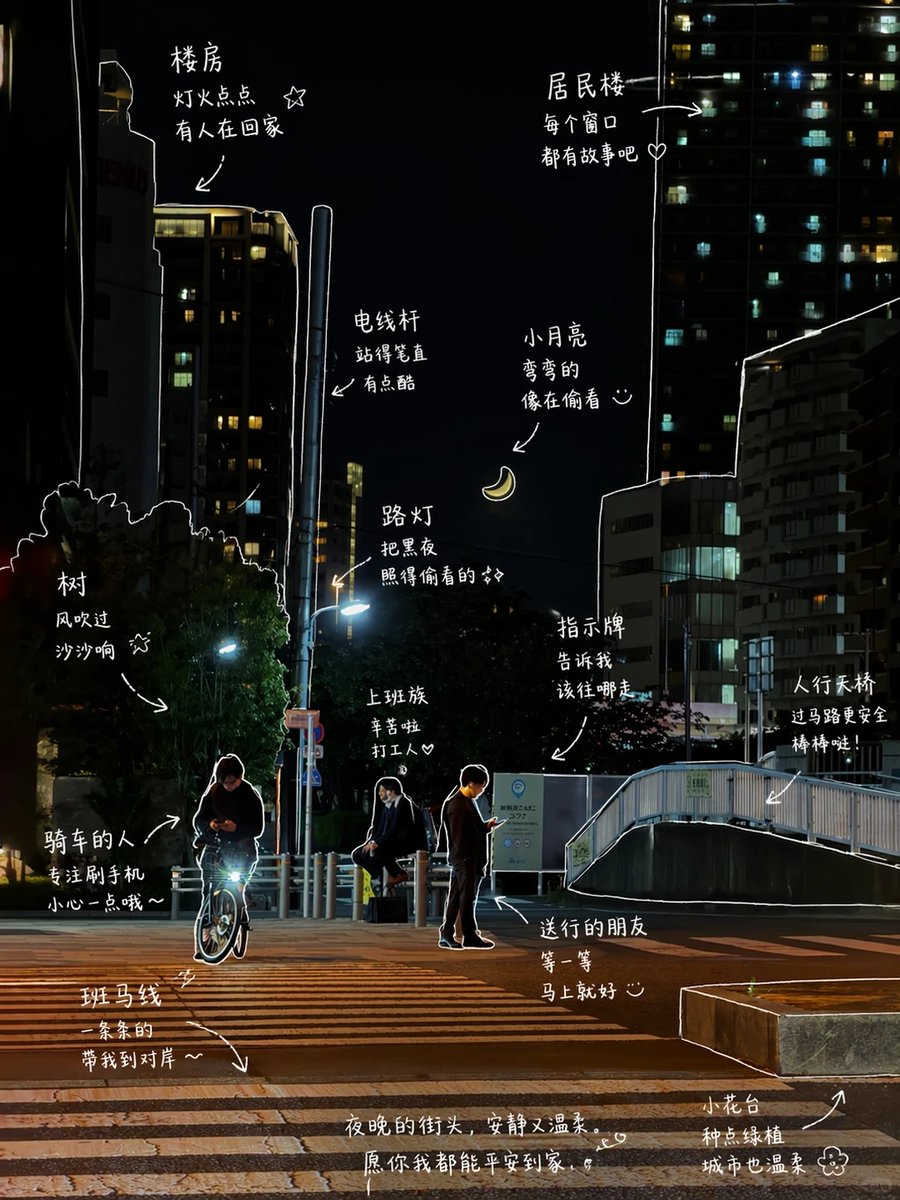
Transform any photo into a charming, hand-annotated image with casual Chinese text, playful doodles, and artistic line work. Perfect for social media and visual storytelling.
ПРОМПТ · EN
请观察照片中的元素,并为每个元素添加富有意义的手绘标注。[视觉元素] argvisual elements: 冰美式,面包,窗边,阳光 [绘画要求] - 使用细白线条,呈现手绘笔触 - 单线绘图风格,线条应随性,不必过于工整 - 沿着物体边缘轻轻勾勒轮廓 - 适当添加箭头或虚线以引导视觉焦点 [文字风格] - 中文手写感,更口语化 - 句子应简短,如同随手写下 - 语气如同日常闲聊或小情绪 [小装饰] - 可以适当添加:蒸汽、小星星、爱心、简单的表情符号
О промпте
Transform any photo into a charming, hand-annotated image with casual Chinese text, playful doodles, and artistic line work. Perfect for social media and visual storytelling. Use it as a Концепт-арт starting point for GPT Image 2: keep the visual structure and style constraints intact, then swap in your own subject, brand, or scene.
Start by replacing visual elements, then keep the camera, composition, and material cues in the same order. This makes the output easier to compare across variations.
Как использовать этот промпт
- Copy the entire prompt text below.
- Choose a compatible AI model like GPT-4o with Vision or Sora 2.
- Replace the default
[视觉元素]variable with your photo's specific elements (e.g., '咖啡,书,窗台,下雨'). - Generate the output. The AI will analyze your image and produce a new version with style-matched hand-drawn annotations.
- For different results, tweak the
[绘画要求]or[文字风格]sections to adjust the line style or tone of the comments.


