
Futuristic Smart Mirror UI — Branching Life Paths Website Design Prompt
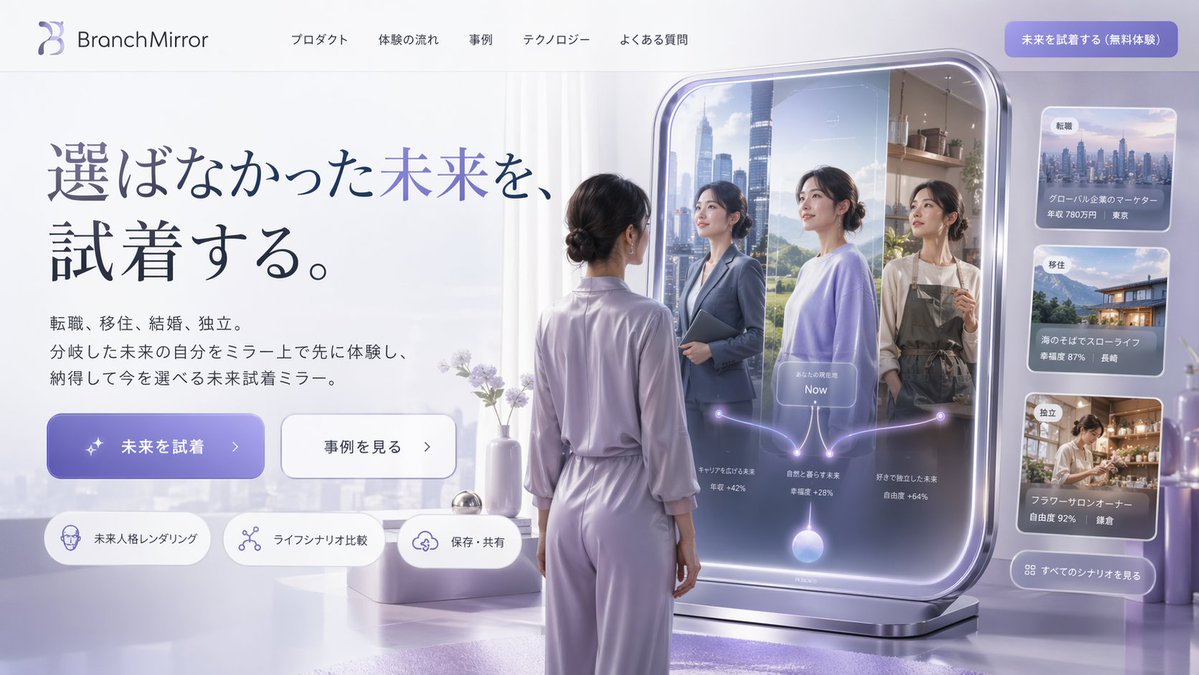
Create a sleek, 3D-rendered landing page design featuring a smart mirror UI that visualizes alternate life paths, with customizable brand, headline, and color palette options.
О промпте
Create a sleek, 3D-rendered landing page design featuring a smart mirror UI that visualizes alternate life paths, with customizable brand, headline, and color palette options. Use it as a Концепт-арт starting point for GPT Image 2: keep the visual structure and style constraints intact, then swap in your own subject, brand, or scene.
This prompt is organized as structured JSON with fields such as type, style, color palette, header, hero section, main visual, and sidebar ui. Keeping that hierarchy helps the model separate the subject, layout, interface elements, and detail constraints.
Start with small changes to subject, scene, camera, and color, then generate a few variations to compare composition and detail without turning the page copy into keyword stuffing.
Как использовать этот промпт
- Copy this JSON prompt into your preferred AI image generator (e.g., Sora, Midjourney, DALL·E). 2. Choose a model that supports detailed UI/UX rendering or 3D scene generation. 3. Customize variables like
brand name,main headline,color palette, andsubject descriptionto fit your vision. 4. Generate the image, then iterate by adjusting style keywords (e.g., 'futuristic', 'minimalist') for refinement.


