
GPT Image 2AI-промпт
Industrial Design Showcase Grid — Sora 2 Prompt
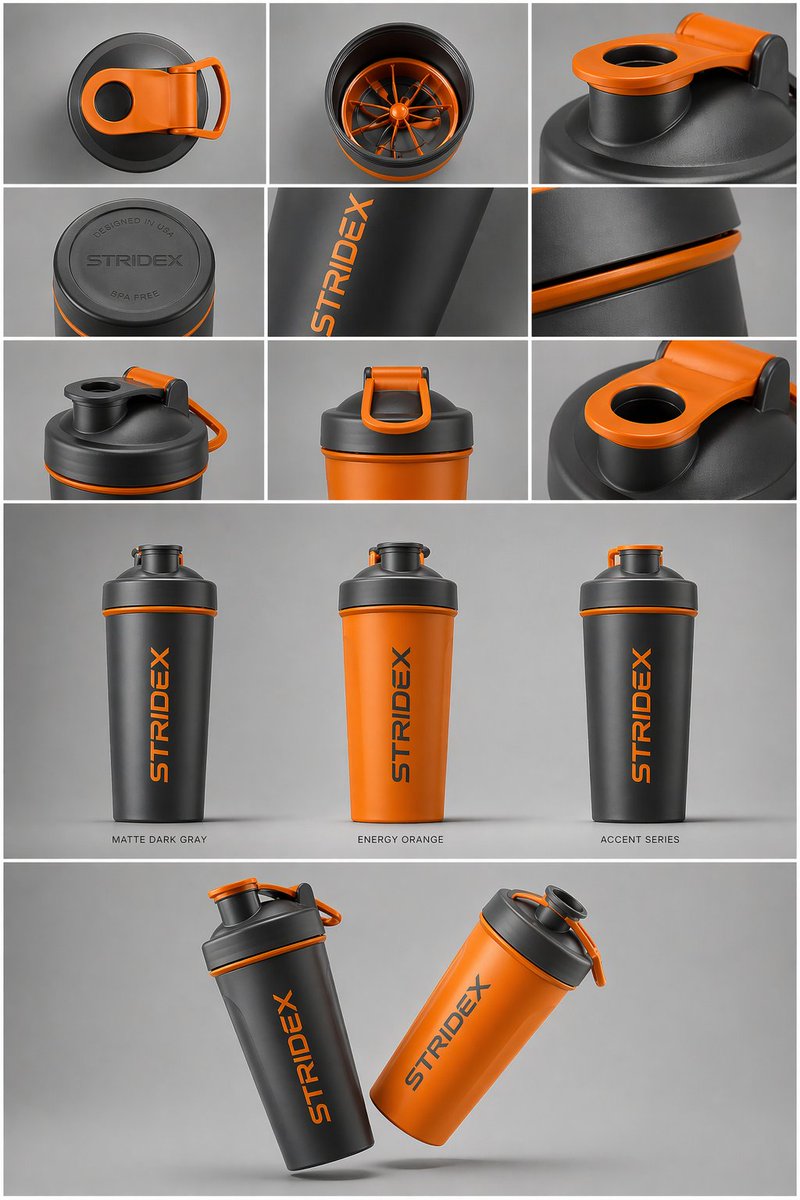
Generate a professional industrial design product showcase with a clean grid layout, multiple colorways, and hyper-realistic 4K renders.
ПРОМПТ · EN
核心主题:[argreference: 使用上传的图片,保持细节、排版和结构 100% 不变] 布局与构图:一个 argpresentation type: 专业的工业设计展示页。图片应组织成清晰的网格系统。 顶行:3x3 布局,展示俯视平铺视图和材质的微距细节。 中间部分:三张产品垂直站立的精选特写,展示不同配色(哑光黑、北极白及强调色变体)。产品应略微倾斜以展现深度和形态。 底部部分:动态的“悬浮”构图,通过两个产品以相反角度重叠,同时展示正面和侧面轮廓。 环境与光影:背景为极简的中性摄影棚灰色。采用柔和的顶光,带有真实的接触阴影。高端产品摄影美学。 风格与质感:哑光纹理、干净的轮廓和锐利的边缘。在产品表面留出指定的空白区域用于“占位品牌标识”和“图形样机”。4k 分辨率,Unreal Engine 5 渲染风格,超写实,干净的美学风格。
О промпте
Generate a professional industrial design product showcase with a clean grid layout, multiple colorways, and hyper-realistic 4K renders. Use it as a Концепт-арт starting point for GPT Image 2: keep the visual structure and style constraints intact, then swap in your own subject, brand, or scene.
Start by replacing reference and presentation type, then keep the camera, composition, and material cues in the same order. This makes the output easier to compare across variations.
Как использовать этот промпт
- Copy the prompt text.
- Choose an AI image model like Sora 2, Midjourney, or DALL-E.
- Customize variables such as the reference image, presentation type, and color variants.
- Paste the prompt and generate.
- Review and refine for your desired output.


