
GPT Image 2AI-промпт
Cinematic Desert Oasis Traveler — Hyperrealistic Prompt
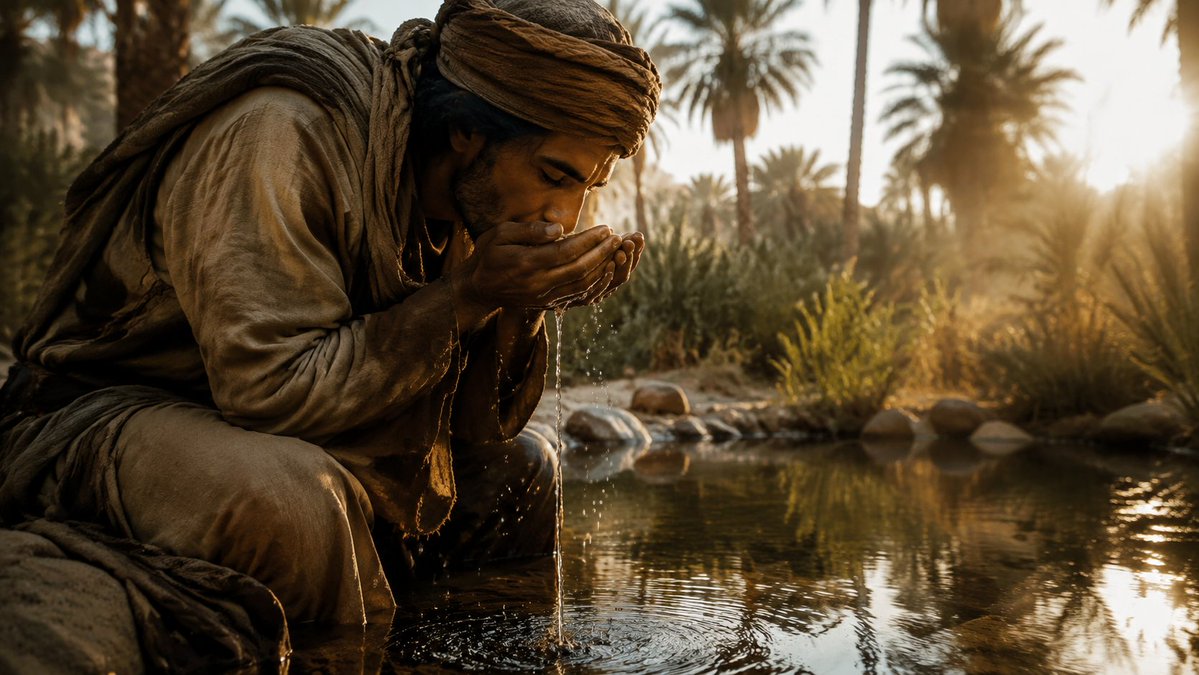
Generate a dramatic, cinematic still of a robed traveler drinking at a sunlit oasis with warm amber tones and stunning shallow depth of field.
ПРОМПТ · EN
创作一张电影感十足的超写实广角镜头,画面中 argsubject: 一位疲惫的沙漠旅人 跪在浅浅的绿洲水池边,身体前倾,双手捧水饮用或洗脸。主体身着层叠、布满尘土的大地色系游牧长袍,缠着头巾,穿着宽松长裤、破旧的织物围巾及粗糙的旅行服饰;双手湿润,水流滴回池中,激起细小的水花和同心圆涟漪。主体的面部被一个位于头部的深棕色正方形遮挡块刻意遮盖,但肢体语言依然传达出亲密与疲惫感。场景设定在一片郁郁葱葱的沙漠绿洲中,背景包含 argbackground setting: 高大的棕榈树、芦苇、灌木、光滑的石头和倒映着景色的静水;低垂的 argtime of day: 金色日出 从右侧穿过棕榈树照射进来,营造出温暖的逆光、镜头光晕、长长的阴影、朦胧的氛围以及水面上波光粼粼的倒影。采用戏剧性的纪录片电影剧照风格,超写实纹理,浅景深,温暖的琥珀色与深褐色调,高动态范围,细腻的织物纤维,清晰可见的水滴,自然的灰尘与污垢,16:9 构图,主体位于左侧前景,绿洲向明亮的背景延伸,拍摄效果如同使用电影摄影机,带有变形镜头的柔和感与真实的自然光影。
О промпте
Generate a dramatic, cinematic still of a robed traveler drinking at a sunlit oasis with warm amber tones and stunning shallow depth of field. Use it as a Концепт-арт starting point for GPT Image 2: keep the visual structure and style constraints intact, then swap in your own subject, brand, or scene.
Start by replacing subject, background setting, and time of day, then keep the camera, composition, and material cues in the same order. This makes the output easier to compare across variations.
Как использовать этот промпт
- Copy the full prompt text below.
- Select a high-fidelity AI image generator (e.g., Sora 2, Midjourney v6, or Stable Diffusion XL).
- Customize the bracketed variables —
{subject},{background setting}, and{time of day}— to match your vision. - Paste the modified prompt into the model's text-to-image field and set a 16:9 aspect ratio.
- Generate and iterate by adjusting lighting or depth-of-field keywords until you achieve the desired cinematic result.


