
GPT Image 2AI-промпт
Mecha Sci-Fi Anime Poster — Sora 2 AI Prompt
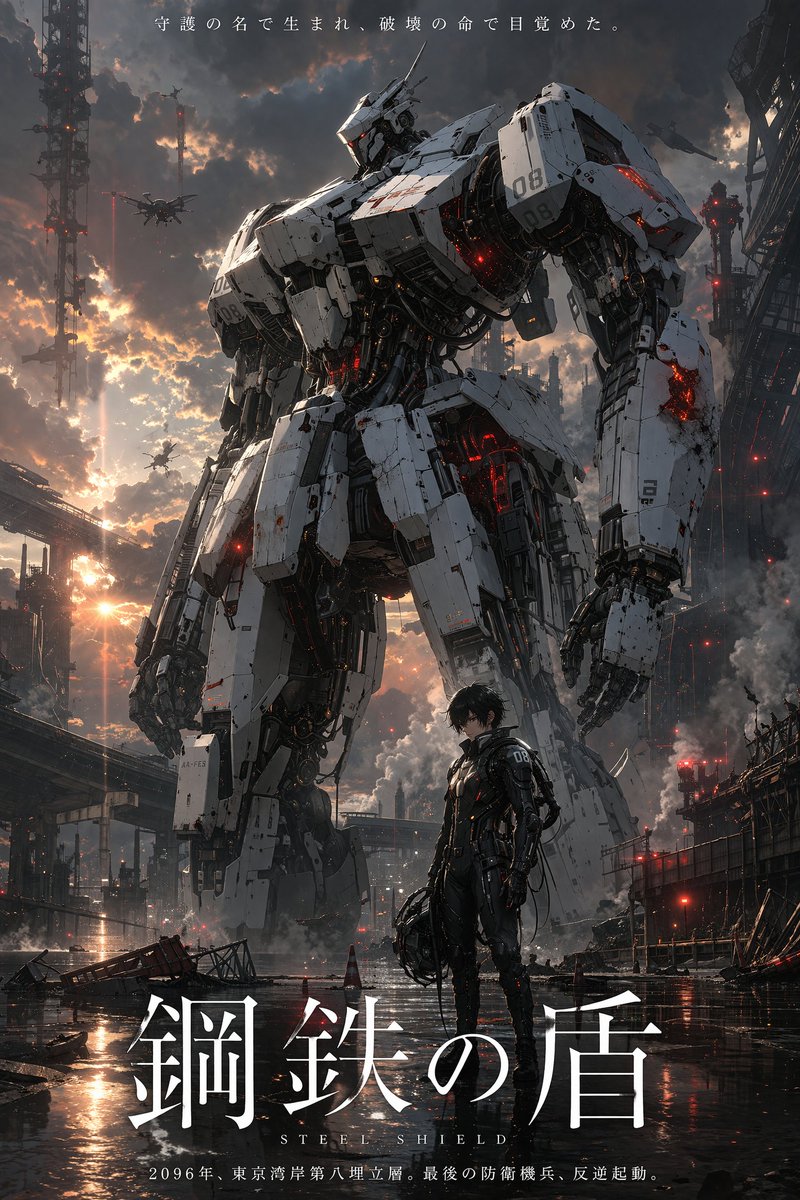
Easily generate a cinematic sci-fi anime poster with a towering mecha, customizable pilot, and dramatic dystopian atmosphere.
ПРОМПТ · EN
一张电影质感的科幻动画电影海报,画面中是一台高耸入云、历经战火的 argmecha color: 白色 机甲,带有发光的红色装饰和复杂的机械细节,伫立在破败的工业城市废墟中。前景中,一位 argpilot description: 留着黑发、身穿黑色流线型驾驶服的年轻男性动画角色 自信地站立着,手中拿着头盔。驾驶员和机甲的肩部都印有数字“08”。背景展示了戏剧性的日落天空,乌云密布,废墟中烟雾缭绕,无人机在空中盘旋,地面湿润且带有倒影。海报顶部是一句标语:“argtop tagline: 守護の名で生まれ、破壊の命で目覚めた。”。底部是一个醒目且优雅的衬线体主标题:“argmain title: 鋼鉄の盾”,下方配有英文副标题“S T E E L S H I E L D”。在最底部的边缘,有一行较小的文字:“argbottom tagline: 2096年、東京湾岸第八埋立層。最後の防衛機兵、反逆起動。”。整体氛围宏大、具有反乌托邦色彩且细节丰富。
О промпте
Easily generate a cinematic sci-fi anime poster with a towering mecha, customizable pilot, and dramatic dystopian atmosphere. Use it as a Концепт-арт starting point for GPT Image 2: keep the visual structure and style constraints intact, then swap in your own subject, brand, or scene.
Start by replacing mecha color, pilot description, top tagline, and main title, then keep the camera, composition, and material cues in the same order. This makes the output easier to compare across variations.
Как использовать этот промпт
- Copy the full prompt from this page.
- Open Sora or any text-to-image AI tool.
- Replace the bracketed variables (e.g.,
mecha color,pilot description) with your own choices. - Paste the modified prompt into the generative field and run.
- For optimal cinematic quality, use a model with strong scene composition (like Sora's high-res mode).


