
GPT Image 2AI-промпт
Anime Girl Breaking Through Screen — Cinematic Wallpaper Prompt
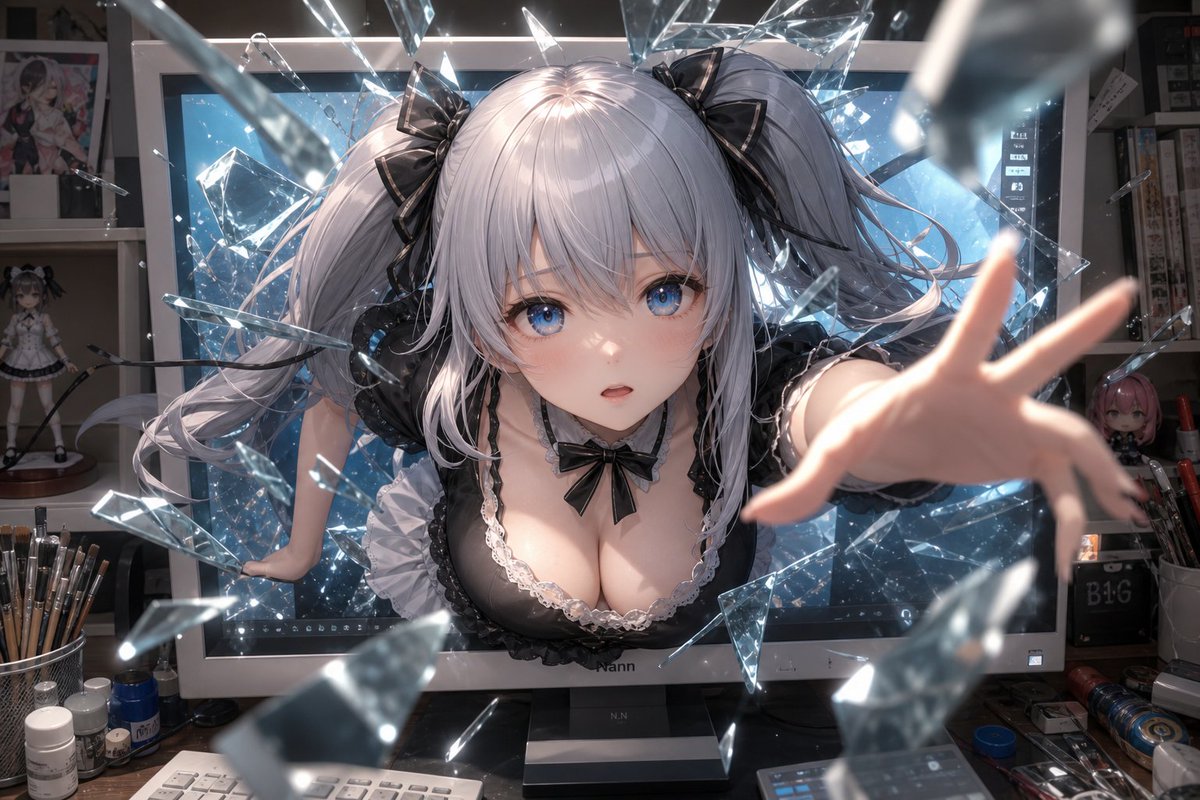
Generate a hyper-detailed 16:9 wallpaper of a silver-haired anime character bursting through a monitor in a dynamic shatter effect with cinematic lighting.
ПРОМПТ · EN
创作一张细节丰富、具有电影感的动漫风格壁纸,画面中一位 argcharacter type: 成年银发双马尾动漫少女 正从艺术家工作室的一台大型桌面显示器中向前冲出,仿佛将屏幕撞碎,化作许多锋利的悬浮玻璃碎片。该角色留着长长的浅银色头发,扎成蓬松的双马尾,系着亮面黑色丝带蝴蝶结;身穿黑色蕾丝边哥特洛丽塔风格女仆装,胸前饰有小黑蝴蝶结;一只手臂通过强烈的透视效果直接伸向观众,另一只手撑在显示器边框上。在面部中心位置覆盖一个不透明的 argface censor color: 柔和灰粉色 正方形,遮住五官。背景是一个凌乱的数字艺术工作空间:她身后是一台发出冰蓝色光芒的大显示器,架子上摆放着动漫手办和海报,桌面上散落着笔筒、小瓶子、钢笔、线缆和各种桌面工具。采用电影级灯光,呈现明亮的屏幕蓝光、透明玻璃碎片上的闪烁反射、浅景深效果,近处的碎片和伸出的手带有动态模糊,发丝细节极致细腻,布料光泽感强,工作室陈设真实,透视感动态十足,构图为 16:9 桌面壁纸,分辨率为 1152×768。整体氛围:超现实、充满活力、沉浸感强,仿佛动漫角色正从数字屏幕中逃离到现实世界。
О промпте
Generate a hyper-detailed 16:9 wallpaper of a silver-haired anime character bursting through a monitor in a dynamic shatter effect with cinematic lighting. Use it as a Концепт-арт starting point for GPT Image 2: keep the visual structure and style constraints intact, then swap in your own subject, brand, or scene.
Start by replacing character type and face censor color, then keep the camera, composition, and material cues in the same order. This makes the output easier to compare across variations.
Как использовать этот промпт
- Copy the full prompt text and paste it into your chosen AI image generator like Sora or Midjourney.
- Replace
{character type}with your preferred character description (e.g., "adult silver-haired twin-tail anime girl"). - Customize
{face censor color}if you want a different overlay shade than the default soft gray-pink. - Set the output resolution to 1152×768 or your desired 16:9 ratio for desktop wallpaper.
- Generate and iterate — adjust lighting or background clutter keywords if the first result needs refinement.


