
GPT Image 2AI 提示词
Toddler Daily Routine: 10-Panel Flash Card Set — Sora Prompt
Create a charming 10-panel flash card set illustrating a toddler's daily routine, from waking up to bedtime, with cute questions to engage little learners.
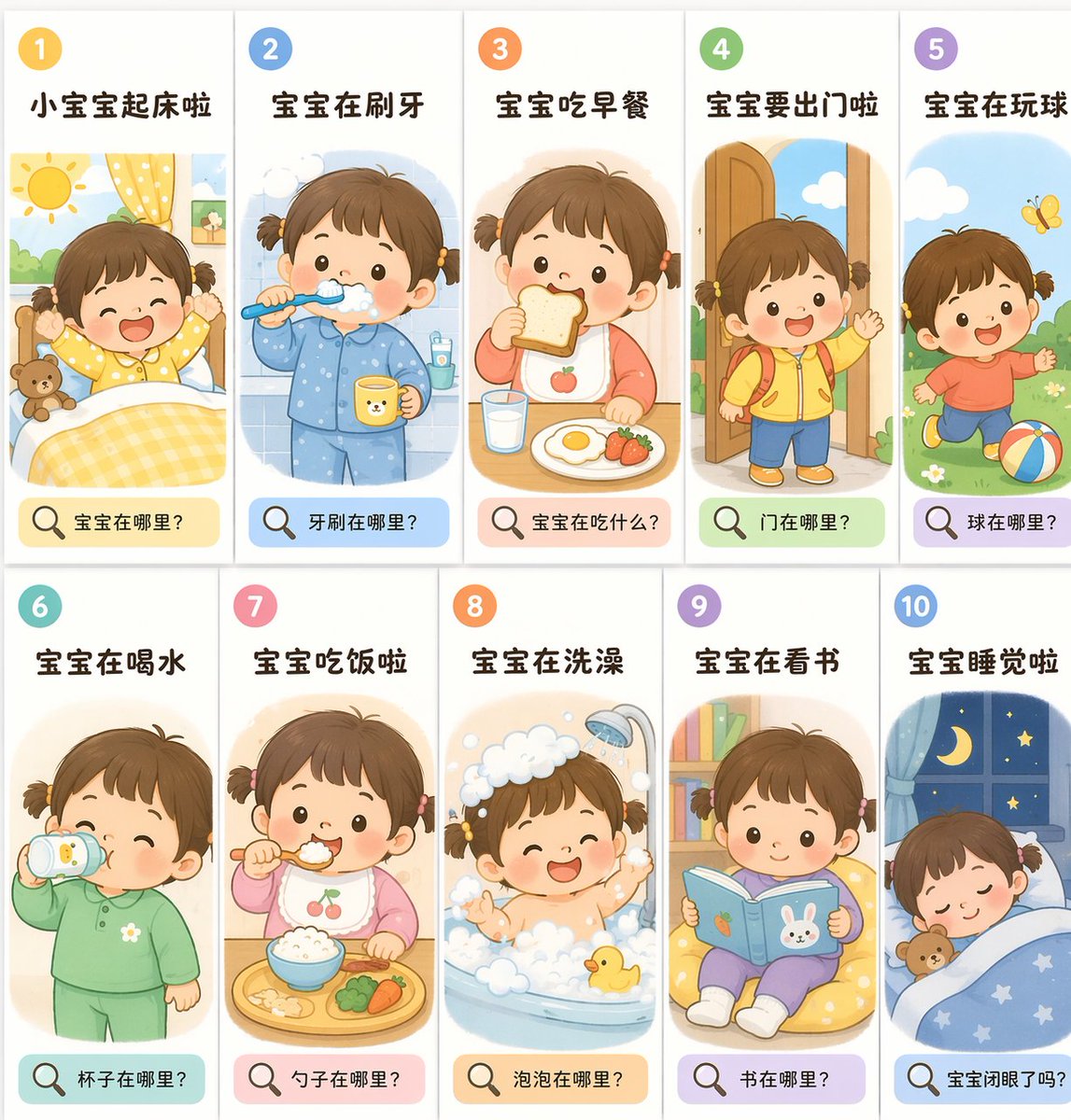
提示词 · EN
type
{argument name="theme" default="日常作息闪卡"}style
{argument name="style" default="可爱的童书插画风格,柔和的马卡龙色调"}character
{argument name="character" default="扎着两个小辫子、留着棕色短发的幼儿女孩"}layout
grid
2x5 格elements_per_panel
item 1
数字圆圈item 2
标题item 3
场景item 4
带有放大镜图标的问题横幅panels
item 1
id
1title
小宝宝起床啦scene
起床,太阳,泰迪熊question
宝宝在哪里?item 2
id
2title
宝宝在刷牙scene
刷牙,蓝色睡衣question
牙刷在哪里?item 3
id
3title
宝宝吃早餐scene
吃吐司和鸡蛋,苹果围兜question
宝宝在吃什么?item 4
id
4title
宝宝要出门啦scene
黄色外套,书包,门question
门在哪里?item 5
id
5title
宝宝在玩球scene
在户外踢球,蝴蝶question
球在哪里?item 6
id
6title
宝宝在喝水scene
用学饮杯喝水question
杯子在哪里?item 7
id
7title
宝宝吃饭啦scene
吃米饭,樱桃围兜,餐盘question
勺子在哪里?item 8
id
8title
宝宝在洗澡scene
浴缸,泡泡,小黄鸭question
泡泡在哪里?item 9
id
9title
宝宝在看书scene
在懒人沙发上看书question
书在哪里?item 10
id
10title
宝宝睡觉啦scene
在床上睡觉,夜间的窗户question
宝宝闭眼了吗?关于这个提示词
Create a charming 10-panel flash card set illustrating a toddler's daily routine, from waking up to bedtime, with cute questions to engage little learners. 它更适合作为 GPT Image 2 的概念艺术起点:先保留画面结构、主体关系和风格约束,再替换成你的品牌、人物或场景。
这条提示词使用结构化 JSON 组织信息,包含 type、style、character、layout、panels 等字段。保留这种层级能让模型更清楚地区分画面主题、布局、界面元素和细节约束。
使用时建议先小幅修改主体、场景、镜头和色调,再生成多个版本对比构图与细节。这样页面内容对用户有实际帮助,也避免把模型名或标签机械堆在正文里。
如何使用这个提示词
- Copy the complete prompt from this page.
- Paste it into Sora's prompt interface (or a compatible AI image generator).
- Optionally modify the
theme,style, orcharactervariables to personalize the flash cards. - Generate the image; the prompt is set to output a 2x5 grid layout.
- If the result isn't perfect, adjust the scene details or questions and regenerate.


