
GPT Image 2AI 提示词
100 Tech Topics Grid — Sora 2 Editorial Illustration Prompt
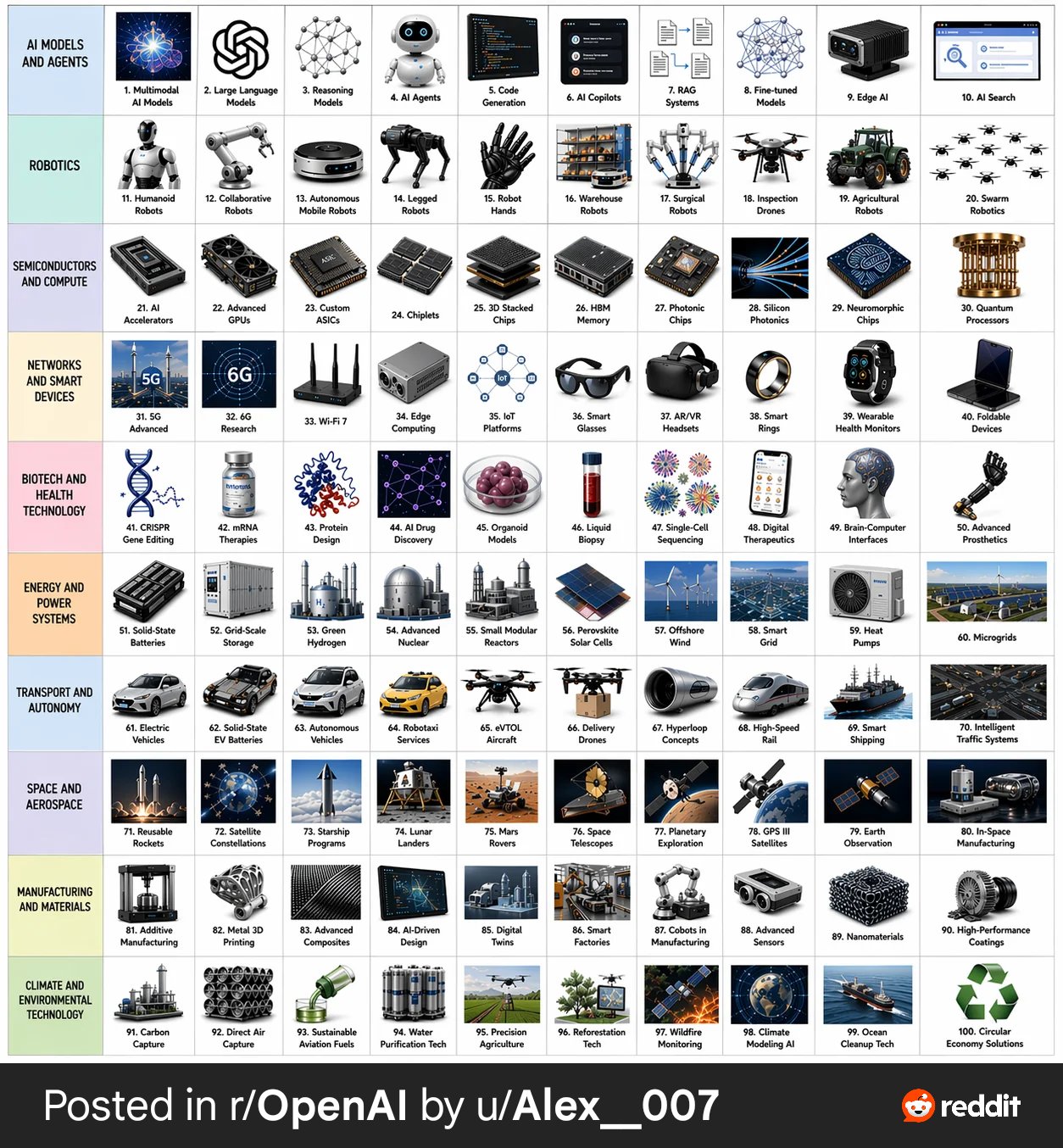
Generate a stunning 10×10 grid showcasing 100 cutting-edge technology topics in polished, realistic editorial illustration style with clear labels.
提示词 · EN
Create a 10 × 10 grid of 100 different topics representing recent technological progress. Use a realistic, polished editorial illustration style. Each topic should appear in its own square with a short clear label underneath. Keep the grid neat on a white background. Make every topic visually different and every label correctly spelled. Use these row themes: Row 1: AI models and agents Row 2: robotics Row 3: semiconductors and compute Row 4: networks and smart devices Row 5: biotech and health technology Row 6: energy and power systems Row 7: transport and autonomy Row 8: space and aerospace Row 9: manufacturing and materials Row 10: climate and environmental technology. Show each tile as a realistic mini-scene, product-class object, lab instrument, robot, chip, vehicle, or device that clearly conveys the topic. Keep the overall style consistent, modern, realistic, and visually impressive.
关于这个提示词
Generate a stunning 10×10 grid showcasing 100 cutting-edge technology topics in polished, realistic editorial illustration style with clear labels. 它更适合作为 GPT Image 2 的概念艺术起点:先保留画面结构、主体关系和风格约束,再替换成你的品牌、人物或场景。
常见用途包括 infographics, education & documents。这些标签只作为创作方向参考,实际生成时仍应以提示词结构和预览图为准。
使用时建议先小幅修改主体、场景、镜头和色调,再生成多个版本对比构图与细节。这样页面内容对用户有实际帮助,也避免把模型名或标签机械堆在正文里。
如何使用这个提示词
- Copy the entire prompt text above.
- Open your preferred AI image generator (Sora 2, Midjourney, DALL·E, etc.).
- Paste the prompt into the input field and adjust any style or resolution settings to your liking.
- Generate the image and review the grid for label accuracy and visual consistency.
- If needed, tweak individual row themes or request a regeneration for improved results.


