
GPT Image 2AI 提示词
Anime vs Reality: Grid Prompt — Sora 2
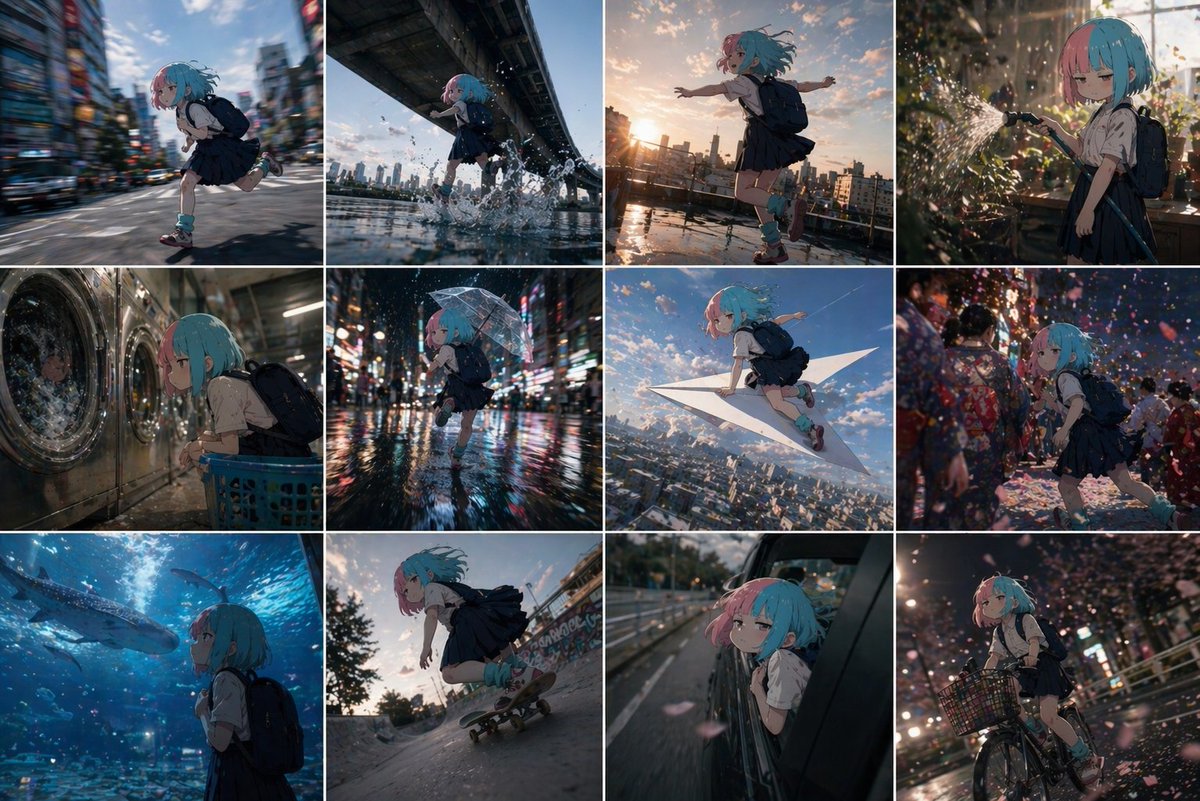
Create a striking grid of a 2D anime character navigating photorealistic real-world scenes, from cafes to crosswalks, blending cartoon charm with lifelike environments effortlessly.
提示词 · EN
Using the reference 2D cel anime character, create a grid-divided image showing the character doing various things in the real world. Each grid cell should depict the character in a different realistic environment 鈥?shopping at a store, waiting at a crosswalk, sitting in a cafe, riding public transit, taking photos at a landmark, etc. Maintain the character's flat 2D cel animation style while the environments are photorealistic, creating an interesting contrast between cartoon character and real-world setting. The grid should show 6-9 different scenes with consistent character design across all panels.
关于这个提示词
Create a striking grid of a 2D anime character navigating photorealistic real-world scenes, from cafes to crosswalks, blending cartoon charm with lifelike environments effortlessly. 它更适合作为 GPT Image 2 的概念艺术起点:先保留画面结构、主体关系和风格约束,再替换成你的品牌、人物或场景。
常见用途包括 community showcase、advanced、anime、grid layout。这些标签只作为创作方向参考,实际生成时仍应以提示词结构和预览图为准。
使用时建议先小幅修改主体、场景、镜头和色调,再生成多个版本对比构图与细节。这样页面内容对用户有实际帮助,也避免把模型名或标签机械堆在正文里。
如何使用这个提示词
- Copy the prompt text from above.
- Paste it into your preferred AI image generator (e.g., Sora, Midjourney, DALL·E).
- For best results, attach a reference image of your 2D cel anime character to maintain consistency.
- Adjust the number of grid cells (6–9) and specific real-world scenes as desired.
- Generate the image and refine with variations if needed.


