
GPT Image 2AI 提示词
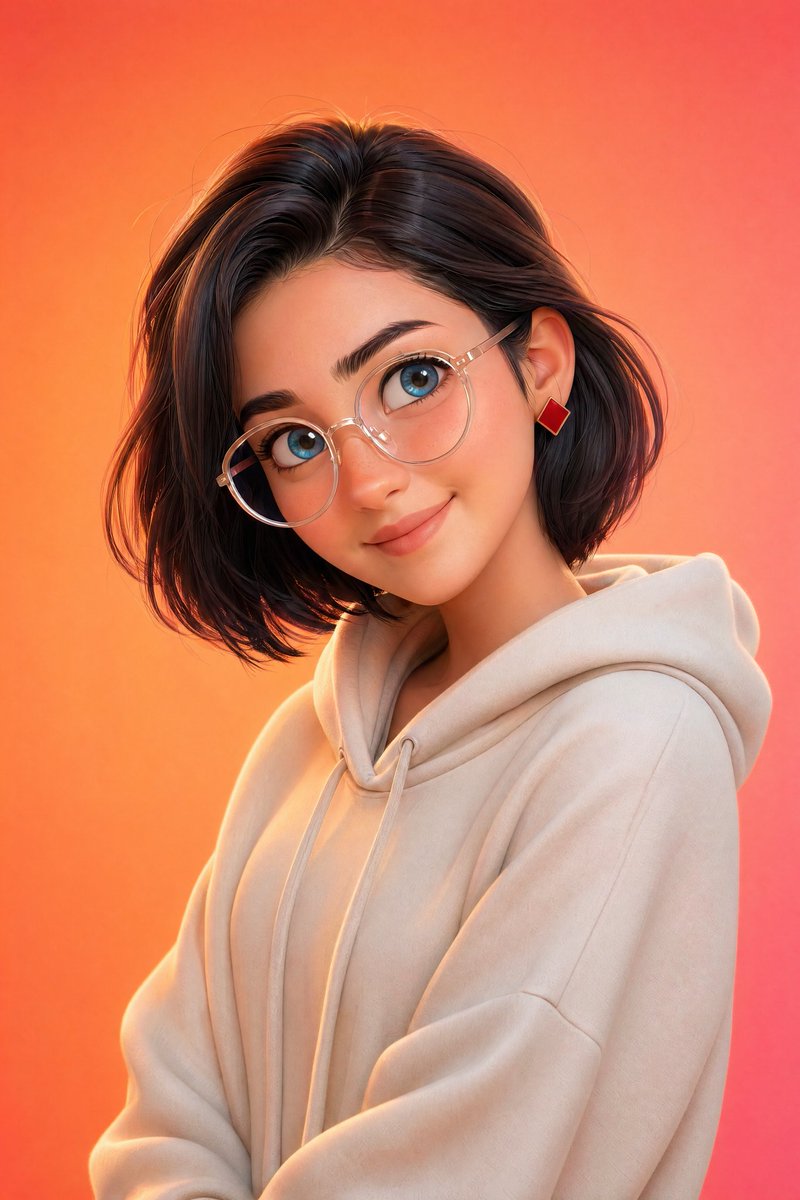
Pixar-Style 3D Character Portrait — Sora 2 Prompt
Create a high-quality, friendly 3D animated character portrait with soft studio lighting, vibrant gradient background, and Pixar-inspired charm.
1 / 2
提示词 · EN
一张风格化的皮克斯风格 3D 肖像,主角是 argcharacter: 年轻人,拥有光滑的皮肤、大而传神的蓝色眼睛和柔和的面部特征,佩戴 argaccessory: 圆形透明眼镜,现代发型(短发造型 / 柔和波波头),休闲装扮(连帽衫或简约毛衣),微微侧头并带着温暖的微笑,表情友好且平易近人,超简洁的角色设计,argbackground: 充满活力的橙粉色渐变 背景,柔和的摄影棚灯光搭配微妙的轮廓光,电影级景深,超精细,8K 渲染,Octane 渲染风格。
关于这个提示词
Create a high-quality, friendly 3D animated character portrait with soft studio lighting, vibrant gradient background, and Pixar-inspired charm. 它更适合作为 GPT Image 2 的概念艺术起点:先保留画面结构、主体关系和风格约束,再替换成你的品牌、人物或场景。
使用时优先替换 character、accessory、background 等占位符,并保持镜头、构图和材质描述的顺序不变。这样更容易获得稳定的画面结果,也方便继续做多版本对比。
如何使用这个提示词
- Copy the entire prompt text below.
- Choose a suitable AI image generation model (e.g., Sora 2).
- Customize the variables
{character},{accessory}, and{background}to match your vision. - Paste the modified prompt into the model's input field.
- Generate the image and iterate by adjusting details as needed.


