
GPT Image 2AI 提示词
Glowing 3D Heartbeat App Icon — Neon Violet Blue Sora 2 Prompt
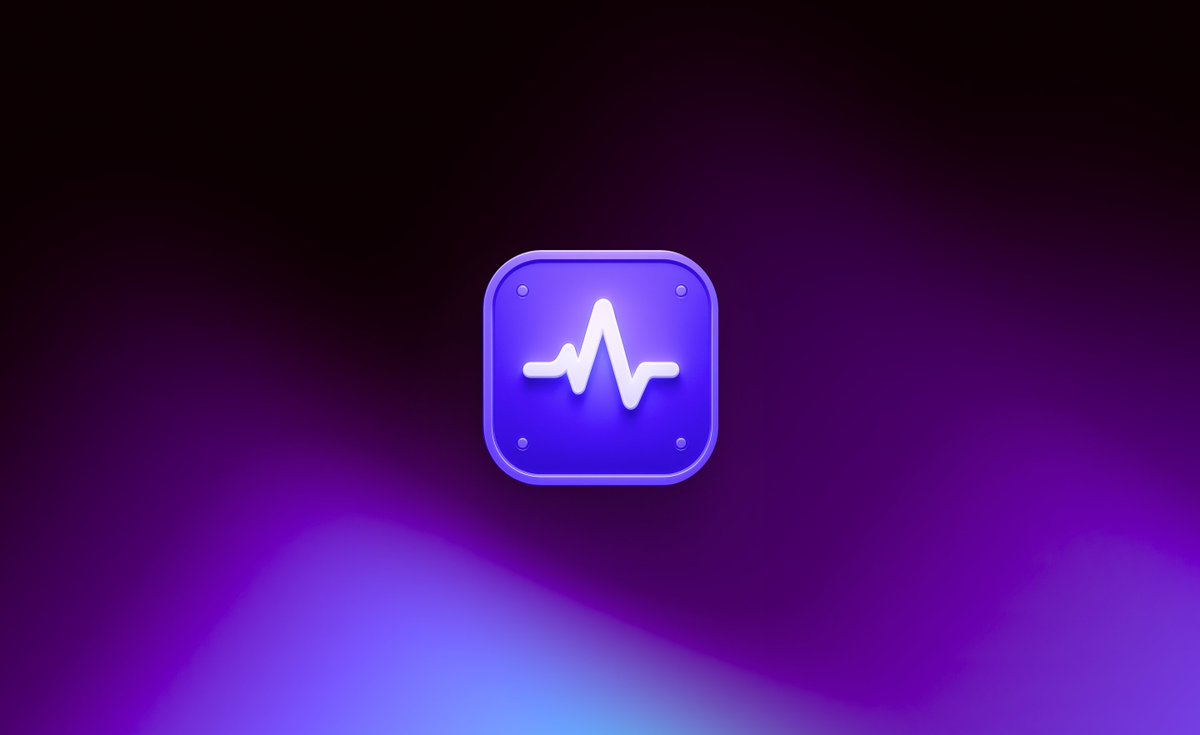
Generate a polished 3D heartbeat app icon with glowing waveform, cinematic dark neon gradient background and soft purple glow — ideal for app branding or hero visuals.
提示词 · EN
在 16:9 的宽画布上创作一张简洁的 3D App 图标风格首屏图像。在中心放置一个悬浮的圆角方形图标,边缘带有光泽的斜面,颜色为 argicon color: 电光紫罗兰蓝,带有微妙的半透明边框、柔和的内部高光,以及靠近圆角的四个微小圆形螺丝状点。在图标正面放置一个凸起的发光白色心跳波形符号,线条粗壮平滑,在图标表面投下柔和的阴影。图标应略微悬浮于背景之上,带有柔和的紫色光晕和投影。使用深色电影感抽象背景:顶部接近黑色,向下渐变为深紫色和洋红色,底部边缘带有模糊的霓虹蓝紫色波浪形状和淡淡的中心雾气。灯光效果应呈现出高级、未来感、极简且精致的质感,画面中不包含文字、人物或额外物体,中心图标周围留有充足的留白。
关于这个提示词
Generate a polished 3D heartbeat app icon with glowing waveform, cinematic dark neon gradient background and soft purple glow — ideal for app branding or hero visuals. 它更适合作为 GPT Image 2 的概念艺术起点:先保留画面结构、主体关系和风格约束,再替换成你的品牌、人物或场景。
使用时优先替换 icon color 等占位符,并保持镜头、构图和材质描述的顺序不变。这样更容易获得稳定的画面结果,也方便继续做多版本对比。
如何使用这个提示词
- Copy this entire prompt and paste it into your preferred AI image generator that supports detailed scene descriptions.
- Select a model optimized for photorealistic or stylized 3D renders (e.g., Sora 2, Midjourney v6, or DALL·E 3).
- Customize the
{icon color}variable to match your brand palette — default is electric violet-blue. - Generate multiple variations and refine the prompt with keywords like "minimalist", "cinematic", or "glassmorphism" for different aesthetics.


