
GPT Image 2AI 提示词
Die-Cut to Photoreal 3D Packaging Prompt
Create photorealistic 3D packaging renders from flat die-cut templates with perfect folds, distortion-free text, and customizable textures.
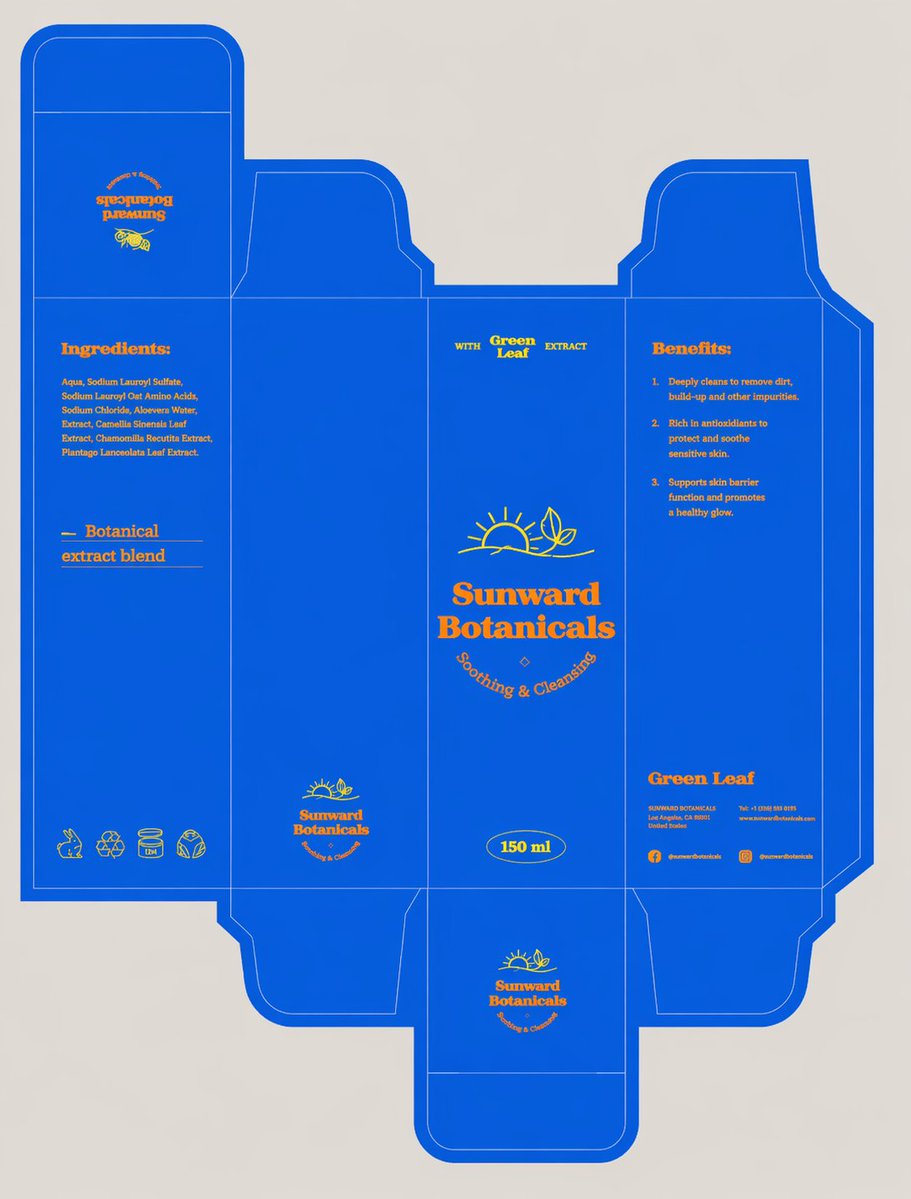
提示词 · EN
将刀模组装成完美的 3D 包装盒,确保面板准确、折痕清晰、文字无畸变,并完整保留设计稿。以精致的 ¾ 视角将其直立拍摄,置于 argsetting: 极简高端摄影棚场景 中,搭配柔和的中性背景、漫射光、细腻的阴影,无多余道具,色彩真实,呈现 argtexture: 哑光纸板质感 以及逼真的编辑级细节。
关于这个提示词
Create photorealistic 3D packaging renders from flat die-cut templates with perfect folds, distortion-free text, and customizable textures. 它更适合作为 GPT Image 2 的概念艺术起点:先保留画面结构、主体关系和风格约束,再替换成你的品牌、人物或场景。
使用时优先替换 setting、texture 等占位符,并保持镜头、构图和材质描述的顺序不变。这样更容易获得稳定的画面结果,也方便继续做多版本对比。
如何使用这个提示词
- Copy the prompt template.
- Replace
{setting}with your desired studio background (e.g., “minimalist high-end studio”) and{texture}with the material finish (e.g., “matte cardboard”). - Choose a text-to-image AI model such as Sora 2, DALL·E 3, or Midjourney.
- Paste the customized prompt and generate your image.
- Adjust variables or add minor details to refine the result if needed.


