
GPT Image 2AI 提示词
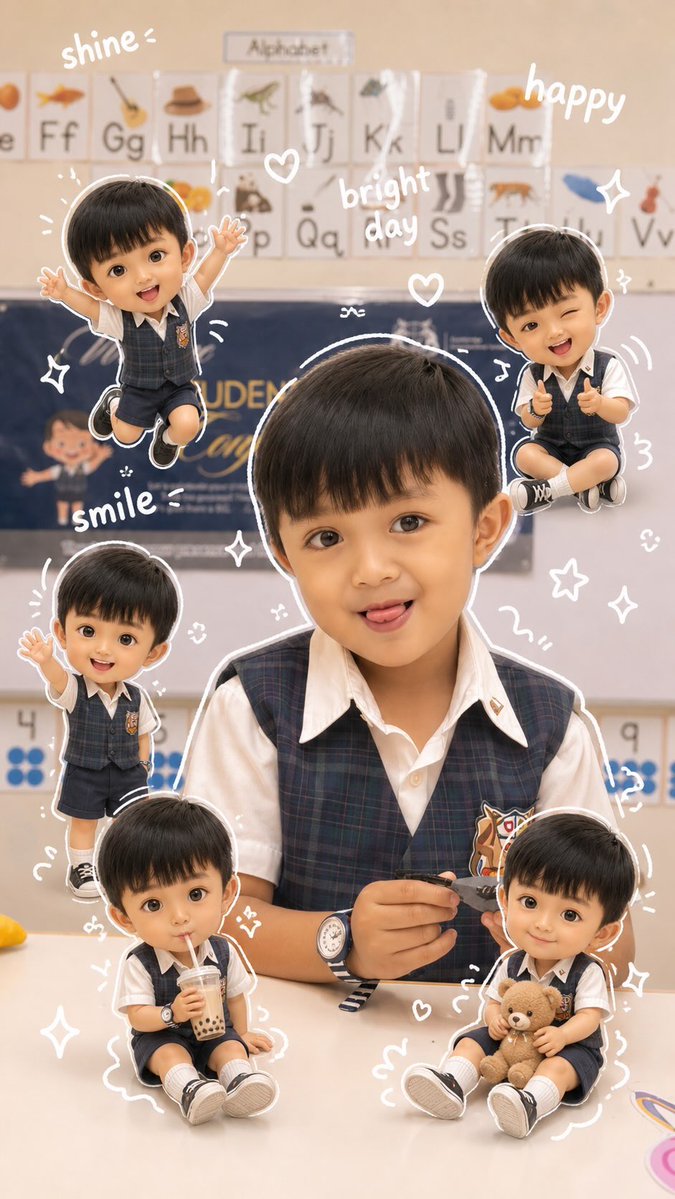
3D Chibi Doodle Portrait — Aesthetic AI Prompt
Create adorable, shareable portraits featuring 3D chibi mini-mes and cute doodles around your original photo.
1 / 2
提示词 · EN
Use the original face from the reference photo. Background same as the photo. Warm, soft, clean lighting with soft shadows. Surround it with several argcharacter style: 3D cute style mini chibi versions of themselves, keeping the original facial features. The chibi characters have various poses and expressions: cheerful jumping, waving, sitting casually holding a drink, and cute/playful expressions. Add argdoodle style: white hand-drawn style doodle elements: outlines around the main body, stars, hearts, sparkles, and motion lines. Add argtext style: aesthetic handwriting text like: 'shine', 'bright day', 'happy', 'smile', etc. (casual doodle font). Overall style: clean & aesthetic composition, white sticker outline, argcolor tone: soft pastel color tone, high detail 3D chibi, glossy look, cute Korean style, instagramable
关于这个提示词
Create adorable, shareable portraits featuring 3D chibi mini-mes and cute doodles around your original photo. 它更适合作为 GPT Image 2 的概念艺术起点:先保留画面结构、主体关系和风格约束,再替换成你的品牌、人物或场景。
使用时优先替换 character style、doodle style、text style、color tone 等占位符,并保持镜头、构图和材质描述的顺序不变。这样更容易获得稳定的画面结果,也方便继续做多版本对比。
如何使用这个提示词
- Copy the Prompt: Click the 'Copy' button on the prompt page.
- Choose Your Model: Paste it into a compatible AI image generator (like Sora or other models).
- Tweak Variables: Replace the default
{argument}values in brackets (e.g., change '3D cute style' to 'pixel art style') to customize. - Upload Reference: Provide your clear, front-facing portrait photo as the reference.
- Generate & Refine: Run the prompt and adjust the text or style variables until you get your perfect aesthetic portrait.


