
GPT Image 2AI 提示词
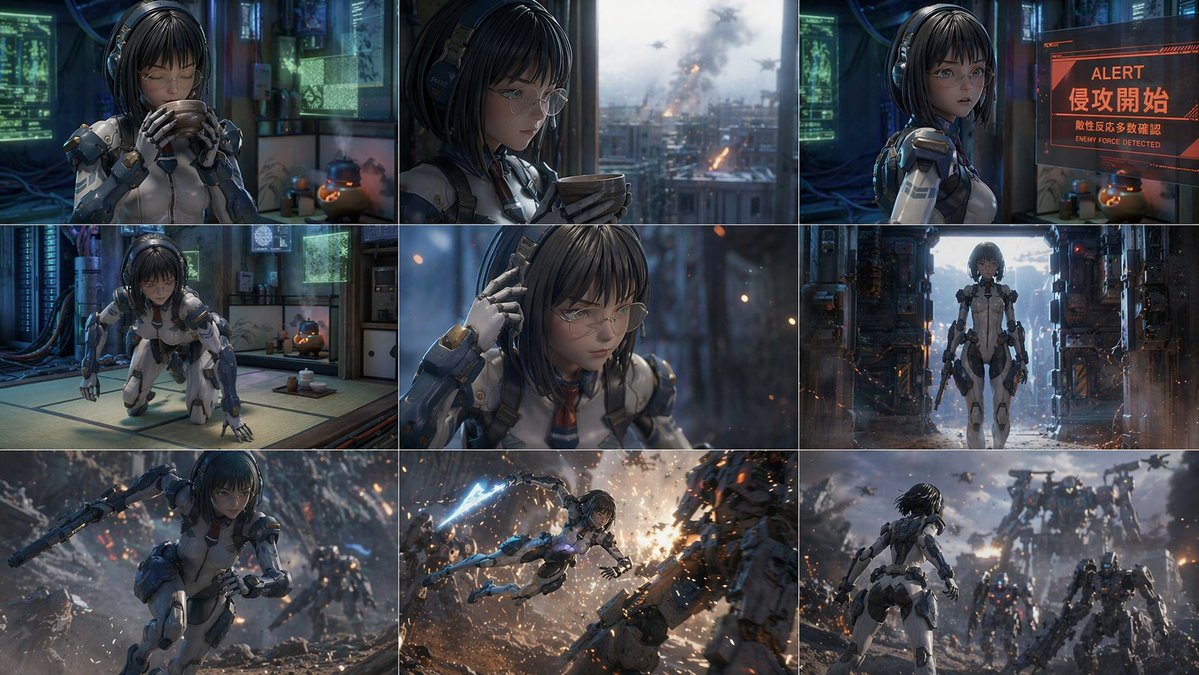
3x3 Sci-Fi Action Storyboard Prompt — Sora AI Mecha Battle
Create a 9-panel sci-fi storyboard sequence — from serene start to mecha battle — with customizable character and alert text using Sora AI.
提示词 · EN
type
3x3 网格分镜character
{argument name="character description" default="年轻女性,黑色短发,戴眼镜,身穿蓝白相间科幻机甲服"}layout
grid
3x3total_panels
9panels
item 1
position
top-leftscene
在高科技榻榻米房间里喝茶item 2
position
top-centerscene
望着窗外城市的爆炸item 3
position
top-rightscene
看着红色全息图:'ALERT','{argument name="alert main text" default="侵攻開始"}','{argument name="alert sub text" default="敵性反応多数確認"}'item 4
position
mid-leftscene
跪在榻榻米上item 5
position
mid-centerscene
触摸耳机时的特写item 6
position
mid-rightscene
全身站在昏暗的机库中item 7
position
bottom-leftscene
在废墟战场上奔跑item 8
position
bottom-centerscene
手持能量刃跃起攻击机甲item 9
position
bottom-rightscene
面对庞大的敌方机甲军团关于这个提示词
Create a 9-panel sci-fi storyboard sequence — from serene start to mecha battle — with customizable character and alert text using Sora AI. 它更适合作为 GPT Image 2 的概念艺术起点:先保留画面结构、主体关系和风格约束,再替换成你的品牌、人物或场景。
这条提示词使用结构化 JSON 组织信息,包含 type、character、layout 等字段。保留这种层级能让模型更清楚地区分画面主题、布局、界面元素和细节约束。
使用时建议先小幅修改主体、场景、镜头和色调,再生成多个版本对比构图与细节。这样页面内容对用户有实际帮助,也避免把模型名或标签机械堆在正文里。
如何使用这个提示词
- Copy the prompt text from this page.
- Open an AI video generator like Sora or image tool like DALL-E.
- Modify the
character description,alert main text, andalert sub textvariables to fit your scene. - Paste the prompt and generate your 3x3 storyboard.
- Review the panels and adjust settings if needed.


