
GPT Image 2AI 提示词
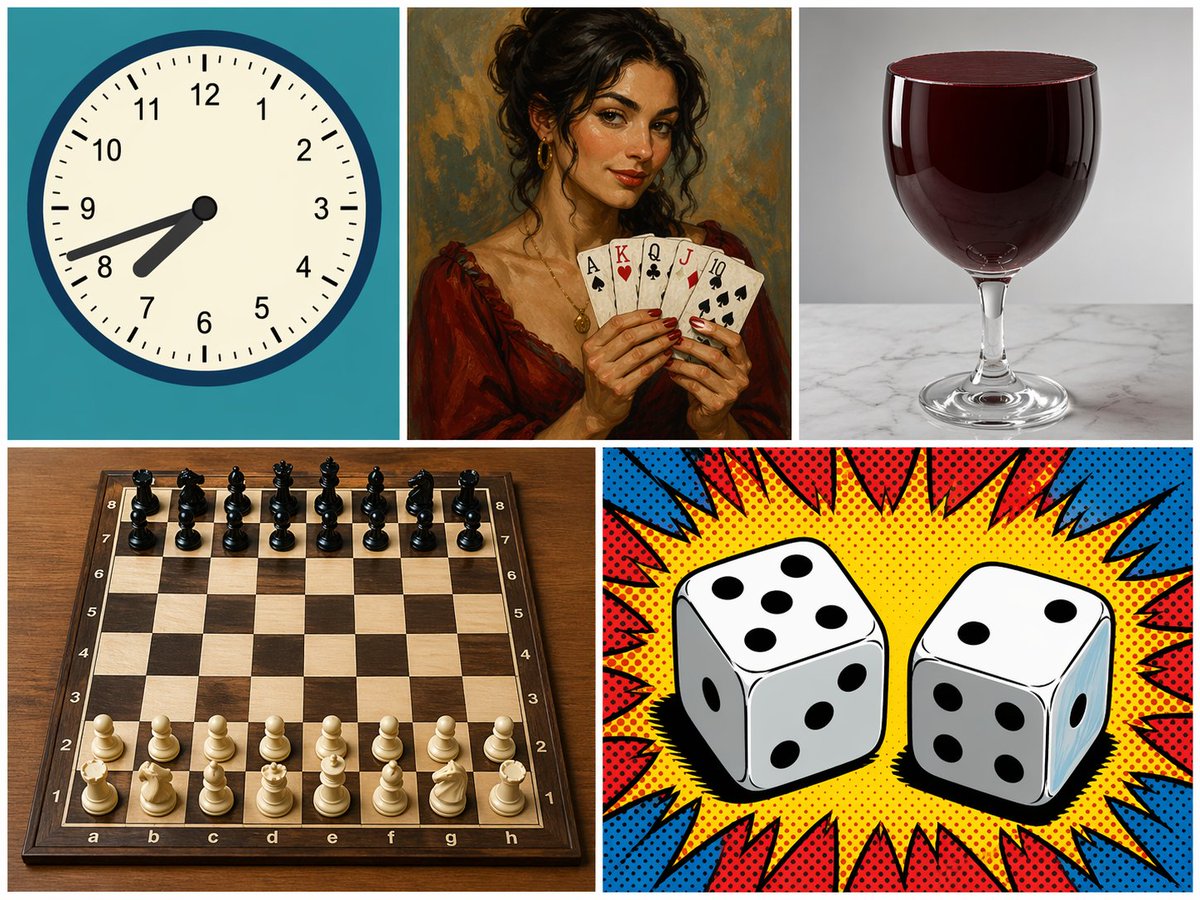
5-Panel Mixed-Style Collage — Clock, Cards, Glass, Chess & Dice
Test AI versatility with a 5-panel grid blending flat vector, oil painting, photo-realism and pop art styles in one prompt.
提示词 · EN
type
5 面板拼贴画layout
包含 3 个顶部面板和 2 个底部面板的网格panels
item 1
position
左上subject
模拟时钟details
青色背景,时间显示为 {argument name="clock time" default="7:42"}style
扁平矢量插画item 2
position
中上subject
手持扑克牌的女性details
手持 5 张牌:{argument name="card hand" default="黑桃 A、红桃 K、梅花 Q、方块 J、黑桃 10"}style
经典油画肖像item 3
position
右上subject
一杯红色液体details
{argument name="glass type" default="高脚杯"} 中盛满深红色液体,大理石表面style
照片级真实感摄影item 4
position
左下subject
国际象棋棋盘details
木制项目,放置着 32 枚标准初始位置的棋子style
照片级真实感高角度拍摄item 5
position
右下subject
两颗骰子details
左侧骰子顶部显示 {argument name="left die top" default="5"},右侧骰子顶部显示 {argument name="right die top" default="2"}style
带有红蓝爆炸效果的波普艺术漫画半调风格关于这个提示词
Test AI versatility with a 5-panel grid blending flat vector, oil painting, photo-realism and pop art styles in one prompt. 它更适合作为 GPT Image 2 的概念艺术起点:先保留画面结构、主体关系和风格约束,再替换成你的品牌、人物或场景。
这条提示词使用结构化 JSON 组织信息,包含 type、layout、panels 等字段。保留这种层级能让模型更清楚地区分画面主题、布局、界面元素和细节约束。
使用时建议先小幅修改主体、场景、镜头和色调,再生成多个版本对比构图与细节。这样页面内容对用户有实际帮助,也避免把模型名或标签机械堆在正文里。
如何使用这个提示词
- Copy the full JSON prompt below.
- Paste it into your preferred AI image generator (e.g., Sora 2, Midjourney, DALL-E).
- Customize the
[argument]variables likeclock time,card hand,glass type, anddie topsto your preference. - Generate the image and review the multi-style, multi-subject grid output.
- Iterate by adjusting individual panel descriptions for better composition or style contrast.


