
GPT Image 2AI 提示词
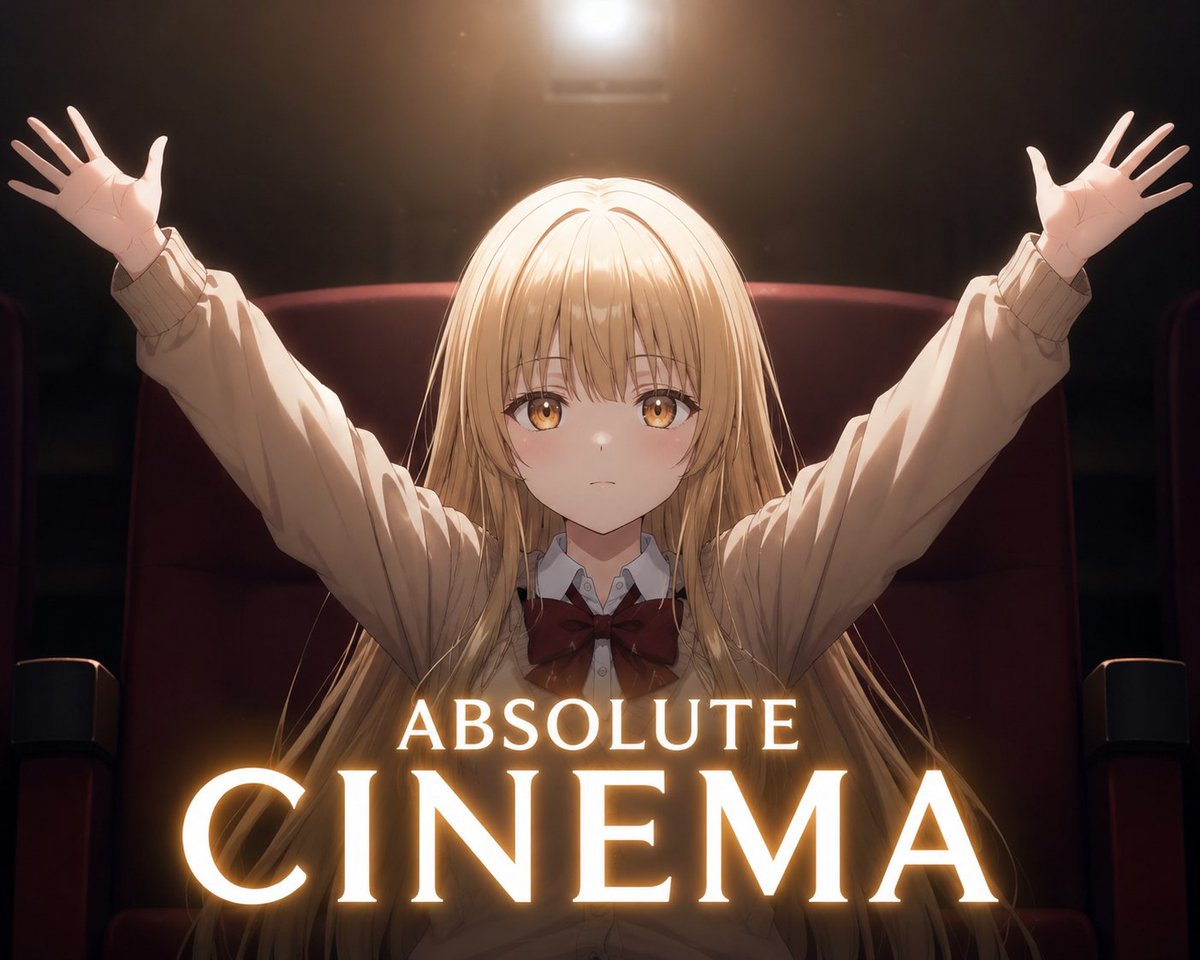
Dramatic Anime Cinema Poster — Sora 2 Prompt
Generate a cinematic anime poster with a victory-pose silhouette, glowing typography, and dramatic spotlight lighting for stunning results.
提示词 · EN
创作一张戏剧性的动漫风格电影海报插图,画面中一位 argcharacter description: 留着金色长发的校服女生 坐在昏暗的电影院里,位于深红色豪华影院座椅的中央,座椅带有黑色扶手。她身穿白色翻领衬衫,外搭一件超大号米色开衫,系着深红色大蝴蝶结,长发垂落在肩膀和座椅上。她双臂高举,呈胜利的 V 字形,双手张开,掌心向外,仿佛在庆祝一部杰作。在她的头顶正上方放置一盏明亮的暖色投影灯或舞台灯,营造出强烈的金色光环、轮廓光、镜头光晕和电影级背光效果,而周围的影院环境则几乎全黑。用一个居中的实心棕褐色方形遮挡块遮住角色的面部,该遮挡块平整且不透明,覆盖了眼睛、鼻子和大部分面部特征。在海报下半部分,添加发光的衬线字体:较小的单词 argtop title text: ABSOLUTE 位于巨大的单词 argmain title text: CINEMA 上方,两者均为白金色字母,带有强烈的晕光效果和柔和的橙色外发光。采用竖版海报构图,对称框架,高对比度,暖琥珀色高光,柔和的胶片颗粒感,精致的动漫渲染,以及史诗般的励志电影广告美学。
关于这个提示词
Generate a cinematic anime poster with a victory-pose silhouette, glowing typography, and dramatic spotlight lighting for stunning results. 它更适合作为 GPT Image 2 的概念艺术起点:先保留画面结构、主体关系和风格约束,再替换成你的品牌、人物或场景。
使用时优先替换 character description、top title text、main title text 等占位符,并保持镜头、构图和材质描述的顺序不变。这样更容易获得稳定的画面结果,也方便继续做多版本对比。
如何使用这个提示词
- Copy the entire prompt and paste it into your Sora 2 or compatible AI video/image generator.
- Select your preferred model (Sora 2, Kling, or similar) and choose a portrait aspect ratio (e.g., 9:16) for optimal poster framing.
- Customize the variables: modify
{character description}for different characters, and change{top title text}and{main title text}for your desired titles. - Generate the image and review the output. Adjust lighting keywords or grain settings if needed for a warmer or cooler cinematic mood.


