
GPT Image 2AI 提示词
GPT Image 2 Lovart Ad Prompt: Luxury Campaign Poster
Create a luxury AI platform promo poster with floating marketing assets, UI panels, and a luminous heart energy core.
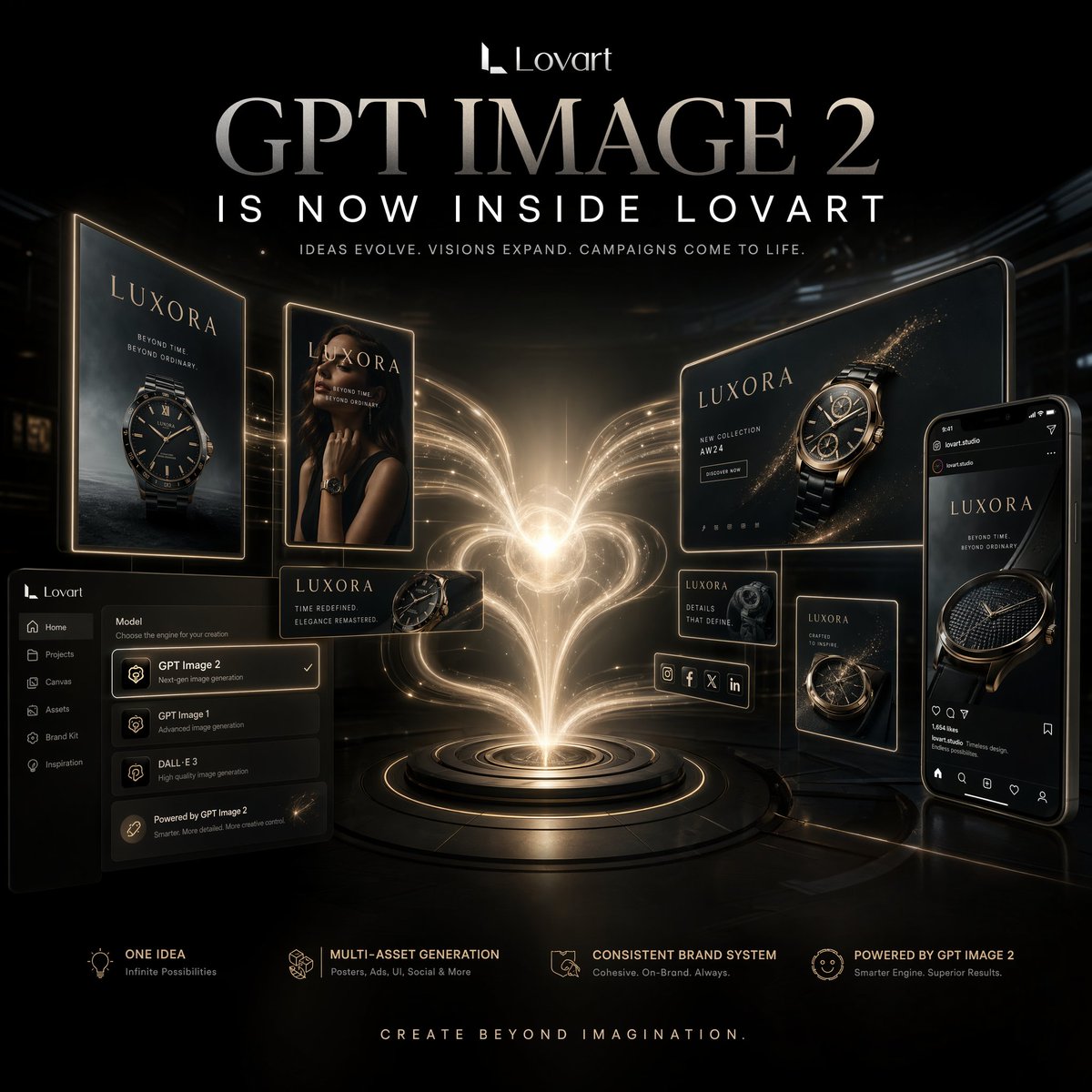
提示词 · EN
type
奢华 AI 创意平台宣传海报style
电影级高端科技广告,亮面黑金配色,高对比度,未来感奢华品牌风格,融合优雅 UI 样机元素的写实 3D 合成format
方形社交媒体营销海报background
color
深邃黑environment
带有微妙建筑阴影和反射地面的暗黑未来感工作室空间lighting
戏剧性的中心光芒,伴随温暖的金色体积光轨迹,所有悬浮屏幕边缘均有轮廓光branding
logo_text
Lovartheadline
{argument name="headline text" default="GPT IMAGE 2"}subheadline
{argument name="subheadline text" default="IS NOW INSIDE LOVART"}tagline
创意进化。愿景扩展。营销活动由此鲜活。footer_tagline
创造超越想象。centerpiece
description
从圆形平台喷涌而出的璀璨心形能量羽流,由流动的金色光束构成,如同创意的喷泉或生成式力量position
中心base
带有发光边缘的同心金属基座环product_brand
name
{argument name="brand name" default="LUXORA"}category
奢华腕表营销视觉floating_assets
count
8items
item 1
type
竖版海报广告牌position
最左侧content
带有品牌标题和深海背景的奢华腕表主视觉图item 2
type
竖版时尚海报position
左中content
身着黑色服饰的女性模特佩戴奢华腕表,面部被构图部分遮挡item 3
type
小型横版产品卡片position
左下中content
腕表特写及简短营销文案item 4
type
大型横版广告牌position
右上content
带有闪烁金粉颗粒和营销布局的腕表主视觉渲染图item 5
type
小型方形信息卡片position
右中content
腕表细节特写及简短描述性文字item 6
type
小型竖版海报position
右下中content
辅助腕表营销图片item 7
type
社交媒体快拍或信息流样机position
最右侧content
展示奢华腕表广告帖的智能手机界面item 8
type
创意应用 UI 面板position
左下content
深色软件侧边栏和模型选择器,突出显示 GPT Image 2 及其他图像模型选项ui_panel
position
左下components
count
8labels
item 1
Lovartitem 2
首页item 3
项目item 4
画布item 5
资产item 6
品牌套件item 7
灵感item 8
GPT Image 2feature_row
position
底部count
4items
item 1
title
一个创意subtitle
无限可能item 2
title
多资产生成subtitle
海报、广告、UI、社交媒体等item 3
title
一致的品牌系统subtitle
连贯、符合品牌调性、始终如一item 4
title
由 GPT IMAGE 2 驱动subtitle
更智能的引擎,更卓越的成果。composition
对称但略显动态的布局,中心能量源被悬浮的营销输出内容环绕,所有屏幕向中心光芒倾斜,寓意一个创意扩展为完整的品牌系统materials
黑玻璃、拉丝金属、金色霓虹边缘、亮面屏幕、细微的粒子闪光mood
创新、进取、高端、魔幻、营销发布能量quality
超精细、清晰的排版、精致的品牌呈现、高端产品可视化、工作室级广告渲染关于这个提示词
Create a luxury AI platform promo poster with floating marketing assets, UI panels, and a luminous heart energy core. 它更适合作为 GPT Image 2 的概念艺术起点:先保留画面结构、主体关系和风格约束,再替换成你的品牌、人物或场景。
这条提示词使用结构化 JSON 组织信息,包含 type、style、format、background、branding、centerpiece、product brand 等字段。保留这种层级能让模型更清楚地区分画面主题、布局、界面元素和细节约束。
使用时建议先小幅修改主体、场景、镜头和色调,再生成多个版本对比构图与细节。这样页面内容对用户有实际帮助,也避免把模型名或标签机械堆在正文里。
如何使用这个提示词
- Copy the full prompt template.
- Paste it into a high-fidelity AI image generator (e.g., DALL·E 3, Midjourney).
- Replace placeholder variables like
headline textandbrand namewith your own or keep defaults. - Set aspect ratio to 1:1 for a square social media format.
- Generate and fine-tune by adjusting lighting or style keywords.


