
GPT Image 2AI 提示词
Minimalist Director-Led AI Studio Cover — Sora 2 Prompt
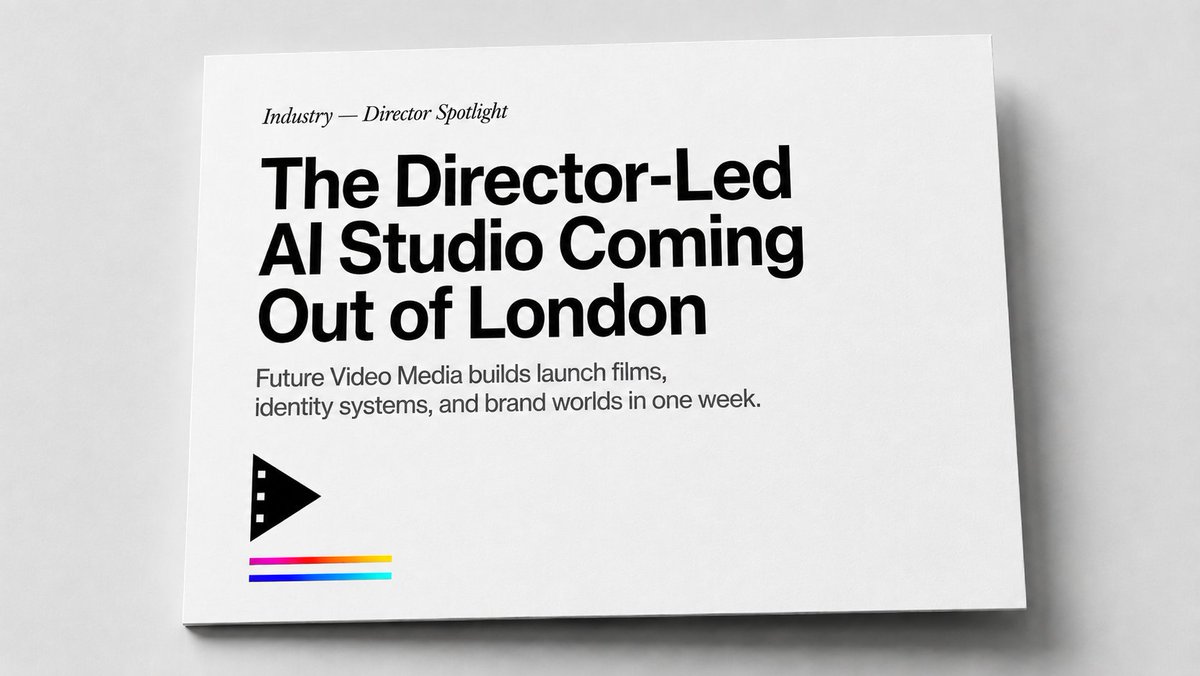
Generate a photorealistic editorial print mockup of a minimalist magazine cover with bold typography, a film icon, and subtle color accents.
1 / 4
提示词 · EN
创建一个从上方微倾斜角度拍摄的写实编辑印刷样机:一张横向的白色卡片或杂志封面平放在浅灰色桌面上,配以柔和的摄影棚灯光、细腻的纸张纹理、下边缘和右边缘的细微阴影,以及大量留白。设计采用极简的黑白风格,并带有少量色彩点缀。将所有排版左对齐放置在左上象限:一个小型的斜体衬线体引语,内容为“argsection label: 行业 — 导演聚焦”,随后是一个非常醒目的黑色粗体现代无衬线标题,分三行排列,内容为“argheadline text: 来自伦敦的导演主导型 AI 工作室”,紧接着是一个较小的灰黑色无衬线副标题,分两行排列,内容为“argsubheading text: Future Video Media 在一周内构建发布影片、识别系统和品牌世界。”。在文案下方的左下区域,添加 1 个黑色的几何电影/播放图标:一个向右的三角形播放符号,其左侧边缘带有三个小方形电影齿孔。在图标下方添加 3 条细长的水平色带,垂直堆叠并留有小间隙:顶部色带为从洋红色渐变到红色和黄色,中间色带为深蓝色,底部色带为青色/蓝绿色。保持卡片边缘清晰,背景中性,整体风格如同高端杂志专题封面或代理商单页,不包含额外文字、人物、水印或任何其他标志。
关于这个提示词
Generate a photorealistic editorial print mockup of a minimalist magazine cover with bold typography, a film icon, and subtle color accents. 它更适合作为 GPT Image 2 的概念艺术起点:先保留画面结构、主体关系和风格约束,再替换成你的品牌、人物或场景。
使用时优先替换 section label、headline text、subheading text 等占位符,并保持镜头、构图和材质描述的顺序不变。这样更容易获得稳定的画面结果,也方便继续做多版本对比。
如何使用这个提示词
- Copy the full prompt text and replace the bracketed argument fields with your desired content.
- Select a capable AI image generation model like Sora 2 or a high-quality alternative.
- Adjust variables like the section label, headline, and subheading to match your brand.
- Generate the image, refining the prompt if needed for perfect alignment and lighting.


