
GPT Image 2AI 提示词
Sora 2 Prompt: Handwritten Notebook for AI 3D Verification
Create detailed notebook pages with handwritten notes and doodles to visualize AI verification workflows, adding a personal touch to Sora 2 outputs.
提示词 · EN
type
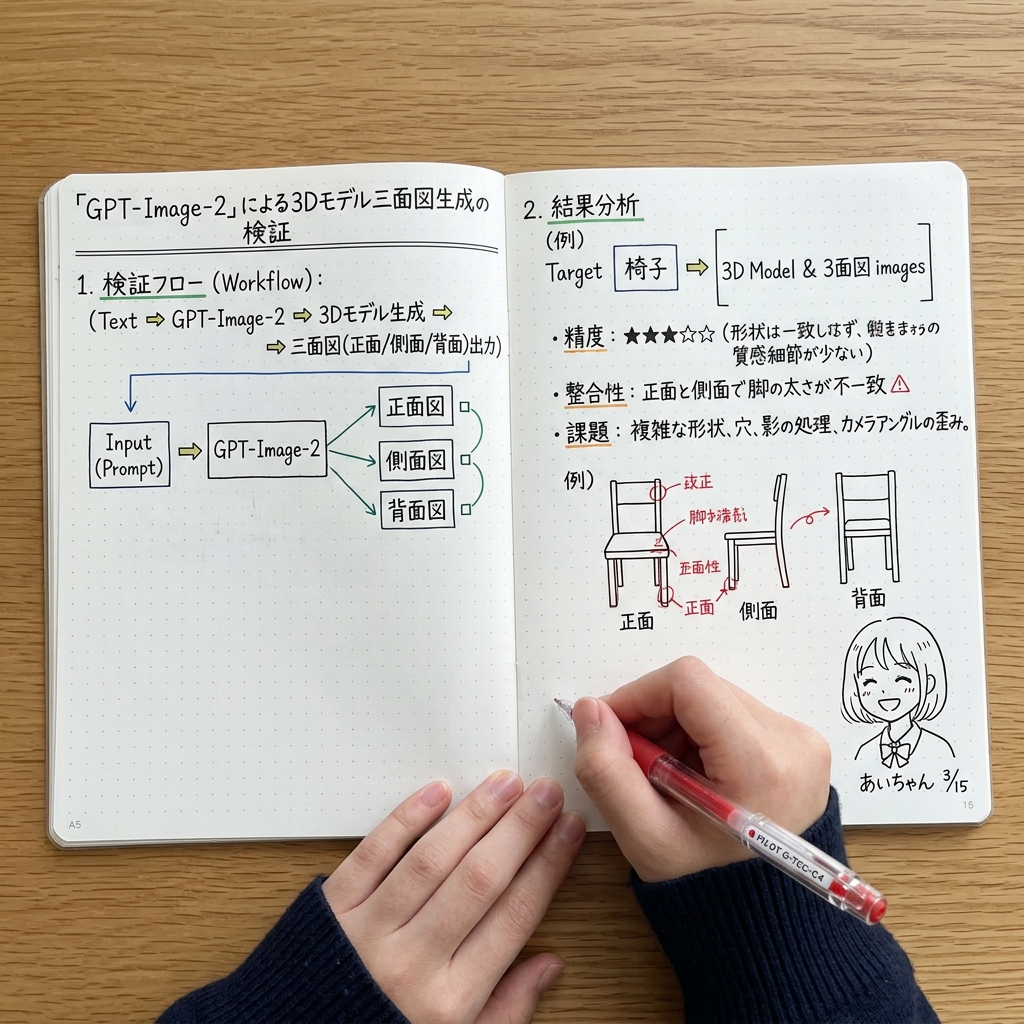
木质书桌上打开的点阵笔记本的俯视视角subject
description
穿着深蓝色罗纹毛衣的手正在笔记本上书写tool
手持一支 {argument name="pen color" default="红色"} 中性笔layout
left_page
header
{argument name="main title" default="基于「GPT-Image-2」的 3D 模型三视图生成验证"}sections
item 1
title
1. 验证流程 (Workflow):content
文本序列 (文本 => GPT-Image-2 => 3D 模型生成 => 三视图(正面/侧面/背面)输出)item 2
type
block diagramelements
5description
标有 'Input (Prompt)' 的方框指向 'GPT-Image-2',随后分支为 3 个分别标有 '正面图'、'侧面图' 和 '背面图' 的方框,并由绿色线条连接right_page
sections
item 1
title
2. 结果分析subtitle
(例) 目标 {argument name="target object" default="椅子"} => [3D 模型 & 三视图图像]bullet_points
count
3topics
item 1
精度 (5 星中 3 星)item 2
一致性item 3
挑战item 2
type
sketchescount
3subject
椅子labels
item 1
正面item 2
侧面item 3
背面annotations
椅子绘图上的红色墨水箭头和修改注释item 3
type
doodleposition
右下角description
可爱的动漫女孩脸signature
{argument name="doodle signature" default="Ai-chan 3/15"}关于这个提示词
Create detailed notebook pages with handwritten notes and doodles to visualize AI verification workflows, adding a personal touch to Sora 2 outputs. 它更适合作为 GPT Image 2 的概念艺术起点:先保留画面结构、主体关系和风格约束,再替换成你的品牌、人物或场景。
这条提示词使用结构化 JSON 组织信息,包含 type、subject、layout 等字段。保留这种层级能让模型更清楚地区分画面主题、布局、界面元素和细节约束。
使用时建议先小幅修改主体、场景、镜头和色调,再生成多个版本对比构图与细节。这样页面内容对用户有实际帮助,也避免把模型名或标签机械堆在正文里。
如何使用这个提示词
- Copy the prompt from above.
- Paste it into Sora 2 or another advanced text-to-image model.
- Modify the variables (e.g.,
pen color,main title,target object) to fit your needs. - Generate the image and refine as necessary by tweaking the layout or content.


