
GPT Image 2AI 提示词
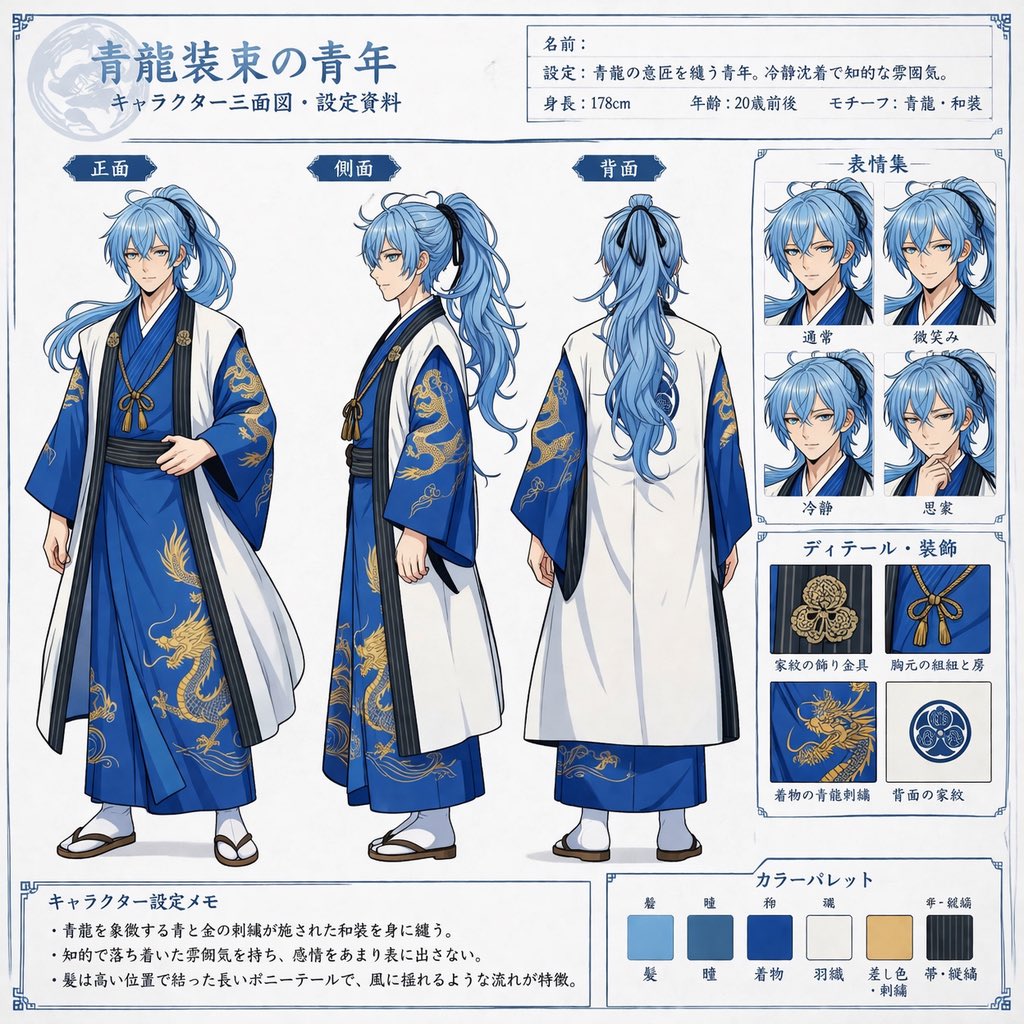
Anime Character Reference Sheet — Front, Side & Back Views
Create a detailed anime character design sheet with three-view turnarounds, four expressions, costume details, and a custom color palette.
提示词 · EN
type
anime character reference sheetcharacter
description
young man, {argument name="hair color" default="light blue"} long hair in high ponytail, calm expressionoutfit
{argument name="outfit style" default="blue kimono with gold dragon embroidery and white haori"}layout
header
title
{argument name="character title" default="青龍装束の青年"}subtitle
キャラクター三面図・設定資料info_box
labels
item 1
名前:item 2
設定:item 3
身長:{argument name="height" default="178cm"}item 4
年齢:20歳前後item 5
モチーフ:{argument name="motif" default="青龍"}・和装main_views
count
3poses
item 1
frontitem 2
sideitem 3
backlabels
item 1
正面item 2
側面item 3
背面sidebar_right
expressions
title
表情集count
4labels
item 1
通常item 2
微笑みitem 3
冷静item 4
思案details
title
ディテール・装飾count
4labels
item 1
家紋の飾り金具item 2
胸元の組紐と房item 3
着物の青龍刺繍item 4
背面の家紋footer
memo
title
キャラクター設定メモbullet_points_count
3color_palette
title
カラーパレットcount
6labels
item 1
髪item 2
瞳item 3
着物item 4
羽織item 5
差し色・刺繍item 6
帯・組紐关于这个提示词
Create a detailed anime character design sheet with three-view turnarounds, four expressions, costume details, and a custom color palette. 它更适合作为 GPT Image 2 的概念艺术起点:先保留画面结构、主体关系和风格约束,再替换成你的品牌、人物或场景。
这条提示词使用结构化 JSON 组织信息,包含 type、character、layout 等字段。保留这种层级能让模型更清楚地区分画面主题、布局、界面元素和细节约束。
使用时建议先小幅修改主体、场景、镜头和色调,再生成多个版本对比构图与细节。这样页面内容对用户有实际帮助,也避免把模型名或标签机械堆在正文里。
如何使用这个提示词
- Copy the prompt and paste it into a compatible AI image generator like Sora 2.
- Edit the variables in curly braces
{}to set your character's hair color, outfit, title, and other traits. - Choose a model known for high-quality illustration or anime styles for the best results.
- Generate the image, then refine the prompt or variables if the layout needs adjustments.


