
GPT Image 2AI 提示词
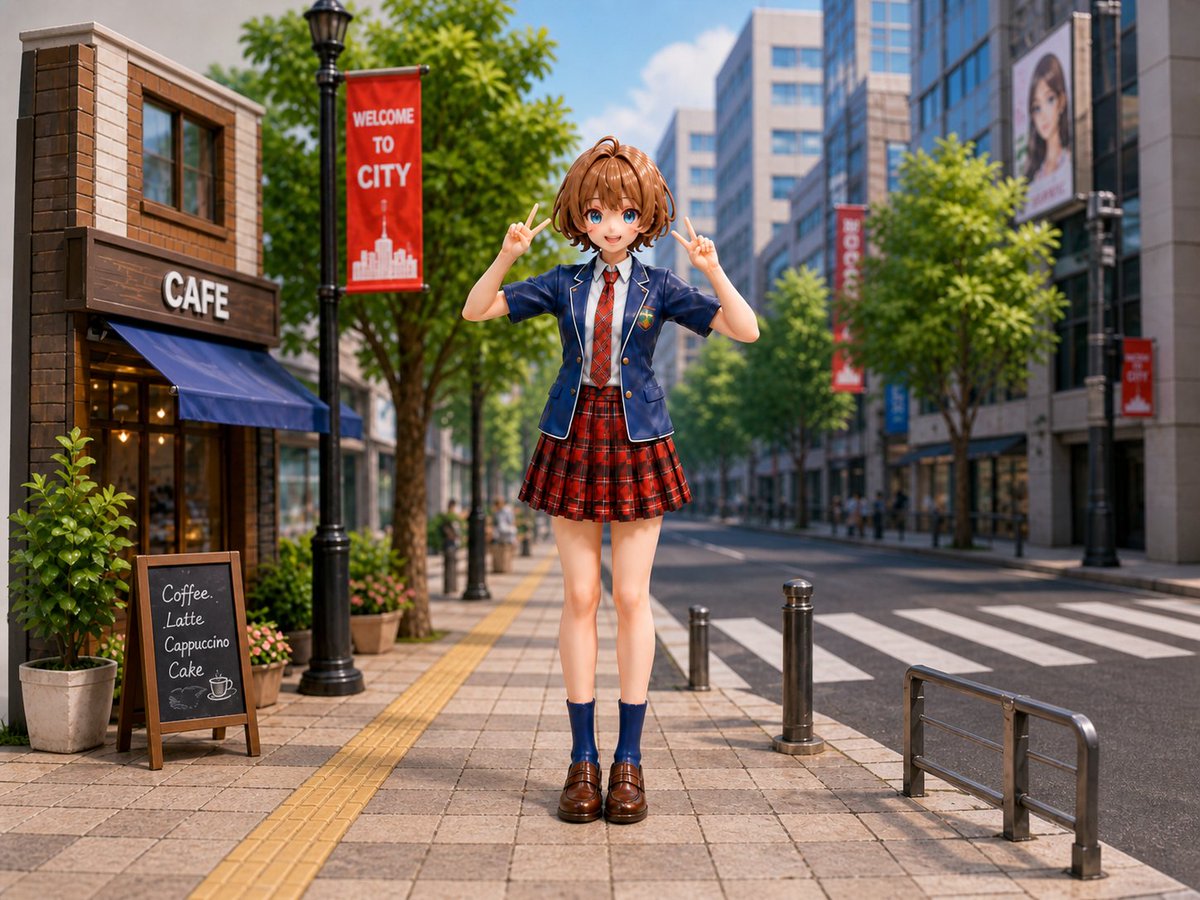
Anime Schoolgirl Diorama Prompt — Miniature City Scene
Creates a photorealistic miniature tilt-shift city diorama with an anime figure, detailed streetscape, and vibrant sunlight for unique AI art.
提示词 · EN
Create a highly realistic miniature diorama photograph of a cute anime-style argcharacter type: Japanese schoolgirl figure standing centered on a modern city sidewalk in bright daylight, posed full body facing the camera with both hands raised in cheerful peace signs. She has arghair color and style: short light brown bob hair with a small top ponytail, a softly blurred featureless face, slim proportions, and wears a navy school blazer with white piping and crest badge, white shirt, red necktie, red tartan pleated skirt, navy ankle socks, and glossy brown loafers. The scene is a detailed urban street diorama with a cafe building on the left, a large white “CAFE” sign, blue awning, warm interior lights, potted plants, and one chalkboard menu listing four items: “Coffee,” “Latte,” “Cappuccino,” and “Cake.” Add a black streetlamp with a red vertical banner reading argbanner text: WELCOME TO CITY, leafy green trees lining the sidewalk, tactile yellow paving strips, tiled pavement, short metal bollards, a crosswalk and road on the right, metal guardrail in the foreground, glass office buildings and distant pedestrians in the background, plus additional red city banners and a billboard with a blurred portrait. Use a shallow depth of field, tilt-shift miniature effect, crisp foreground details, soft background blur, vibrant colors, realistic sunlight and shadows, 4:3 landscape composition, eye-level camera, photorealistic toy-figure diorama aesthetic.
关于这个提示词
Creates a photorealistic miniature tilt-shift city diorama with an anime figure, detailed streetscape, and vibrant sunlight for unique AI art. 它更适合作为 GPT Image 2 的概念艺术起点:先保留画面结构、主体关系和风格约束,再替换成你的品牌、人物或场景。
使用时优先替换 character type、hair color and style、banner text 等占位符,并保持镜头、构图和材质描述的顺序不变。这样更容易获得稳定的画面结果,也方便继续做多版本对比。
如何使用这个提示词
- Copy the full prompt text from Sora2Hub.
- Choose an AI image model like Sora or Midjourney that supports detailed scene generation.
- Customize variables like
{character type}and{hair color}with your preferred anime style. - Generate the image and adjust settings for aspect ratio (4:3 recommended) and style emphasis.


