
GPT Image 2AI 提示词
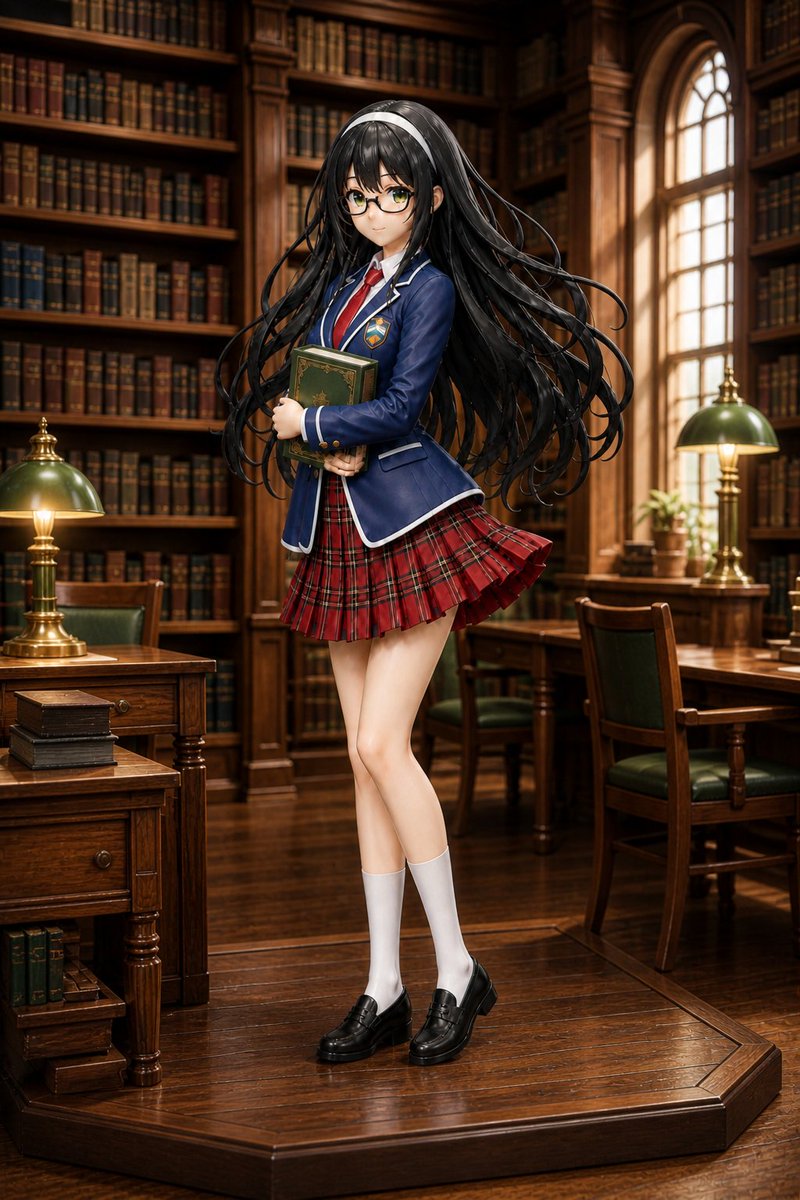
Anime Schoolgirl Library Diorama — Realistic Miniature Prompt
Generates a stunning realistic miniature diorama photo of a collectible anime figurine in a warm, detailed antique library setting with cinematic lighting.
提示词 · EN
Create a highly detailed realistic miniature diorama photograph of a argcharacter type: anime schoolgirl figurine standing on a polished octagonal wooden display base inside an elegant old library. The figure is full body, centered, posed shyly with knees slightly crossed and both arms hugging a dark green hardcover book to her chest. She wears a argschool uniform color: navy blue blazer with white piping, gold buttons, a small crest patch, a white shirt, red necktie, red tartan pleated skirt caught in a slight motion flare, white knee-high socks, and black penny loafers. She has very long flowing arghair color: glossy black hair with a white headband, many loose strands curling outward dramatically as if lifted by a gentle breeze; her face is covered by a square soft blur censor block. The environment is a warm, richly detailed wood-paneled library with tall bookshelves packed with old leather-bound books, carved columns, an arched window glowing with golden afternoon light, wooden desks and chairs with green leather seats, two brass banker lamps with green glass shades, small stacked books, and a tiny potted plant. Use shallow depth of field, cinematic warm lighting, realistic wood grain, glossy reflections on the floor and display base, collectible figure proportions with smooth painted skin, extremely sharp craftsmanship, macro photography, vertical composition, premium diorama realism, no text.
关于这个提示词
Generates a stunning realistic miniature diorama photo of a collectible anime figurine in a warm, detailed antique library setting with cinematic lighting. 它更适合作为 GPT Image 2 的概念艺术起点:先保留画面结构、主体关系和风格约束,再替换成你的品牌、人物或场景。
使用时优先替换 character type、school uniform color、hair color 等占位符,并保持镜头、构图和材质描述的顺序不变。这样更容易获得稳定的画面结果,也方便继续做多版本对比。
如何使用这个提示词
- Copy the full prompt text and paste it into your preferred Sora 2 or image generation model.
- Replace the default variable values (character type, uniform color, hair color) to customize your figurine design.
- Keep the environmental details as-is for best results, or tweak the library elements to your taste.
- Generate at the highest resolution available for maximum macro detail and sharpness.
- Experiment with slight variations in pose or lighting descriptors for unique outputs.


