
GPT Image 2AI 提示词
Anonymized Female Track Athlete — Realistic Portrait Prompt
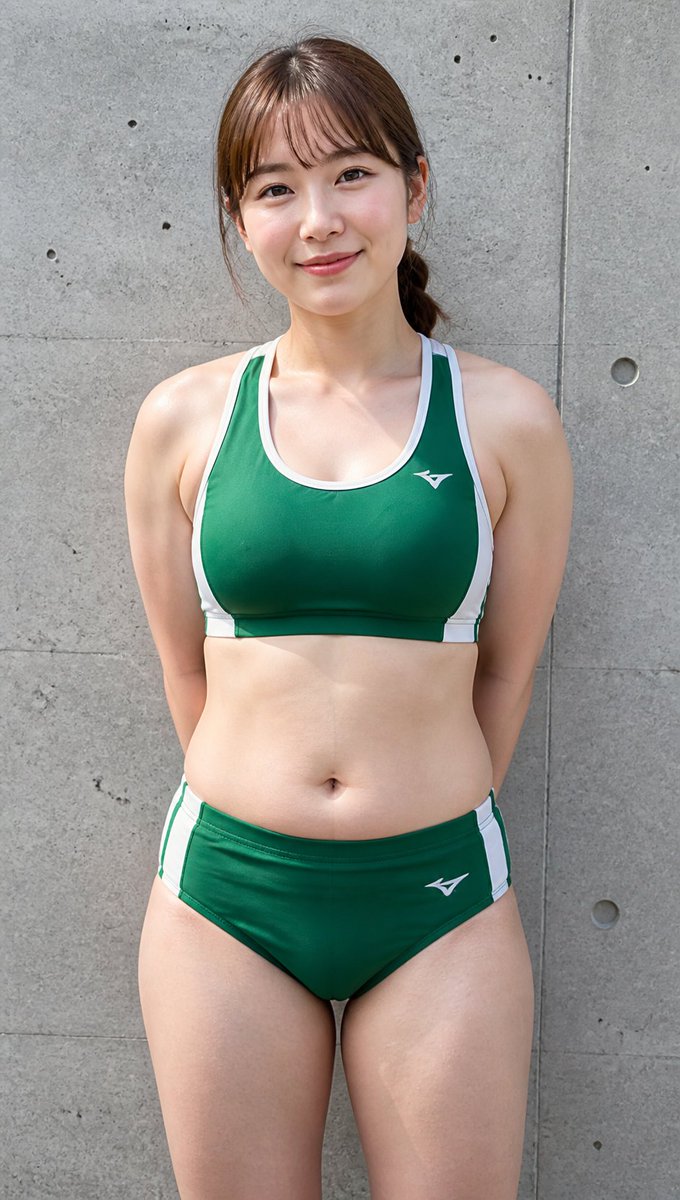
Generate a sharp, realistic vertical portrait of an anonymized female track-and-field athlete in a customizable two-piece uniform against a textured concrete wall background.
提示词 · EN
Create a realistic full-body vertical outdoor sports portrait of an adult female track-and-field athlete standing front-facing against a gray concrete wall with visible seams, small holes, and subtle weathered texture. She has a sturdy, athletic-curvy build with broad shoulders, toned arms, a soft midsection, and strong thighs, posed upright with her hands clasped behind her back. Her face is intentionally anonymized by a large vertical rectangular mosaic/blur block in natural skin tones covering the entire face area, while brown hair is tied back in a low ponytail with loose side strands visible. She wears a arguniform color: dark green two-piece track uniform: a racerback sports crop top with white trim and side panels, plus matching brief-style athletic bottoms with white side stripes, both with small white athletic logos. Use natural daylight, sharp documentary photo realism, realistic skin texture, slight perspiration sheen, centered composition, portrait orientation, medium telephoto perspective, and a neutral candid sports-club look. Background should remain simple and uncluttered, emphasizing the single athlete and the concrete wall.
关于这个提示词
Generate a sharp, realistic vertical portrait of an anonymized female track-and-field athlete in a customizable two-piece uniform against a textured concrete wall background. 它更适合作为 GPT Image 2 的概念艺术起点:先保留画面结构、主体关系和风格约束,再替换成你的品牌、人物或场景。
使用时优先替换 uniform color 等占位符,并保持镜头、构图和材质描述的顺序不变。这样更容易获得稳定的画面结果,也方便继续做多版本对比。
如何使用这个提示词
- Copy the Prompt: Copy the full prompt text above into your clipboard. 2. Choose a Model: Paste it into an AI image generator that supports detailed prompts (e.g., Sora 2, Midjourney, or DALL·E). 3. Tweak Variables: Change the
{uniform color}argument from the default dark green to any color you prefer. 4. Generate & Refine: Generate the image. If needed, adjust lighting keywords or crop details and regenerate for your ideal result.


