
GPT Image 2AI 提示词
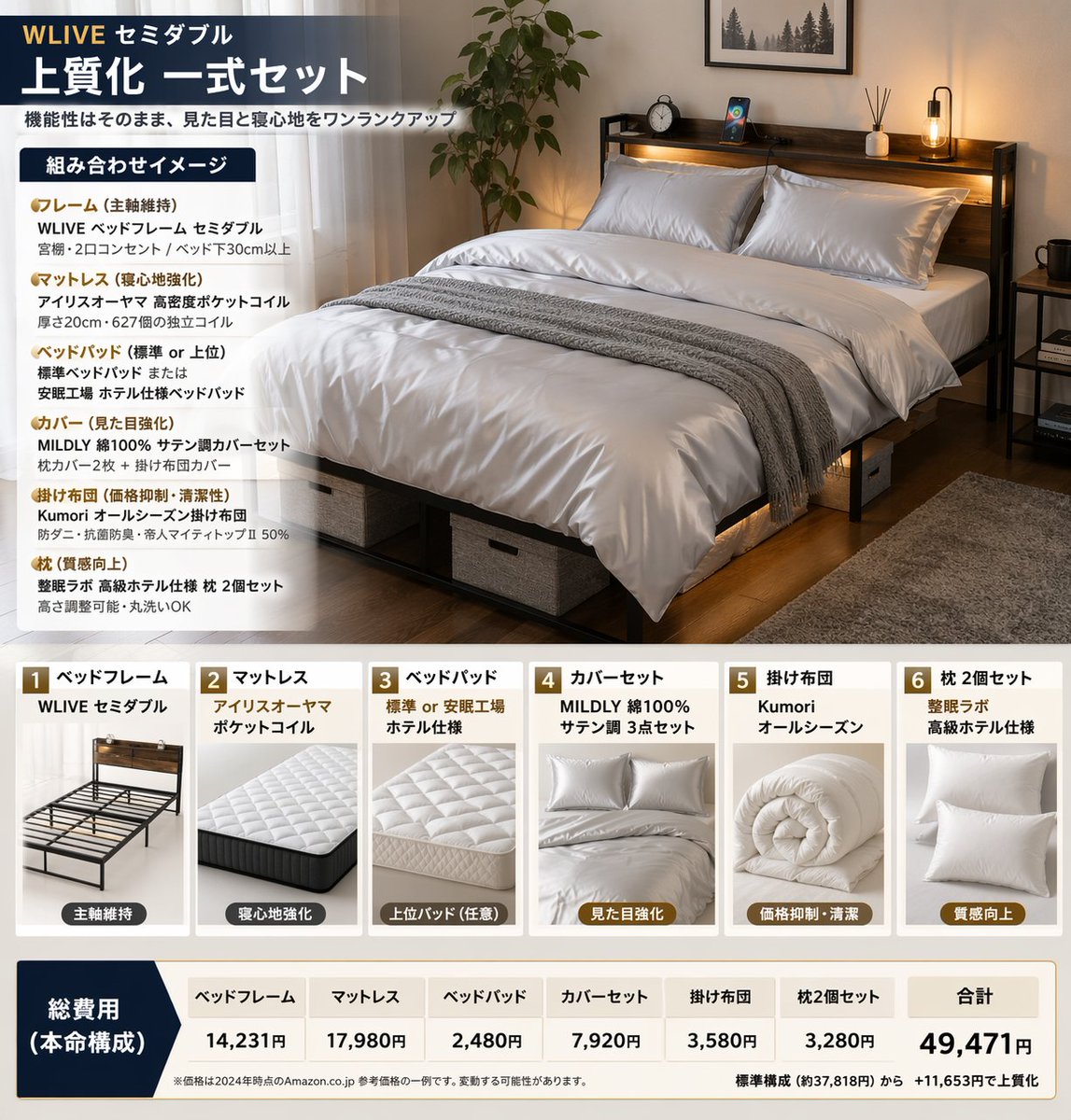
Bedding Bundle Infographic — 6-Item Product Breakdown
Creates a professional product bundle infographic showcasing 6 bedding items with lifestyle imagery, component cards, and a pricing table.
提示词 · EN
type
product bundle infographicheader
brand_and_size
{argument name="brand and size" default="WLIVE セミダブル"}title
{argument name="main title" default="上質化 一式セット"}subtitle
機能性はそのまま、見た目と寝心地をワンランクアップlayout
top_section
left_panel
title
組み合わせイメージbullet_points_count
6bullet_categories
item 1
フレームitem 2
マットレスitem 3
ベッドパッドitem 4
カバーitem 5
掛け布団item 6
枕right_panel
image_description
{argument name="main image description" default="a neatly made semi-double bed with dark wood frame, headboard shelf with lights, white satin bedding, grey throw blanket, under-bed storage boxes, potted plant, and rug in a cozy bedroom"}middle_section
type
product cardscount
6cards
item 1
number
1title
ベッドフレームbrand
WLIVE セミダブルimage_subject
empty dark wood bed frametag
主軸維持item 2
number
2title
マットレスbrand
アイリスオーヤマ ポケットコイルimage_subject
white quilted mattresstag
寝心地強化item 3
number
3title
ベッドパッドbrand
標準 or 安眠工場 ホテル仕様image_subject
white quilted bed padtag
上位パッド(任意)item 4
number
4title
カバーセットbrand
MILDLY 綿100% サテン調 3点セットimage_subject
folded white satin covers and pillowstag
見た目強化item 5
number
5title
掛け布団brand
Kumori オールシーズンimage_subject
rolled white comfortertag
価格抑制・清潔item 6
number
6title
枕 2個セットbrand
整眠ラボ 高級ホテル仕様image_subject
two white pillowstag
質感向上bottom_section
type
pricing tablelabel
総費用 (本命構成)columns_count
7columns
item 1
ベッドフレームitem 2
マットレスitem 3
ベッドパッドitem 4
カバーセットitem 5
掛け布団item 6
枕 2個セットitem 7
合計total_price
{argument name="total price" default="49,471円"}footer_note
{argument name="footer note" default="※価格は2024年時点のAmazon.co.jp 参考価格の一例です。変動する可能性があります。"}关于这个提示词
Creates a professional product bundle infographic showcasing 6 bedding items with lifestyle imagery, component cards, and a pricing table. 它更适合作为 GPT Image 2 的概念艺术起点:先保留画面结构、主体关系和风格约束,再替换成你的品牌、人物或场景。
这条提示词使用结构化 JSON 组织信息,包含 type、header、layout 等字段。保留这种层级能让模型更清楚地区分画面主题、布局、界面元素和细节约束。
使用时建议先小幅修改主体、场景、镜头和色调,再生成多个版本对比构图与细节。这样页面内容对用户有实际帮助,也避免把模型名或标签机械堆在正文里。
如何使用这个提示词
- Copy the entire prompt object.
- Choose an AI model capable of generating structured graphics or infographics (e.g., DALL·E, Midjourney).
- Customize the
argumentvariables likebrand and sizeormain image descriptionto match your specific product line. - Generate the image and review the layout for brand consistency and clarity.


