
GPT Image 2AI 提示词
Blue Hour Tokyo Skyline & Mount Fuji — Cinematic Sora Prompt
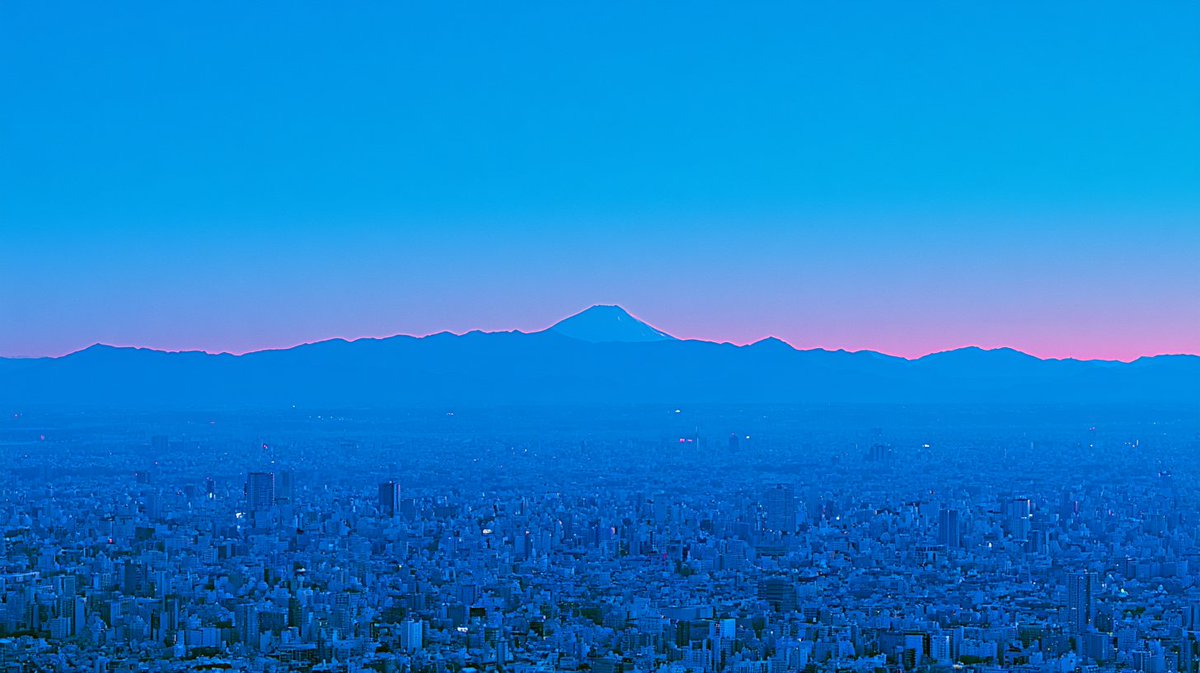
Create a stunning, serene monochromatic cityscape with a distant Mount Fuji silhouette and twilight glow — perfect for editorial or atmospheric backgrounds.
提示词 · EN
Create a wide cinematic telephoto landscape photograph of argcity name: Tokyo at blue hour, viewed from a high observation deck, with a vast dense urban skyline filling the lower half of the frame in cool monochromatic cobalt-blue tones. In the far distance, center the dark silhouette of argmountain name: Mount Fuji rising above a long jagged mountain range on the horizon. Add a thin vivid magenta-pink twilight glow tracing the horizon behind the mountains, fading upward into a clear deep cyan-blue sky that occupies the upper half of the image. Use atmospheric haze to soften distant buildings and mountains, tiny scattered city lights, crisp but slightly dreamy high-end travel photography aesthetics, serene mood, minimal composition, no people, no text, 16:9 aspect ratio.
关于这个提示词
Create a stunning, serene monochromatic cityscape with a distant Mount Fuji silhouette and twilight glow — perfect for editorial or atmospheric backgrounds. 它更适合作为 GPT Image 2 的概念艺术起点:先保留画面结构、主体关系和风格约束,再替换成你的品牌、人物或场景。
常见用途包括 gptimage2api prompts、gptimage2api、zh。这些标签只作为创作方向参考,实际生成时仍应以提示词结构和预览图为准。
使用时优先替换 city name、mountain name 等占位符,并保持镜头、构图和材质描述的顺序不变。这样更容易获得稳定的画面结果,也方便继续做多版本对比。
如何使用这个提示词
- Copy the full prompt text from the page.
- Open your preferred AI image generator (e.g., Sora, Runway, Midjourney).
- Replace the
city nameandmountain namevariables with your desired locations, or leave the Tokyo/Mount Fuji defaults. - Paste the prompt and generate.
- Adjust aspect ratio or mood descriptors if needed for your project.


