
GPT Image 2AI 提示词
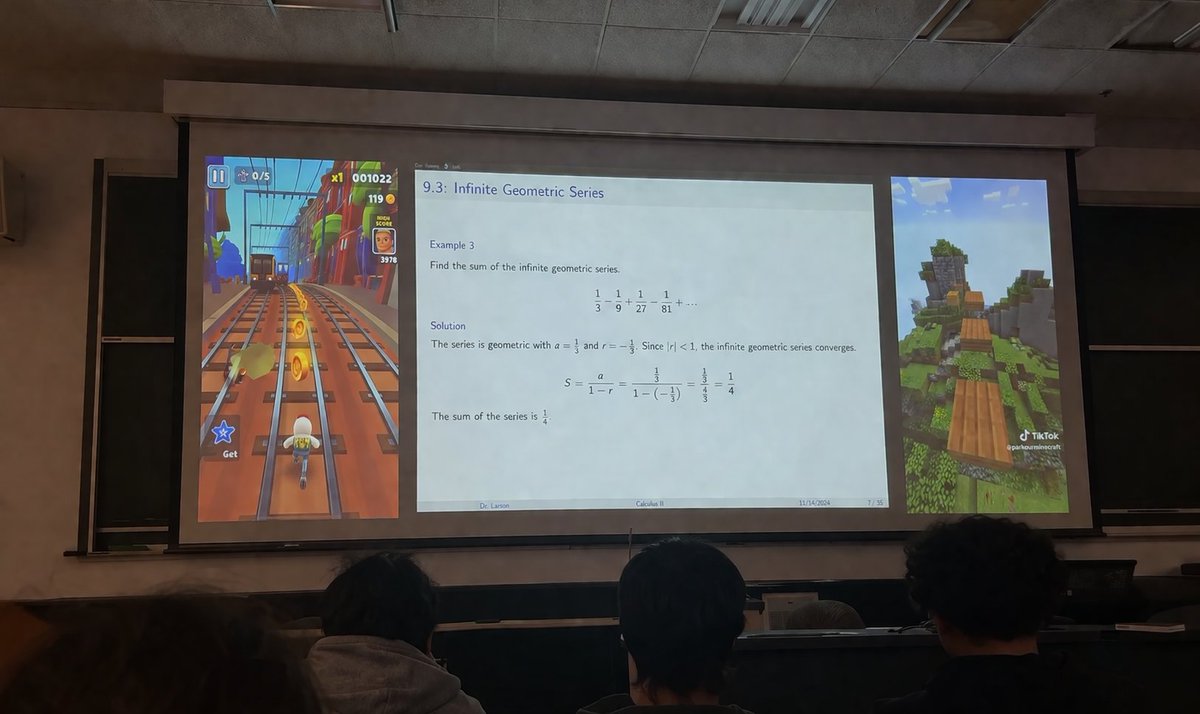
Brainrot Lecture Hall Projector — Split Screen Gaming & Math Class
Create a realistic photo of a college projector screen combining an infinite geometric series lecture with flanking Subway Surfers and Minecraft parkour videos.
提示词 · EN
A realistic photograph taken from the audience in a dimly lit university lecture hall, looking over the backs of the heads of three students in the foreground towards a large projector screen. The projector screen displays a layout split into three distinct vertical panels. The left panel shows vertical argleft game: Subway Surfers gameplay, featuring a character running on train tracks collecting gold coins with UI elements like a score of "001022". The wide center panel displays an academic presentation slide titled "argslide topic: 9.3: Infinite Geometric Series". The slide contains math text: "Example 3: Find the sum of the infinite geometric series. 1/3 - 1/9 + 1/27 - 1/81 + ... Solution: The series is geometric with a = 1/3 and r = -1/3. Since |r| < 1, the infinite geometric series converges. S = a / (1 - r) = (1/3) / (1 - (-1/3)) = (1/3) / (4/3) = 1/4. The sum of the series is 1/4." The slide footer reads "argprofessor name: Dr. Larson", "argcourse name: Calculus II", "11/14/2024", and "7 / 35". The right panel shows vertical argright game: Minecraft parkour gameplay, featuring floating wooden blocks over a grassy landscape with a TikTok watermark at the bottom right. The room has a drop ceiling and blackboards visible behind the screen edges.
关于这个提示词
Create a realistic photo of a college projector screen combining an infinite geometric series lecture with flanking Subway Surfers and Minecraft parkour videos. 它更适合作为 GPT Image 2 的概念艺术起点:先保留画面结构、主体关系和风格约束,再替换成你的品牌、人物或场景。
常见用途包括 gptimage2api prompts、gptimage2api、en。这些标签只作为创作方向参考,实际生成时仍应以提示词结构和预览图为准。
使用时优先替换 left game、slide topic、professor name、course name 等占位符,并保持镜头、构图和材质描述的顺序不变。这样更容易获得稳定的画面结果,也方便继续做多版本对比。
如何使用这个提示词
- Copy the entire prompt template, including the {argument} tags, into your Sora 2 prompt field.
- Select your preferred video generation model (e.g., Sora 2 or similar text-to-video AI).
- Customize the variables: change "left game", "right game", "slide topic", "professor name", or "course name" to fit your scene.
- Adjust any style or resolution settings in your chosen platform, then generate the video.
- Review the output and tweak variables or regenerate if the layout or details need refinement.


