
GPT Image 2AI 提示词
Chinese Calligraphy City Poster — Sora 2 AI Prompt
Create stunning 8K art that fuses ink-wash calligraphy with iconic city landmarks and a transparent bird motif for a unique Eastern-meets-modern poster.
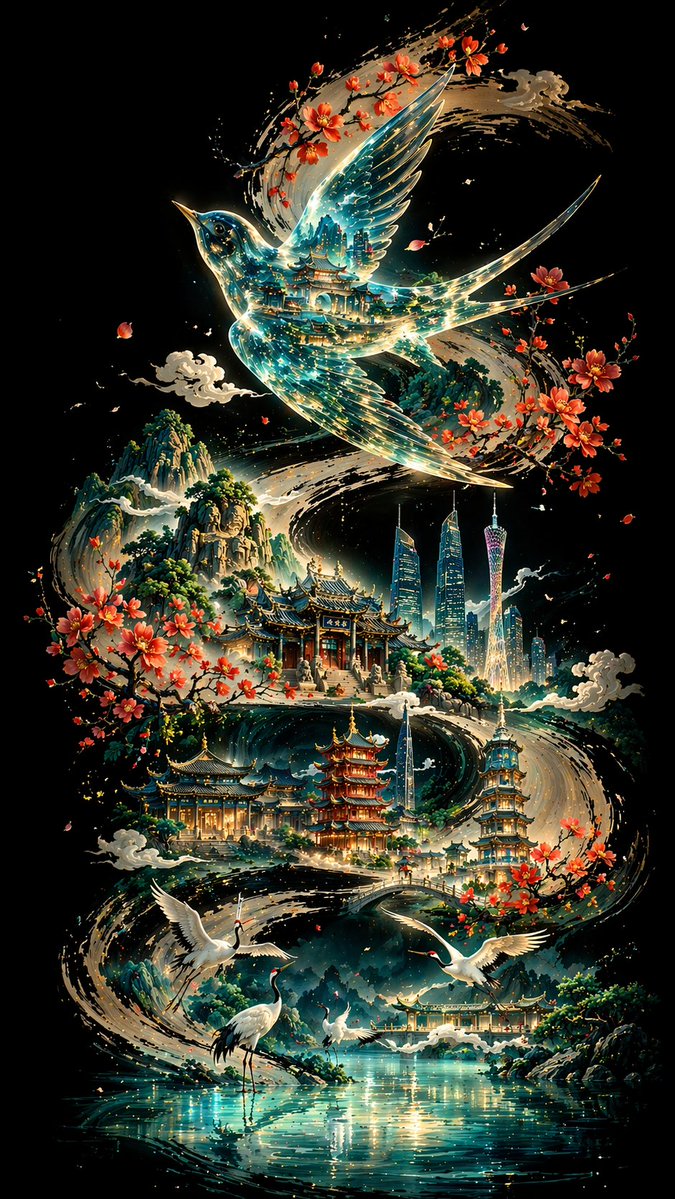
提示词 · EN
【Background and Skeleton Lines】 Deep black background, a thick and powerful ink calligraphy S-shaped curve winding across the screen, vigorous strokes with varied ink density, forming the visual skeleton and narrative flow. 【Subject: argsubject bird: thrush】 Above the curve, a argsubject bird: thrush with wings spread occupies the visual core; the body is transparent like glass, reflecting traditional architectural layers inside with blue-green light streams; the outline is edged with fine gold lines. 【Mid-ground: Classical Architectural Sequence】 Below the bird, various scenic spots of argcity: Guangzhou are scattered along the ink line: Baiyun Mountain, Chen Clan Ancestral Hall, and the Canton Tower; the main tones are blue-green and pale gold with clear architectural details; Kapok flowers and ink-wash clouds add ethereal layers. 【Foreground: White Cranes and Water Surface】 Lakeside foreground: several white cranes in various elegant poses; the light blue water is mirror-like with sparkling light, creating a serene atmosphere. 【Background: Mountains】 Distant mountains rise and fall in indigo ink shading from thick to light, creating depth of field. 【Composition and Lighting】 Non-linear perspective with the ink curve as the axis; light radiates from the center creating strong contrast; cool tones dominate with warm accents; fusion of Eastern aesthetics and modern imagery. 【Technical Specs】 8K Ultra HD rendering, extreme detail precision, best quality, ratio argaspect ratio: 9:16
关于这个提示词
Create stunning 8K art that fuses ink-wash calligraphy with iconic city landmarks and a transparent bird motif for a unique Eastern-meets-modern poster. 它更适合作为 GPT Image 2 的概念艺术起点:先保留画面结构、主体关系和风格约束,再替换成你的品牌、人物或场景。
常见用途包括 gptimage2api prompts、gptimage2api、zh。这些标签只作为创作方向参考,实际生成时仍应以提示词结构和预览图为准。
使用时优先替换 subject bird、city、aspect ratio 等占位符,并保持镜头、构图和材质描述的顺序不变。这样更容易获得稳定的画面结果,也方便继续做多版本对比。
如何使用这个提示词
- Copy the entire prompt text.
- Select Sora 2 or a compatible high-resolution AI model.
- Replace the default variables (subject bird, city) with your preferences.
- Generate the image and review the output for composition.
- Adjust keywords like 'ink density' or 'color tones' to refine the style.


