
GPT Image 2AI 提示词
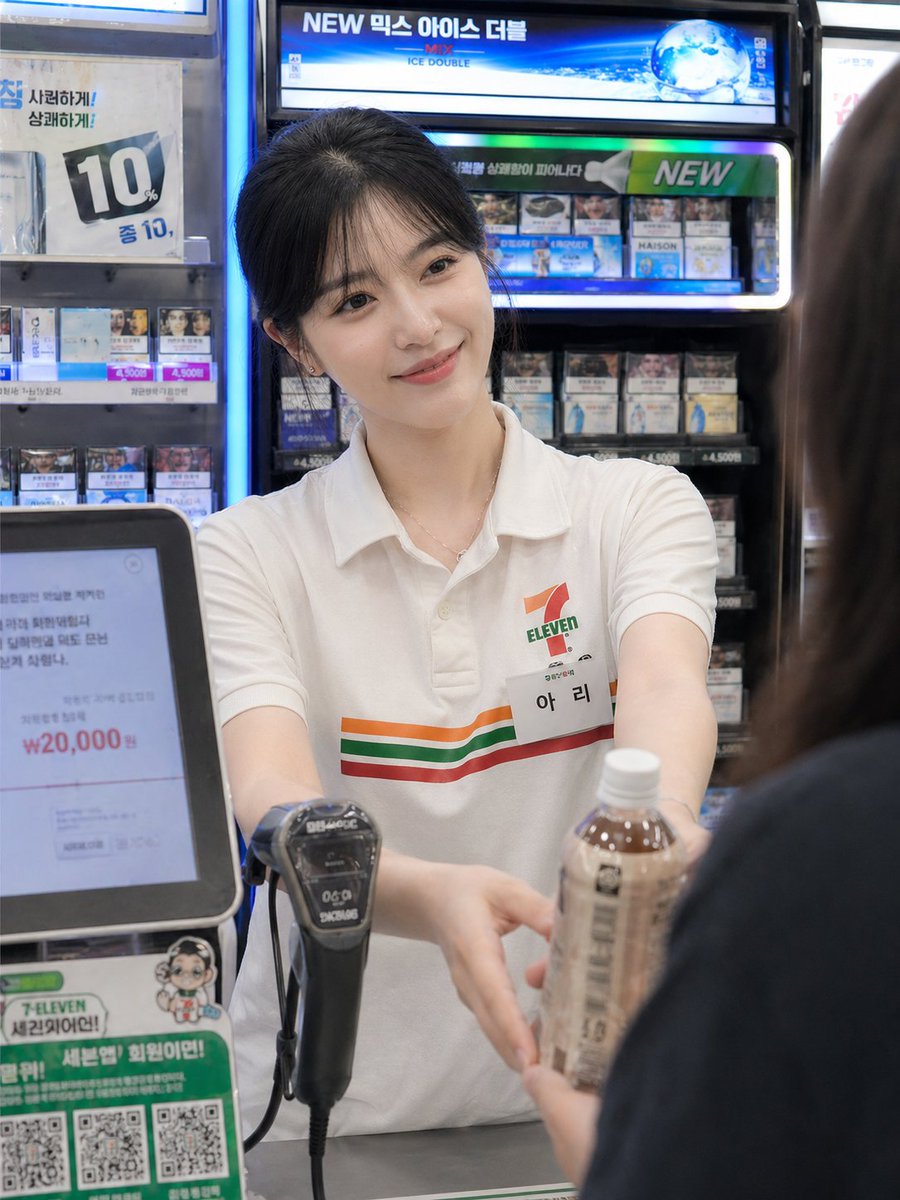
Candid Convenience Store Checkout — Sora 2 Prompt
Generate a photorealistic candid convenience-store handoff scene with customizable customer type for lifestyle visuals.
提示词 · EN
Using the provided reference image as the base, regenerate it as a photorealistic candid convenience-store checkout moment. Keep the same employee, uniform, counter setting, and blurred/anonymized face treatment, but change the action so the employee is facing forward and extending both hands to pass a bottled drink to argcustomer type: a female customer. Add the customer only as an out-of-focus foreground figure on the right, seen from behind/side, partially blocking the frame. Make the composition feel like an unposed smartphone snapshot: imperfect framing, slight handheld motion blur, natural skin tones, camera noise, shallow depth of field, and realistic fluorescent convenience-store lighting. Keep the Korean convenience-store signage and cigarette display atmosphere in the background, with the POS screen and barcode scanner visible near the counter.
关于这个提示词
Generate a photorealistic candid convenience-store handoff scene with customizable customer type for lifestyle visuals. 它更适合作为 GPT Image 2 的概念艺术起点:先保留画面结构、主体关系和风格约束,再替换成你的品牌、人物或场景。
使用时优先替换 customer type 等占位符,并保持镜头、构图和材质描述的顺序不变。这样更容易获得稳定的画面结果,也方便继续做多版本对比。
如何使用这个提示词
- Copy the entire prompt text. 2. Paste it into your Sora 2-compatible AI image generator. 3. Replace the default customer type (e.g., female customer) with your preferred description. 4. Upload your reference image of a store employee. 5. Generate and adjust framing or lighting details if needed.


